Sep 20
Choose Who Can Reply to Your X Posts
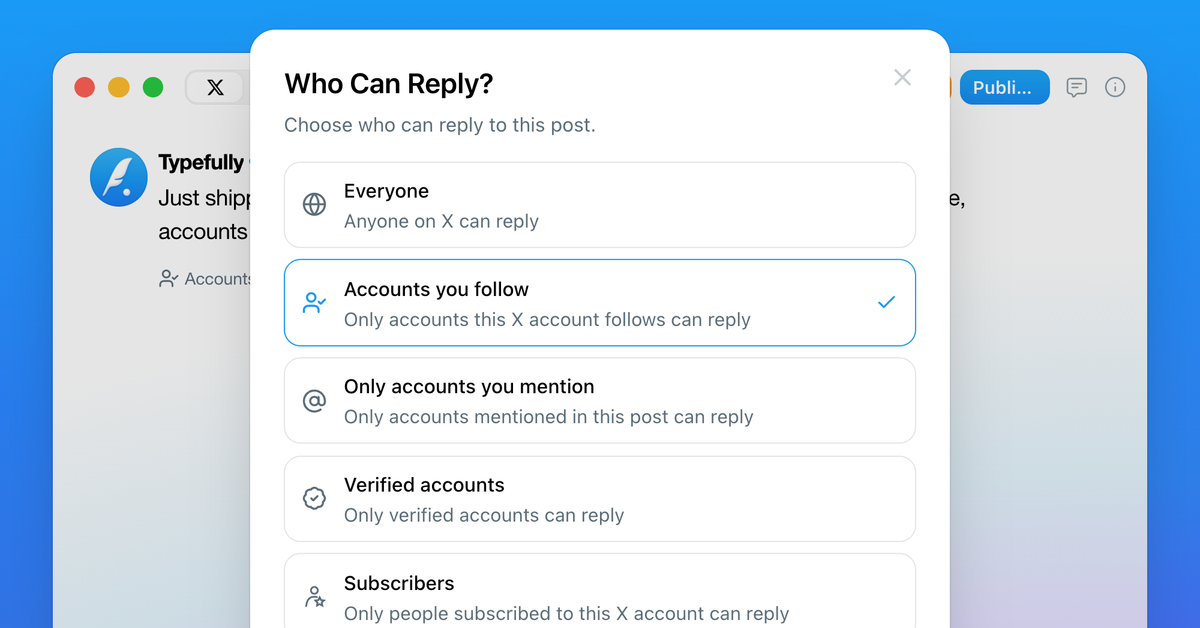
You can now choose who can reply to X posts published with Typefully.
Keep replies open to everyone, or limit them to accounts you follow, accounts you mention, verified accounts, or subscribers.
Use the new reply settings before publishing to decide what kind of conversation you want around each post.
Sep 18
Typefully Is Now an Official Claude Connector
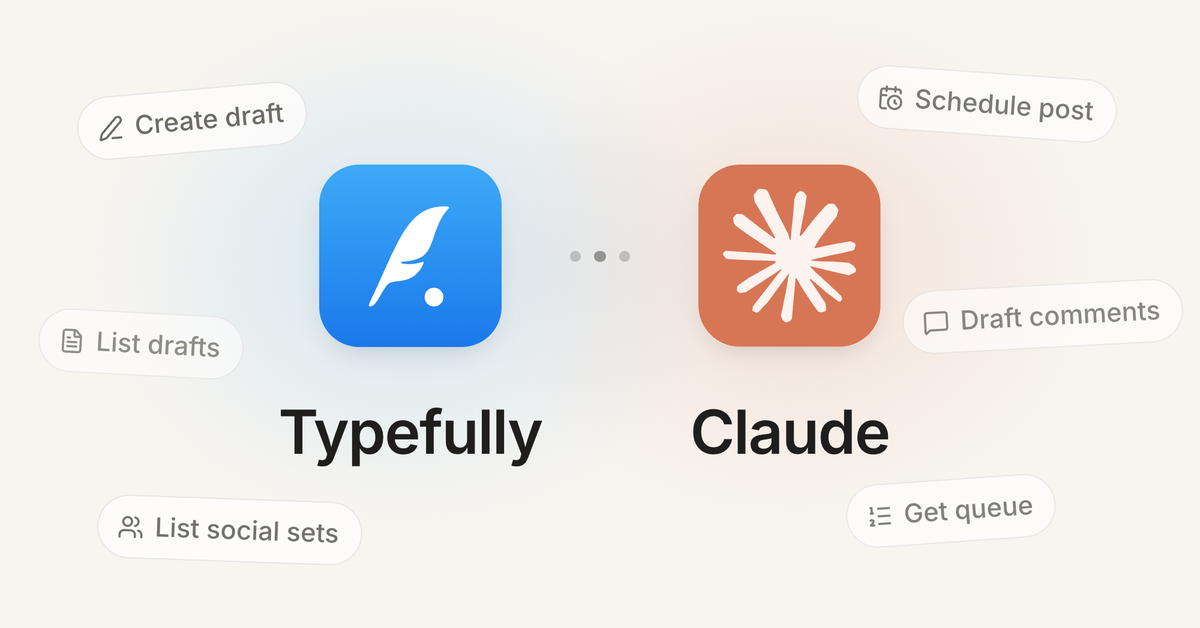
Typefully is now available in Claude's official connector directory.
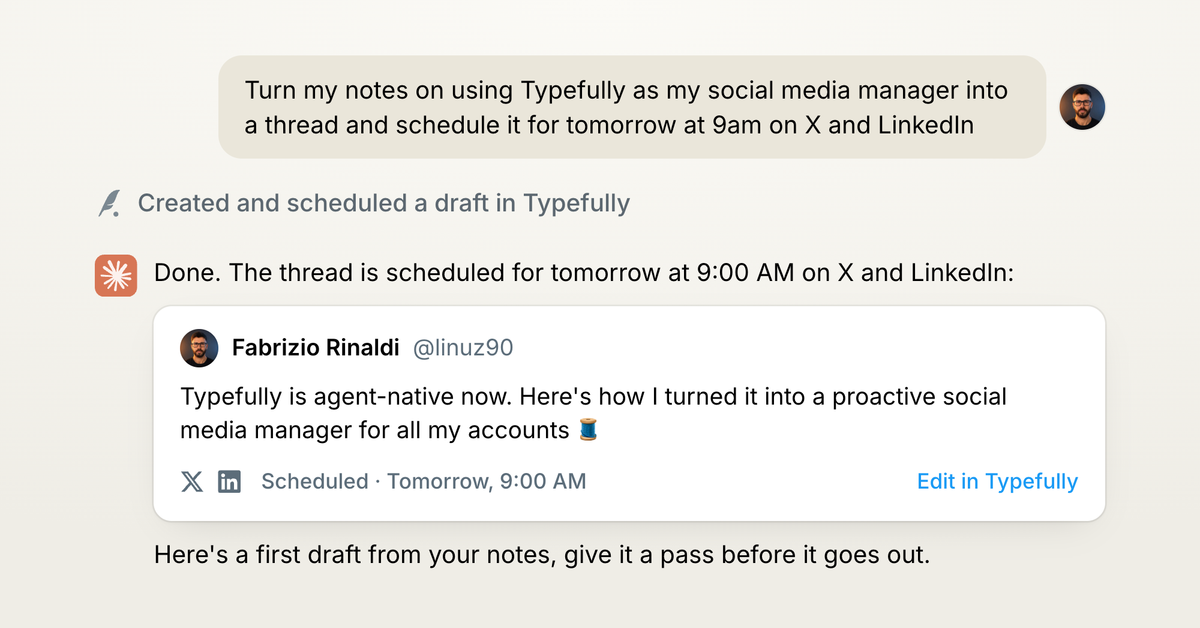
Connect once, and Claude can work across every account in your Typefully workspace. It can turn notes and ideas into drafts for all your platforms, schedule or queue posts, and work through your team's comments on drafts.
Everything happens through Typefully, so your workspace, permissions, drafts, and publishing workflow stay in one place. Every draft lands in Typefully, ready for you to review and polish before it goes out.
The connector is available to all Typefully users. Add Typefully from Claude's directory.
Sep 17
1080p Video Publishing on X

High-resolution videos posted to X through Typefully now publish at full 1080p instead of getting compressed to 720p.
This applies automatically as long as the X account you're publishing to has an active X Premium subscription. No settings to change, just upload your video and publish as usual.
Aug 5
New Calendar for Teams and Planned Drafts
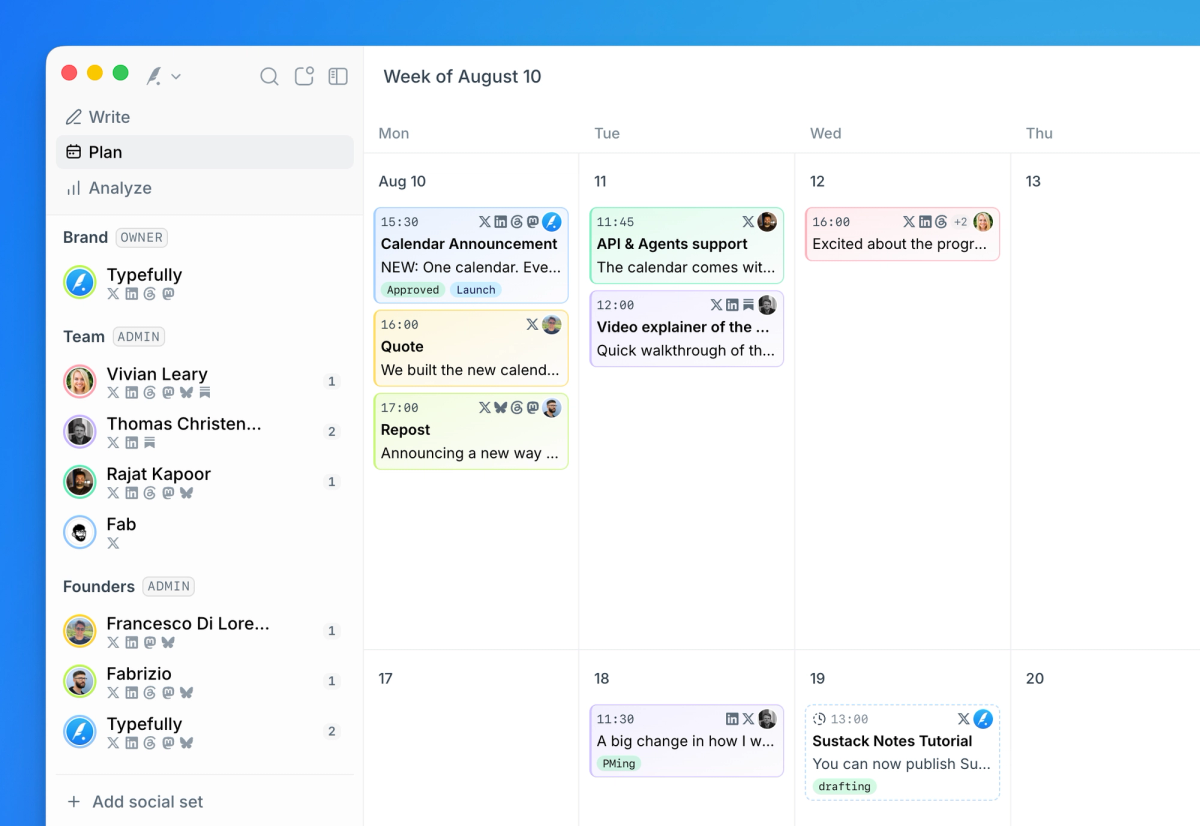
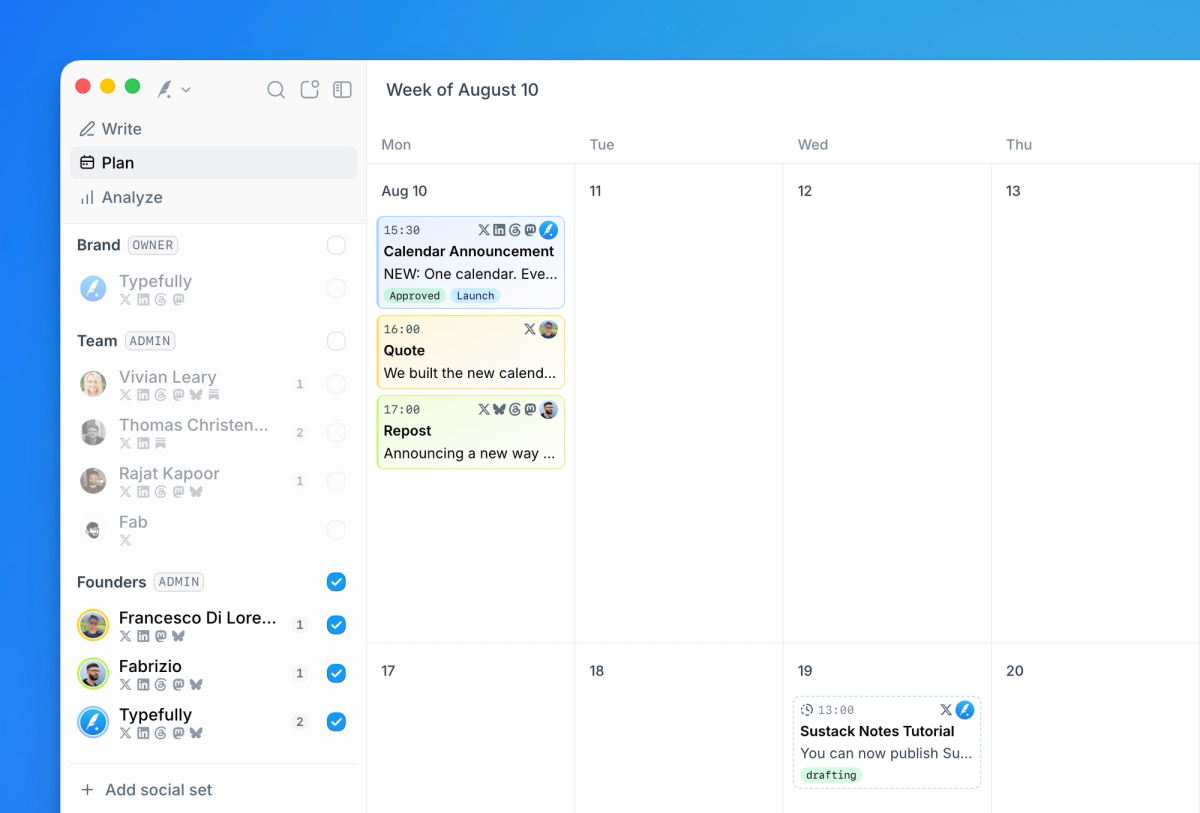
We've rebuilt our calendar to show every social set in your workspace at once. Your brand account, the founder's account, your teammates, all in one view.
This becomes the "who says what and when" view. If your team ships content together, the whole plan finally lives in one place.
Here’s a full walkthrough of the new experience:
Learn more in our help pages.
Plan now, confirm later
It also introduces a highly requested state: planned posts.
Drafts with a date and time on the calendar that will not publish until you or the account owner confirms them.
So now you can sketch out your week first, then confirm each post when it's ready.
For teams, this is how a launch comes together: plan the brand post, the founder's take, and the employee amplification on the same day, then let each person confirm their own.
Focus on any account, team, or campaign
You can focus the calendar by social set, team, campaign, status, tag, or platform, so a busy month can become one launch, one campaign, or everything waiting for review.
Revamped Navigation
To make it easier to get your work done in Typefully, we’ve redesigned the navigation into three modes in Typefully.
- Write is your focused writing space
- Plan is the calendar
- Analyze is your analytics
One click switches between them.
Jul 27
Publish and Schedule Substack Notes
You can now create and schedule Substack Notes in Typefully.
Notes are great for quick ideas, links, quotes, and smaller updates around your longer posts.
Now they can live in the same calendar as the rest of your social content, so launches, follow-ups, and everyday posts are easier to plan together.
Available for free to all users.
To get started, add Substack Notes as a new platform in your social set.
Learn more in Substack’s help docs.
Jul 8
Write and Schedule X Articles
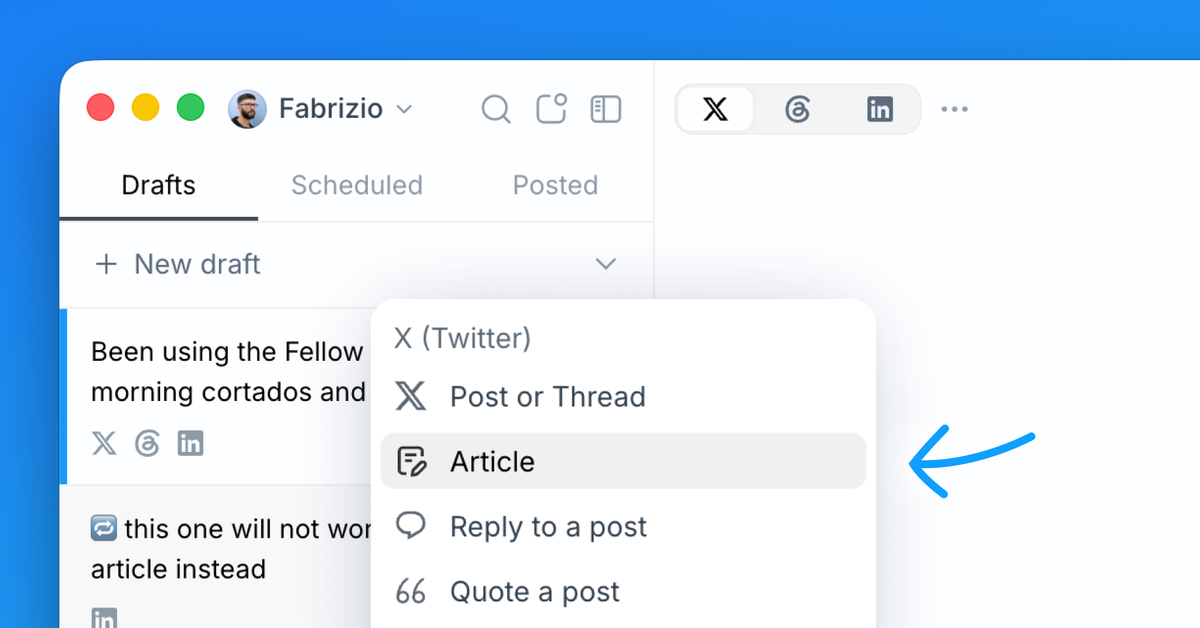
You can now create and publish X Articles in Typefully.
Finally you can draft long-form articles for X with rich media and embedded posts, preview how they will look on the X timeline, collaborate with teammates through comments, and publish or schedule when everything is ready.
Articles are great for announcements, essays, and more. We’ve seen more teams experiment with them because they can perform really well on X.
Drafting and previewing X Articles in Typefully is available to all users, but publishing Articles on X requires X Premium.
To get started, click the new Article option in the New Draft menu.
Jun 1
Notify Slack Channels on Publish
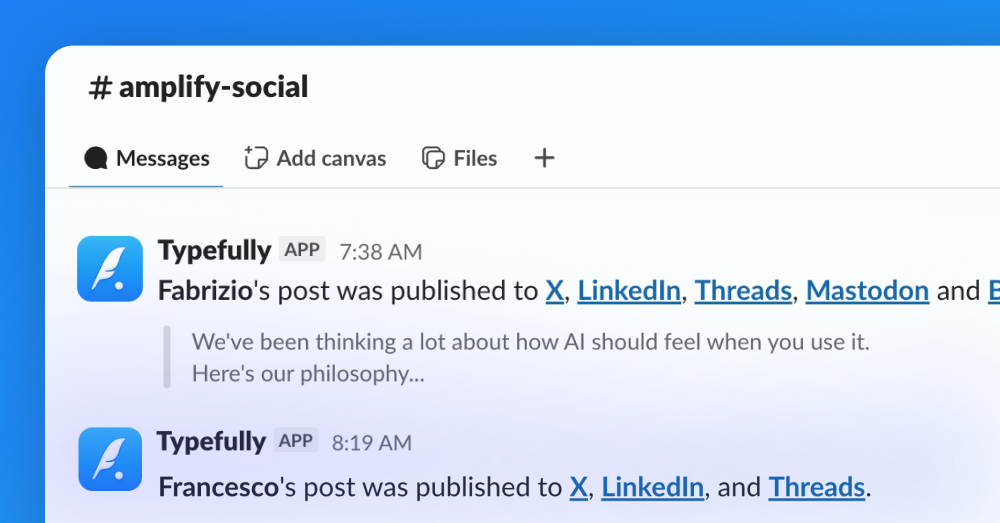
You can now notify a Slack channel when posts go live, so your team can react, reshare, and amplify the moment they're published.
Early engagement builds reach. It shouldn't depend on someone remembering to paste the link in #social.
It's available on any plan that supports Teams, and here’s how to set it up:
- Connect Slack in Team settings (available on any plan that support Teams).
- Pick a channel to notify — one per team, or a different channel for each social set.
- Notifications are on by default. Skip on individual drafts when a post isn't for the team.
You can also get started in the dedicated settings page here.
May 28
Better, Smoother Realistic Previews
Realistic previews just got a big upgrade across the board. We've been working on making them more accurate, more predictable, and a lot less disruptive to the writing flow.
Three things changed:
- They now open in the editor sidebar by default. Hit the preview button and your post appears side-by-side with your draft, so you can keep writing while you check exactly how it'll look.
- Mobile previews are now pixel-perfect. Before, the mobile preview would resize the viewport itself based on the available screen space, while now it properly scales to fit, becoming more faithful.
- X and Threads previews are updated. We refreshed the X and Threads (the Meta platform) preview UI to match how the apps actually look today.
The result is a tighter, more predictable publishing experience, available to all users.
May 5
Draft Comments API for agents
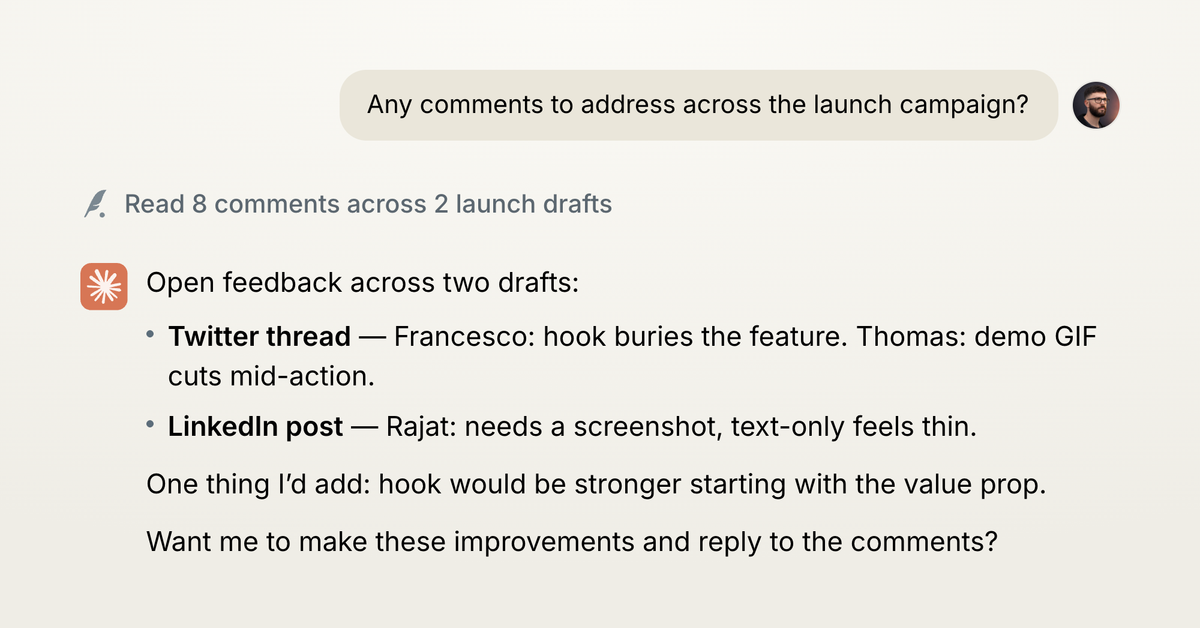
We've shipped first-class comments support in the API, so AI agents can now read, write, and resolve comments on your drafts.
Check out the API docs here.
What this enables
- Triage on demand. Ask an agent: "Show all my drafts with open comments." Have it resolve the basic copy fixes and surface the editorial decisions worth a human eye.
- An agent editor. You leave a comment: "Hook is too soft." An agent responds in the comment thread with two rewrite options. You pick one. The edit applies. The thread resolves.
- An agent reviewer. Set up an agent to review each new draft and leave comments on weak hooks, factual claims, voice mismatches, repetition. You could trigger this with a tag like Agent Review.
New endpoints
All endpoints live under /v2/social-sets/{social_set_id}/drafts/{draft_id}/:
GET /comment-threads: list threads on a draft. Filterable by status and platform.POST /comment-threads: create a span-anchored or post-level thread.POST /comment-threads/{id}/comments: reply to a thread.PATCH /comment-threads/{id}/comments/{comment_id}: edit a comment.DELETE /comment-threads/{id}/comments/{comment_id}: delete a comment.POST /comment-threads/{id}/resolve: mark a thread resolved.DELETE /comment-threads/{id}: delete the whole thread.
Read the updated API docs.
Try it out
- If using our MCP via Claude or ChatGPT, you're already up to date.
- If using our Skill, ask your agents to self-update the typefully skill.
Apr 30
LinkedIn Reposts
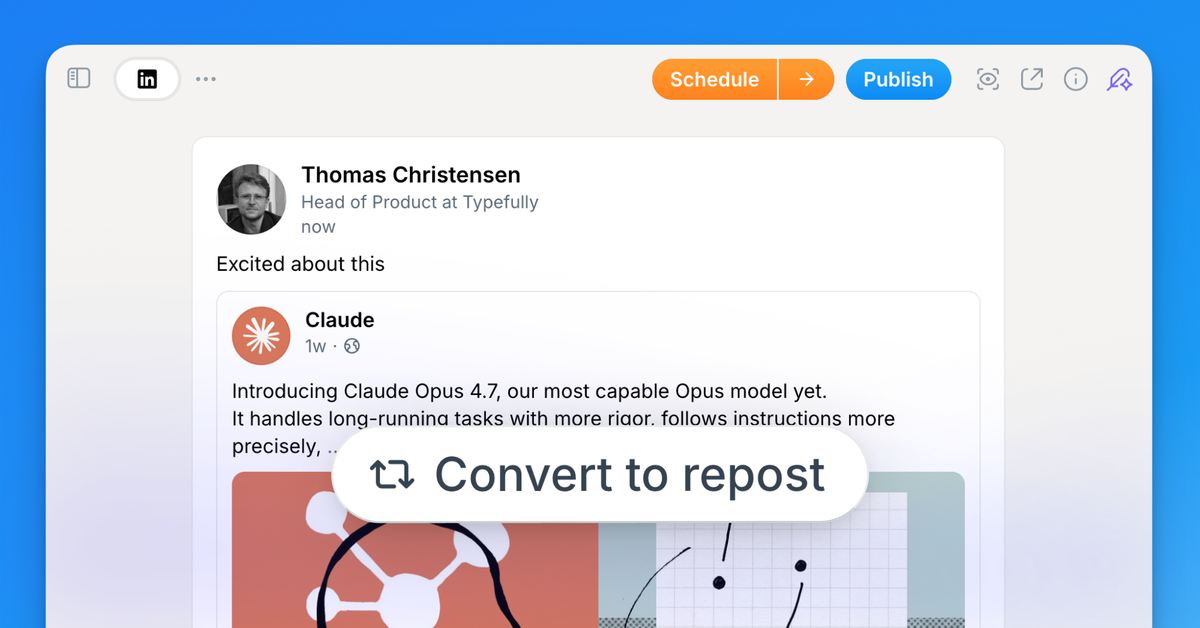
You can now create LinkedIn reposts directly from Typefully.
Paste a LinkedIn post URL, add your thoughts above it, schedule, and publish.
It's a good way to amplify a launch, reshare a customer mention, or add your take to industry news.
Reposts are also supported via our API, so your agents and integrations can draft them programmatically.
Apr 22
X Content Disclosures
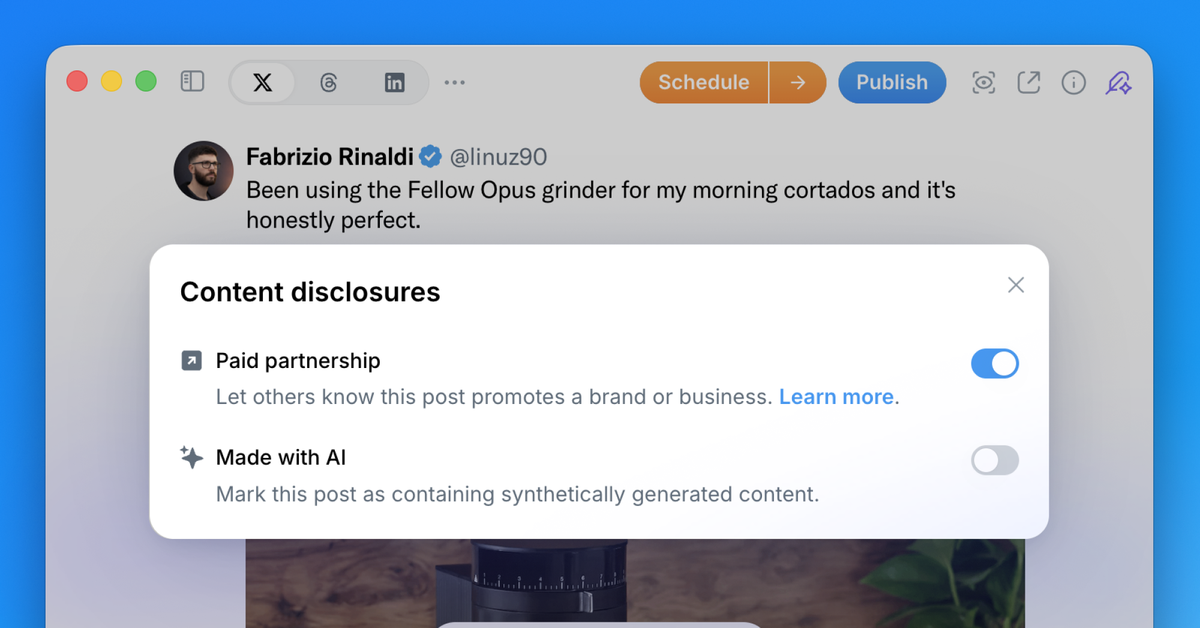
You can now add content disclosures to your X posts directly from the Typefully editor. Two disclosure types are supported:
- Paid Partnerships: flag sponsored content or brand deals before you publish. X will display a "Paid Partnership" label on the post, keeping you compliant and transparent with your audience.
- Made with AI: Disclose when content was generated or significantly assisted by AI. X shows a "Made with AI" label so your followers know.
X expects these disclosures for sponsored and AI-generated content, and now you can take care of this from Typefully.
Apr 5
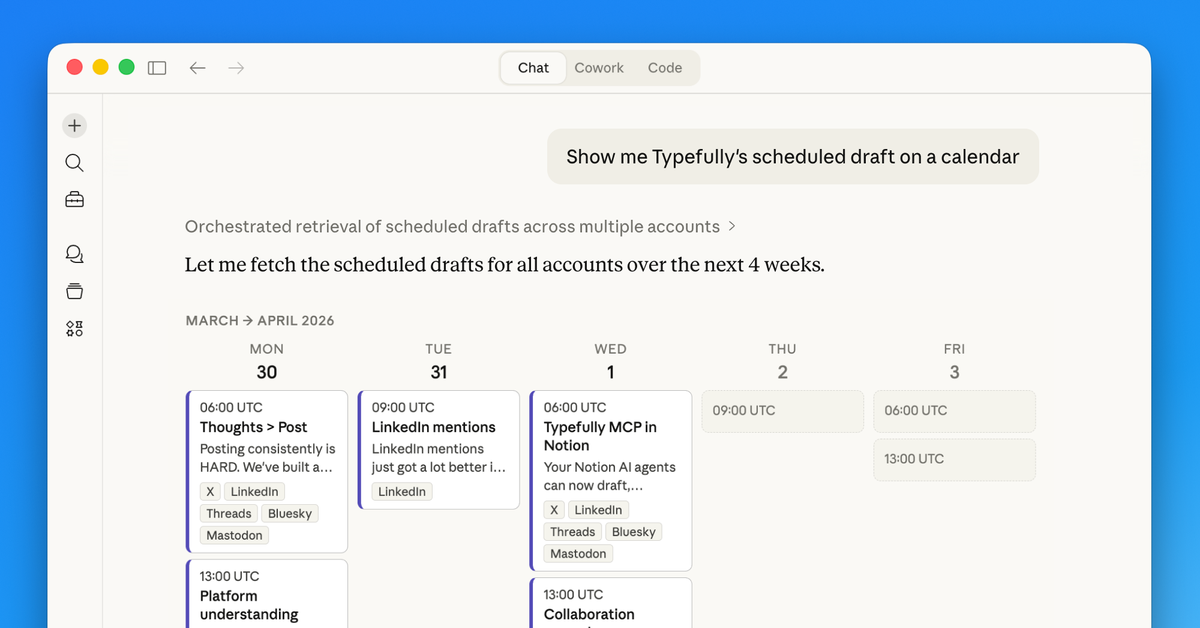
API Improvements for AI and Agents
If you use Typefully with AI agents like Claude, ChatGPT, Notion, OpenClaw, or your own custom integrations, this is a big one.
Your agents can now manage your content calendar, tag companies on LinkedIn, create quote posts, and more.
Everything below works across our API, MCP server, and Agent Skill, so it's available wherever you use AI.
Queue Management Endpoints
You can now manage your content calendar end-to-end via API:
- GET
/v2/social-sets/{id}/queue— inspect upcoming scheduled content - GET
/v2/social-sets/{id}/queue/schedule— read your posting schedule - PUT
/v2/social-sets/{id}/queue/schedule— update your posting schedule
This lets agents go beyond creating individual posts. They can schedule to your next free slot, swap posts around, and adjust your queue rules.
LinkedIn Company Mentions
You can now resolve LinkedIn org URLs and include company mentions in draft text programmatically:
- GET
/v2/social-sets/{id}/linkedin/organizations/resolve - Use
@[Company](urn:li:organization:ID)syntax in post text
Full LinkedIn tagging workflows from API clients and agents.
Quote Posts on X
You can now create quote-post-style tweets via API, MCP, and Agent Skill using quote_post_url. This is equivalent to the "Convert to quote" action in the Typefully UI.
Improved Media Uploads
We've improved media upload documentation and instructions for MCP, CLI, and agent workflows, including exact presigned PUT behavior. This reduces common upload failures like SignatureDoesNotMatch.
Better MCP Support in Notion
We've also improved the experience for adding Typefully's MCP server inside Notion agents, making setup smoother for Notion-based workflows.
Get started
There are three ways to connect Typefully to your AI agents:
- MCP Server — works with Claude, ChatGPT, Cursor, Windsurf, Notion, and any MCP-compatible client. Setup guide →
- In-app integrations — go to Settings → Integrations in Typefully to connect directly
- Agent Skill — for coding agents and custom setups:
npx skills add typefully/agent-skills(GitHub →)
For direct API access, check out our API docs.
Mar 26
Mention Teammates and Slack Notifications
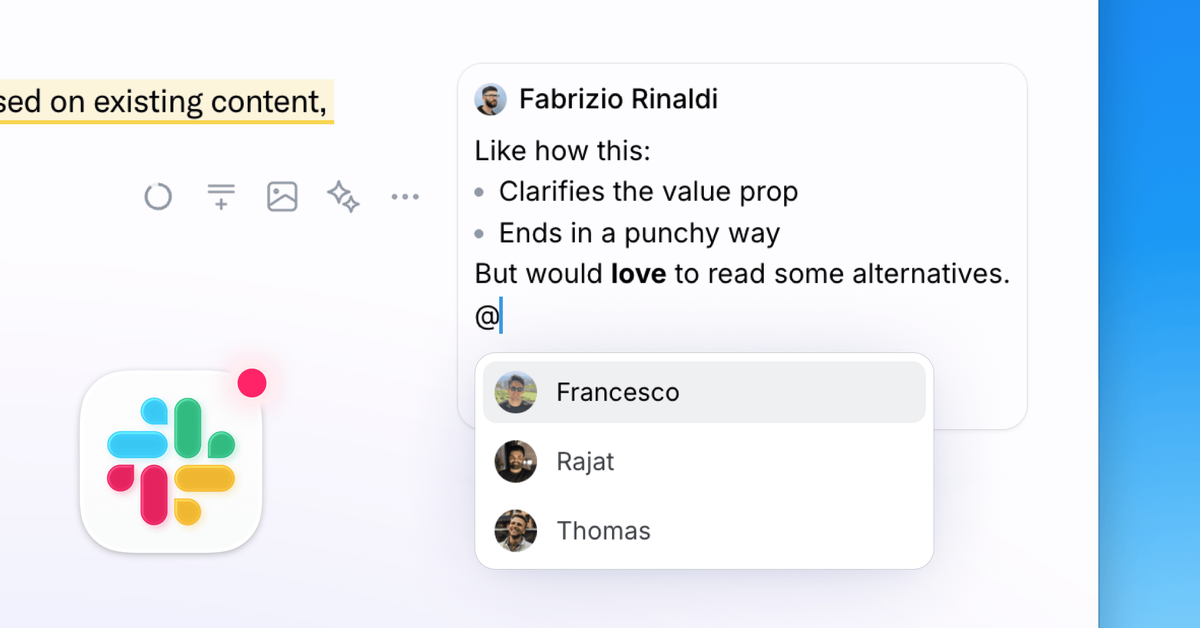
Drafting social posts is now the easy part, the hard part is reviews, approvals, and polish. So we're improving Typefully to make collaboration even better and smoother.
Here's what's new:
💬 @mentions in comments
Bring the right person into any conversation. Type @ in a comment to mention a teammate directly.
🔔 Slack notifications
Get notified in Slack when someone comments on a draft, or when a post goes live so your team can jump in and engage.
Better UI and mobile experience
Comments are more polished and faster, and now open in a native-feeling swipeable drawer on mobile.
✍️ Formatting in comments
Bold, italic, lists, and blockquotes now work in comments. Use markdown shortcuts or keyboard shortcuts like you'd expect.
If your team ships social content together, these updates make the whole workflow faster and smoother.
Mar 10
Improved LinkedIn mentions for companies and people
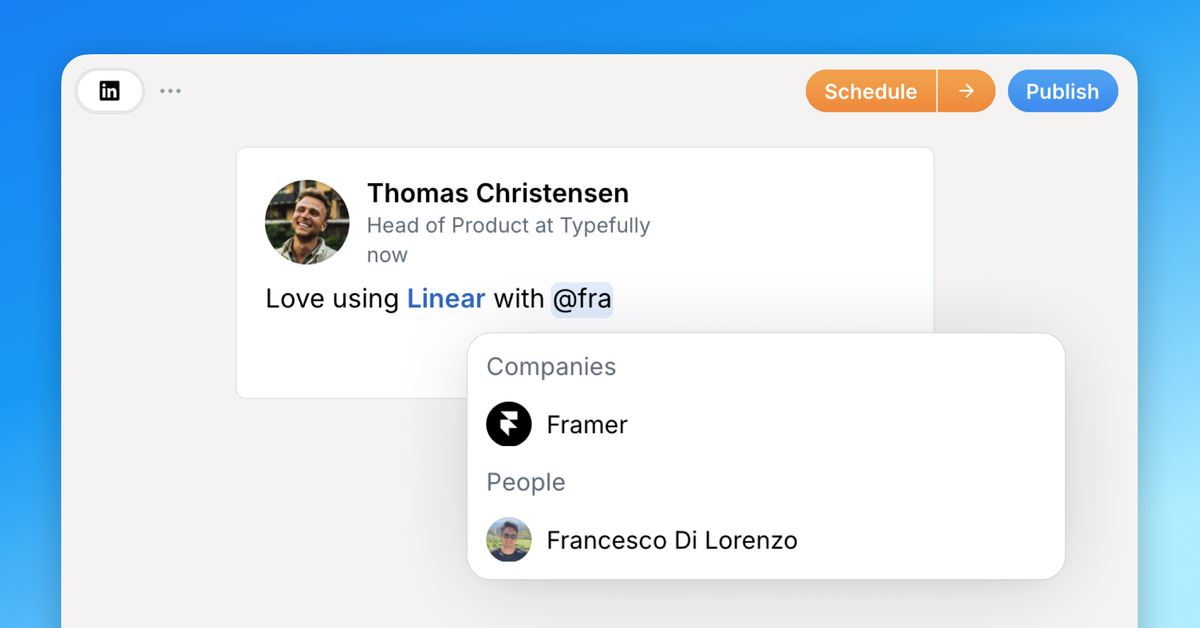
We have made mentioning on LinkedIn much faster and more reliable.
Company mentions now have a better flow: Typefully remembers companies you mentioned before, makes them easy to search, and keeps building a directory so you can find more results without having to look them up manually.
We also shipped an initial version of personal mentions, so you can mention LinkedIn people that you have access to in Typefully. We are actively working with LinkedIn to expand support for personal mentions, and we will share updates as this improves.
Learn more in our docs.
Feb 23
Writing Assistant
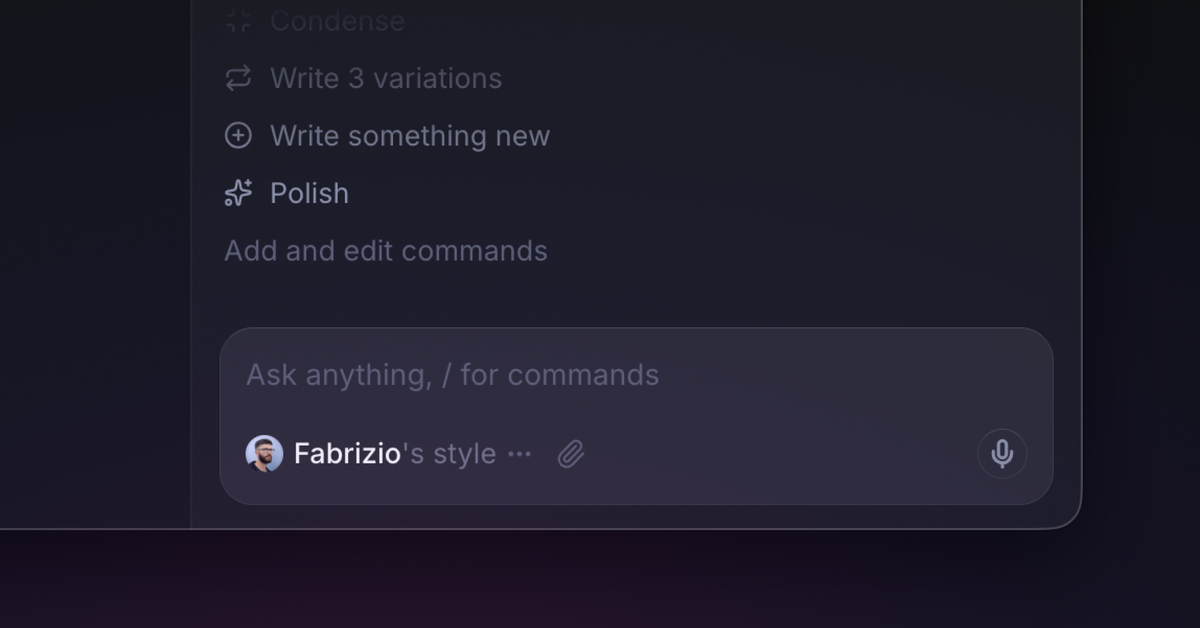
We've spent months building a Writing Assistant in Typefully that learns from your writing samples and drafts so every suggestion sounds like you.
It’s like having an editor by your side, 24/7, who helps you write better posts for X and LinkedIn, catching what you miss, tightening what's loose, and keeping every word sounding like you.
What it does:
- Learns your voice. It adapts to your tone, vocabulary, and structure so suggestions feel natural, not generic.
- Turns messy thoughts into drafts. Voice memos, scattered notes, half-formed ideas, the assistant shapes them into posts that sound like you.
- Flags weak hooks and suggests stronger angles. It pushes back when something won't land, instead of blindly following instructions.
- Adapts between X and LinkedIn. Converting content between platforms? The Assistant adjusts structure and tone automatically.
- Remembers your preferences. Set a rule once (no em-dashes, always lead with a hook) and it sticks across every conversation.
- Edits directly in your draft. No copy-pasting between windows, the Assistant makes changes right where you're writing.
What it doesn't do:
No auto-posting. No mass-reply automation. No one-click content generation.
We built this to help you write better, not to produce AI slop. You can read more about our AI Philosophy here.
You can get your Writing Assistant now if you’re on the Creator plan or above, or by starting a free trial.
You’ll find the Assistant in the top right corner of the Typefully editor.
Feb 13
Reorder Media in Drafts
You can now drag and drop to reorder media in your posts, making it easy to get the perfect sequence without deleting and re-uploading.
Previously, if you wanted to change the order of multiple images or videos in a post, you had to delete them and re-upload in the right order. The same applied to threads, moving an image from one post to another meant deleting and re-uploading.
Now you can simply drag media elements to rearrange them within a post or move them between tweets in a thread. No more tedious workarounds.
This feature is available now for all users.
Feb 10
New Typefully Raycast Extension
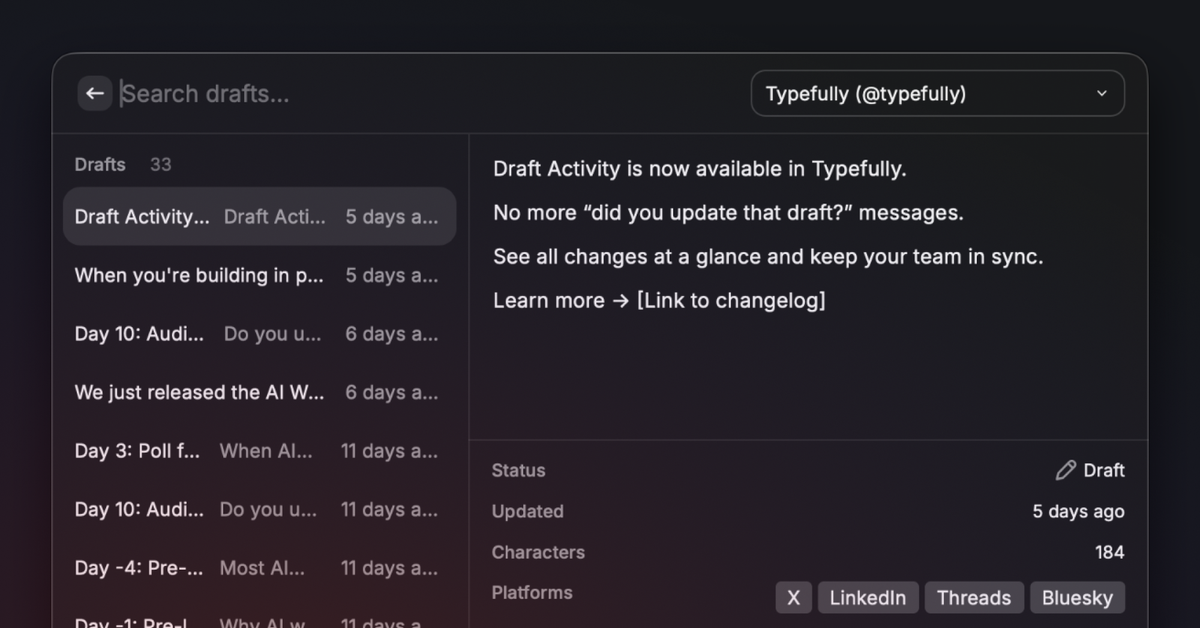
We've completely rebuilt our Raycast extension to bring the full Typefully experience to your favorite command launcher.
Raycast is a popular launcher and productivity tool for macOS (and also for Windows, in beta). It lets you quickly access apps, files, and commands through a keyboard-driven interface, with support for extensions and AI features.
Our new Raycast extension supports X, LinkedIn, Threads, Bluesky, and Mastodon, with thread creation, scheduling, team social sets, and it's even compatible with Raycast AI.
What's new:
- 5 platforms, one command. Create drafts for all your connected platforms simultaneously. The extension auto-detects which platforms are enabled for each social set.
- Threads from plain text. Type --- to split content into threaded posts. Works across all platforms that support threads.
- Full draft lifecycle. View, search, and manage drafts, scheduled posts, and published content without opening a browser.
- AI-powered drafting. Four AI tools for Raycast AI Chat let you create, list, schedule, and browse drafts conversationally. Tell Raycast AI "draft a post about our new feature and schedule it for tomorrow" and it just works.
- Smart defaults. The extension remembers your preferred social set and platform selections, so repeat posting is near-instant.
- Team support. Works with both personal and team social sets, grouped clearly in the UI.
Go from idea to scheduled post in seconds, without context switching. Capture ideas wherever you're working, and edit in Typefully later.
The new Raycast extension is available here in the Raycast Store.
Feb 5
Draft Activity
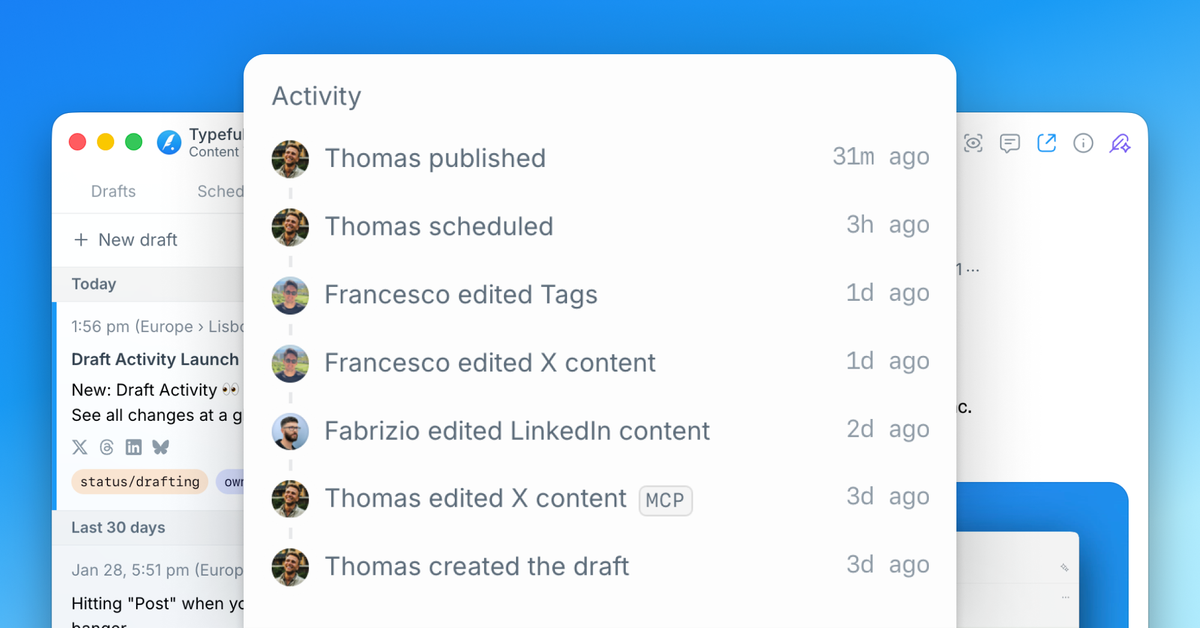
We've added Draft Activity to help teams track changes and collaborate more effectively on their content.
Draft Activity logs every change to your drafts automatically. For each update, you'll see who made the change, when it happened, what was modified (content, tags, platforms, scheduling, publishing), and where the change came from. For example, if an AI agent created the draft, it’s labelled MCP or API.
This will help you:
- Know when to re-review after leaving feedback
- Track your team's progress without asking for updates
- Show clients their feedback was addressed
- Debug what your automations are doing
- Verify nothing changed after you approved a draft
Draft Activity is available now to all team members.
Jan 13
Control Your X Community Posts Audience
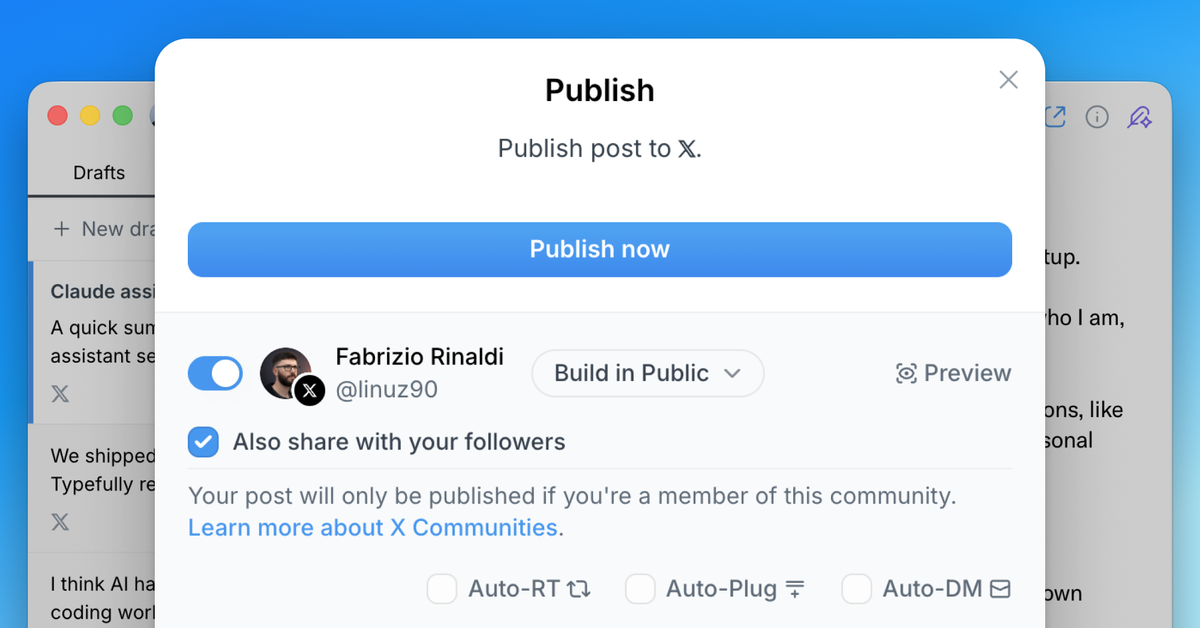
When posting to an X community, you can now choose whether to also share to your timeline.
Previously, posts to X communities were automatically shared to your timeline. Now you have full control—keep your community posts within the community, or share them with your followers too.
This option is available in the publish modal when you select an X community as your destination. Simply toggle the "Share to timeline" option based on your preference.
This feature is also available in our API, giving developers the same level of control when creating drafts programmatically.
Dec 17, 2025
All-new API, Zapier integration, MCP and Webhooks

We've launched powerful new ways to integrate and automate Typefully, so you can build workflows and agents that run your content process automatically.
With these updates, you can now:
- Ask Claude to turn ideas into drafts using our MCP integration
- Keep Notion in sync or ping Slack when posts publish via Zapier
- Publish to platforms we don't support yet using Webhooks
- Build custom workflows with our new API
Typefully API v2 gives you full control over your workflow—create, schedule, and publish to all platforms programmatically. Upload media, manage tags, and filter by status.
The new Zapier integration includes 6 instant triggers and multiple actions, making it easy to automate without coding. Create workflows that respond when drafts are created, published, scheduled, or updated.
→ See our integration guide and sample workflows to learn more.
MCP integration lets you manage Typefully drafts through Claude, ChatGPT, or any AI agent using natural language—no technical setup required.
→ Learn how to set it up in our help article.
Webhooks send real-time notifications to Slack, n8n, or Make when actions happen in Typefully, so you can build custom automations.
These integrations are available for all users. Learn more about automating Typefully with our API and integrations documentation.
Here's a video overview by our friend Tom Osman: