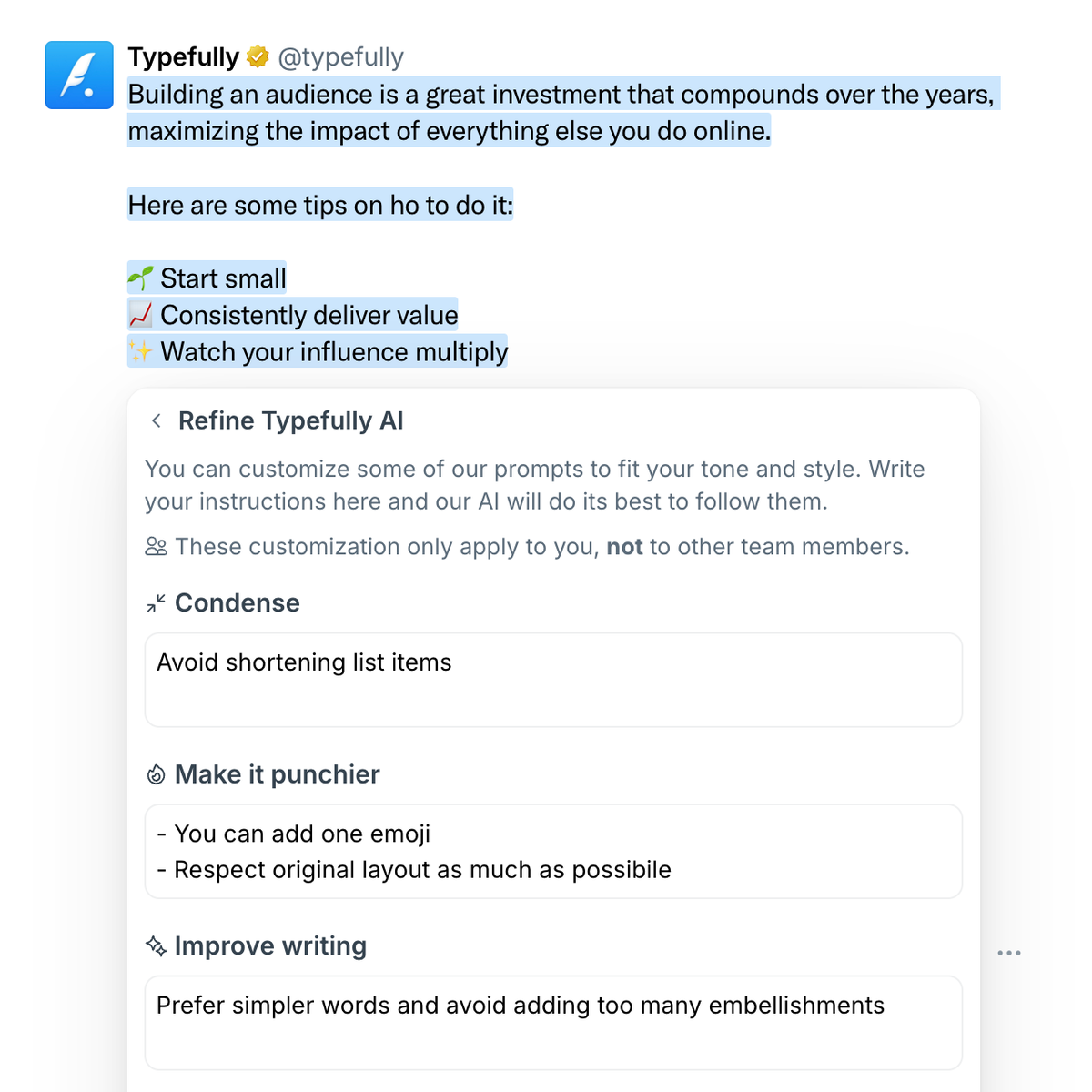
Jan 13
Control Your X Community Posts Audience
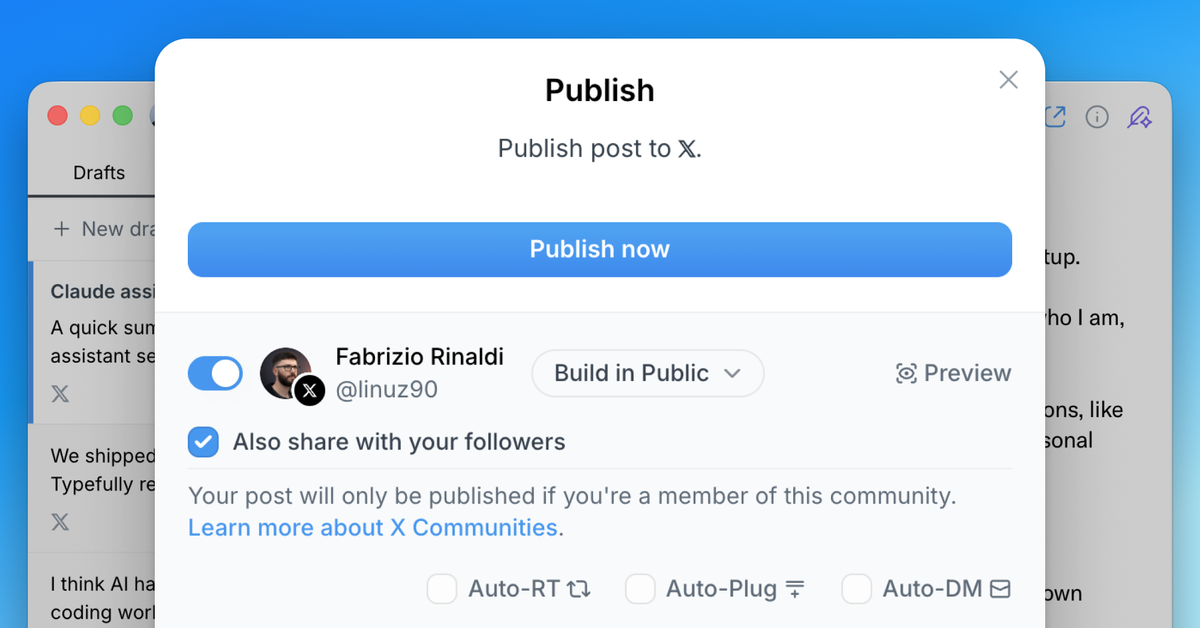
When posting to an X community, you can now choose whether to also share to your timeline.
Previously, posts to X communities were automatically shared to your timeline. Now you have full control—keep your community posts within the community, or share them with your followers too.
This option is available in the publish modal when you select an X community as your destination. Simply toggle the "Share to timeline" option based on your preference.
This feature is also available in our API, giving developers the same level of control when creating drafts programmatically.
Dec 17, 2025
All-new API, Zapier integration, MCP and Webhooks

We've launched powerful new ways to integrate and automate Typefully, so you can build workflows and agents that run your content process automatically.
With these updates, you can now:
- Ask Claude to turn ideas into drafts using our MCP integration
- Keep Notion in sync or ping Slack when posts publish via Zapier
- Publish to platforms we don't support yet using Webhooks
- Build custom workflows with our new API
Typefully API v2 gives you full control over your workflow—create, schedule, and publish to all platforms programmatically. Upload media, manage tags, and filter by status.
The new Zapier integration includes 6 instant triggers and multiple actions, making it easy to automate without coding. Create workflows that respond when drafts are created, published, scheduled, or updated.
→ See our integration guide and sample workflows to learn more.
MCP integration lets you manage Typefully drafts through Claude, ChatGPT, or any AI agent using natural language—no technical setup required.
→ Learn how to set it up in our help article.
Webhooks send real-time notifications to Slack, n8n, or Make when actions happen in Typefully, so you can build custom automations.
These integrations are available for all users. Learn more about automating Typefully with our API and integrations documentation.
Here's a video overview by our friend Tom Osman:
Nov 5, 2025
Generate Image Descriptions with AI
You can now generate alt text for your post images instantly using AI, making your content more accessible with just one click.
When attaching images to your posts, simply click "Generate descriptions" to get the descriptions generated instantly ✨
Alt text descriptions are crucial for accessibility, helping visually impaired users understand your visual content. With this new AI-powered generation, adding them to your posts is effortless.
This feature is included in all our paid plans, and it's part of a bigger set of AI features we're working on.
Sep 17, 2025
Smoother Collaboration for Teams
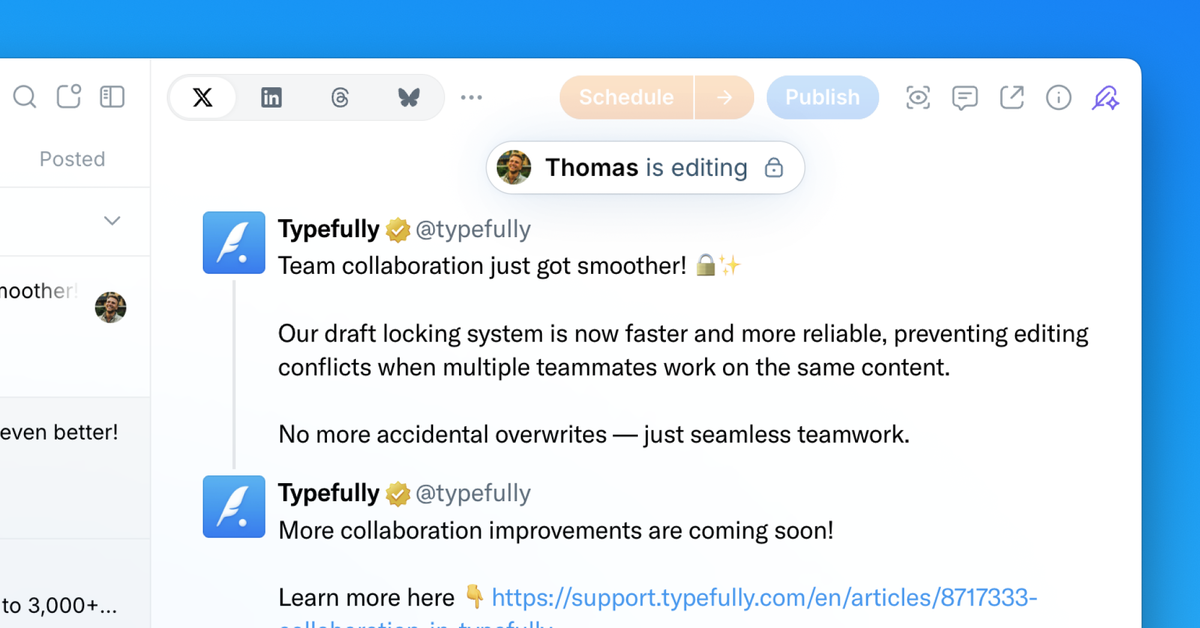
We've enhanced our draft locking system to make team collaboration smoother and more reliable.
When a teammate is editing a draft, the editor now locks instantly for everyone else on your team. This prevents editing conflicts and accidental overwrites.
This improvement ensures seamless teamwork when multiple people are working on content together. It also makes Typefully work better across multiple tabs and browsers, even for individual users.
Learn more about collaboration in Typefully here.
Sep 9, 2025
More Accurate Realistic Previews for X and LinkedIn
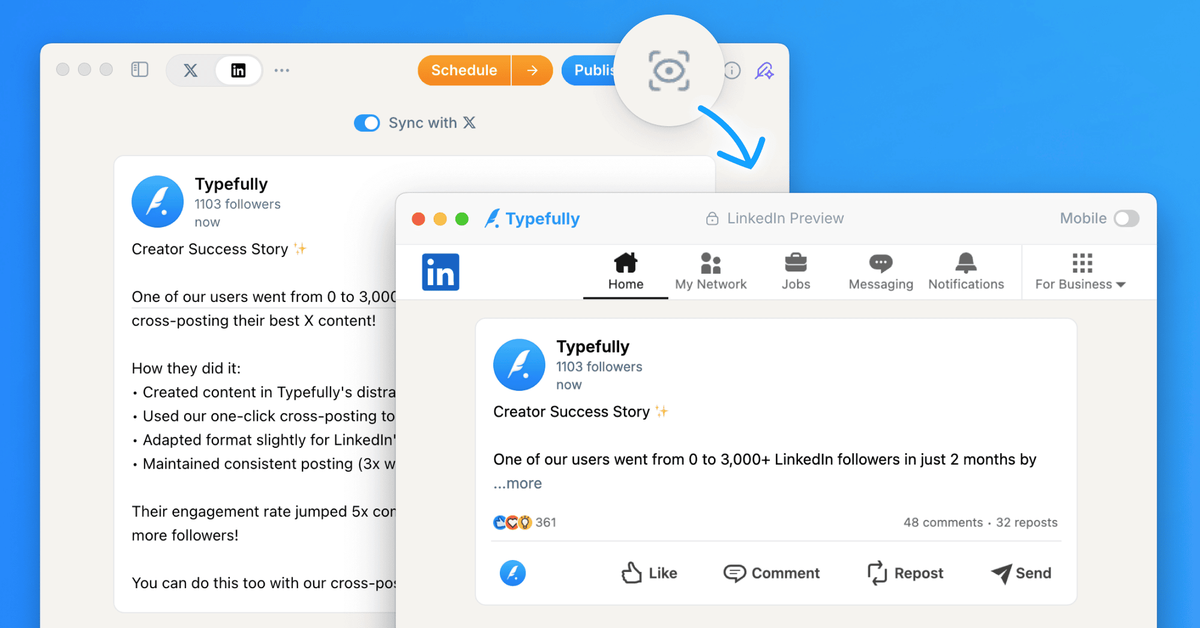
We've enhanced our Realistic Preview feature to more accurately show how your posts will appear on social platforms.
For X posts, we now precisely calculate when a post is considered "Long Form" and show the exact "Show more" cutoff as it would appear natively.
For LinkedIn posts, we accurately display how many lines of text are shown before the "…more" behavior is triggered.
You can access Realistic Preview by clicking the icon near the publishing buttons or using the keyboard shortcut Cmd+K (or Ctrl+K on Windows) and searching for "Realistic Preview".
Aug 20, 2025
Enhanced Calendar with Drafts Sidebar & Queue View
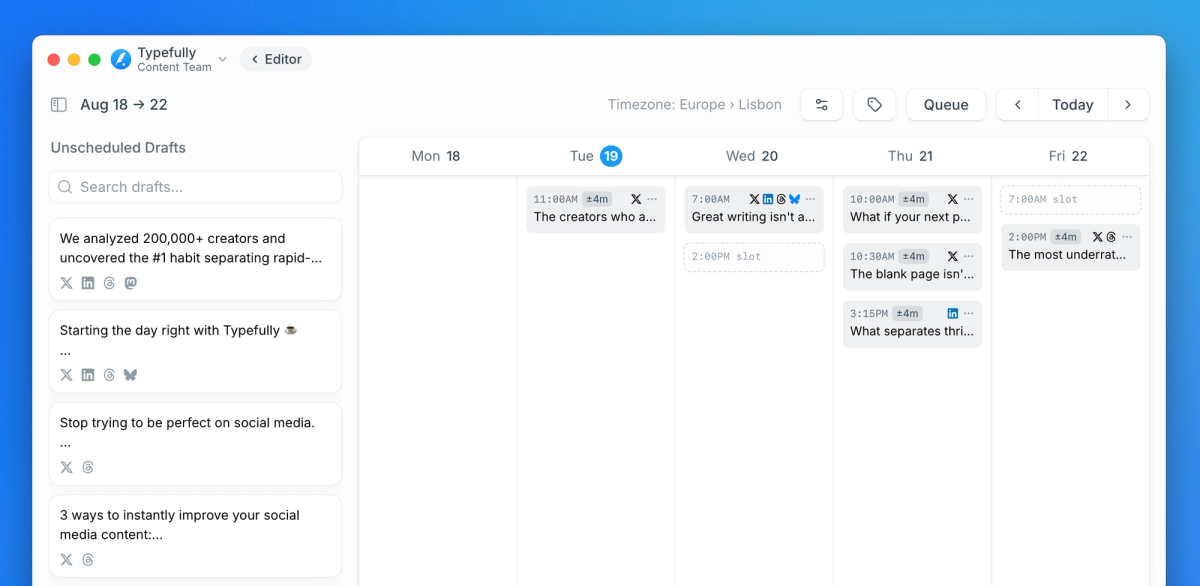
We've completely revamped our calendar experience to make scheduling your content easier and more efficient than ever.
The new Drafts Sidebar allows you to drag and drop drafts directly onto your calendar, streamlining your scheduling workflow.
We've also introduced a new Queue View with a kanban-style board that makes it super fast to schedule a full week of content at once.
Plus, the monthly view now displays empty slots, giving you a clearer picture of your content schedule and helping you plan more effectively.
These improvements make managing your social media content calendar simpler and more intuitive, saving you valuable time.
Here's the revamped calendar in action:
Aug 11, 2025
PDF Carousels for LinkedIn Posts
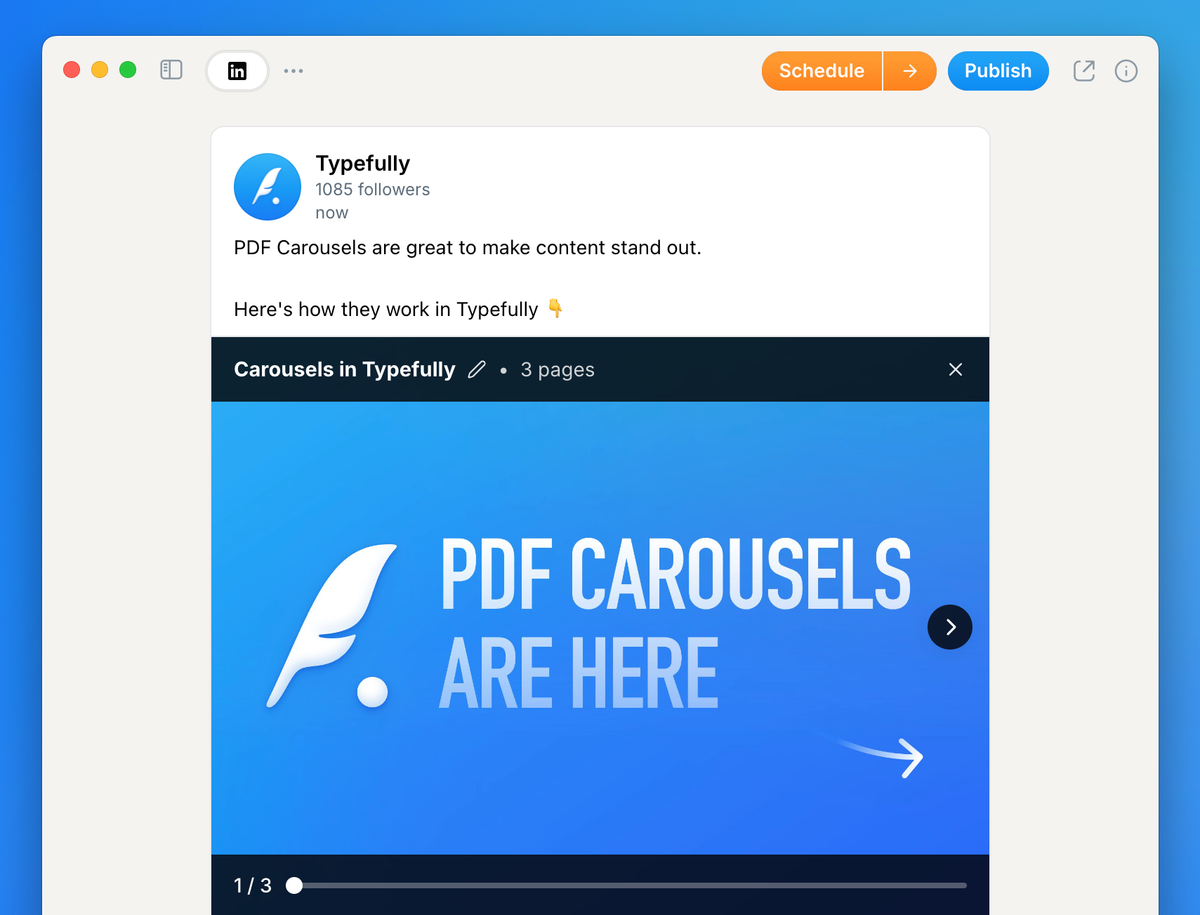
You can now create and schedule LinkedIn PDF carousels directly from Typefully!
Simply upload a PDF file to your LinkedIn post, and Typefully will automatically convert it into a swipe-friendly carousel that stands out in the feed.
Carousels are perfect for sharing step-by-step guides, frameworks, listicles, or any visual content that deserves more attention than a standard post.
To get started with Carousels, you need to be on the Creator plan or higher.
Jul 30, 2025
New Login Options & Better Cross-Posting
Multiple login methods are now finally available! For the first time since we launched, you can sign up or log in with Google, Email, LinkedIn, or X accounts.
This is especially powerful for teams and agencies:
- Team members can join with their preferred login method
- Clients can sign up directly with LinkedIn
- No X account required for collaboration
We've also made Typefully fully platform-independent, and with our improvements to the drafts auto-sync feature, you can:
- Set any platform as your primary
- Automatically cross-post content across platforms
- Maintain a consistent presence everywhere with minimal effort
These improvements required months of work and significant refactoring of our codebase.
Watch a 1-minute video overview:
Jul 2, 2025
Drag & Drop Drafts in Monthly Calendar View
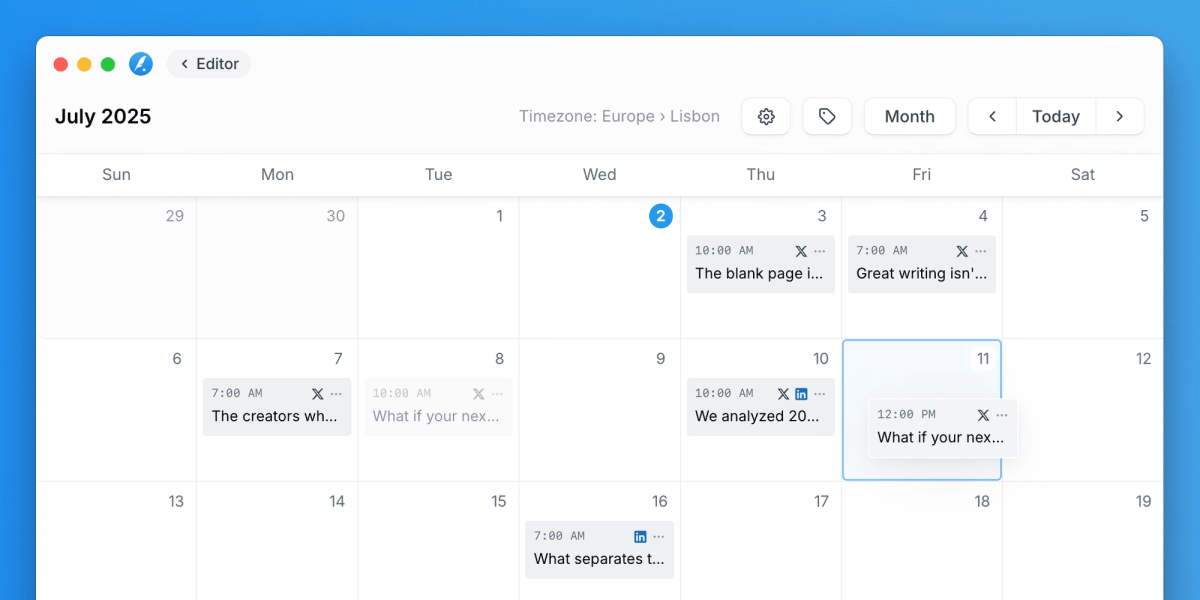
You can now drag & drop drafts in our calendar's monthly view to easily reschedule your content.
This enhancement brings the same flexibility you've enjoyed in the weekly view to our monthly calendar, making it even easier to plan your content strategy across longer timeframes.
More calendar improvements are coming soon to make your scheduling experience even better!
Apr 23, 2025
Improved Drafts Search
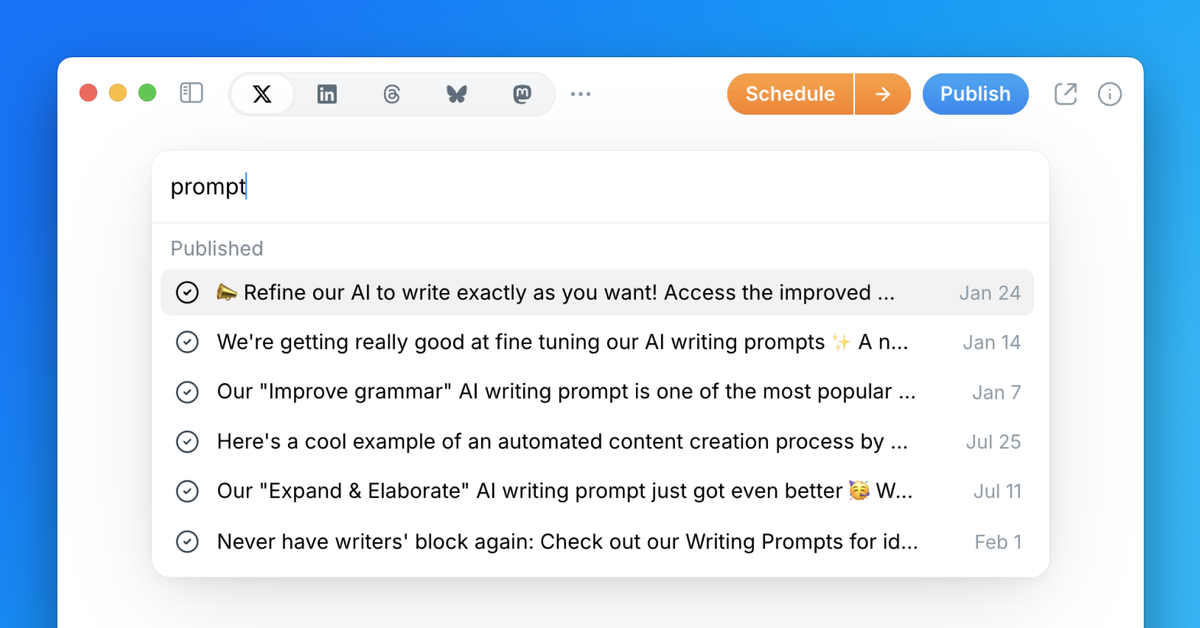
We've significantly improved our drafts search functionality, making it easier than ever to find any content you've created.
The search now looks through both the title and full text of all your drafts, delivering much more accurate results when you use the command bar — learn more about setting a draft title here.
To search your drafts, simply click the 🔍 button in the top right corner of Typefully's UI, or press ⌘ K (or Ctrl K on Windows) to open the Command Bar, then start typing. Your relevant drafts will appear quickly.
You'll also find a dedicated "Search Drafts" item in the Command Bar to ensure only drafts results appear when typing your query.
Apr 18, 2025
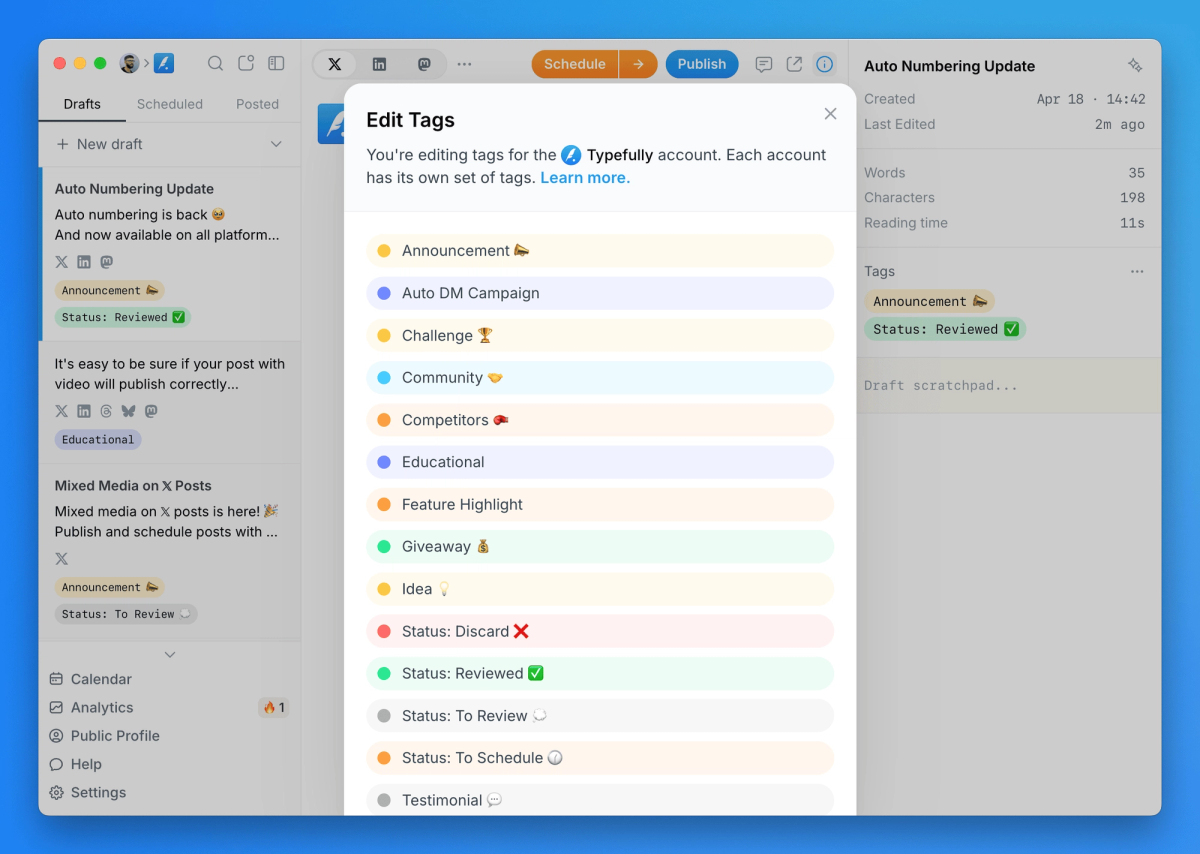
Revamped Drafts Tags
We've completely redesigned our Tags system to make organizing your content easier than ever.
The new interface provides a smoother experience for creating and editing Tags, helping you categorize drafts more efficiently.
Use Tags to organize your content by topic, client, status, or any other system that works for your workflow — then easily filter and search your drafts using these Tags.
Perfect for agencies, power users, and anyone managing multiple content pieces across different platforms.
Learn more about creating and editing Tags in our help article.
Apr 11, 2025
Enhanced LinkedIn Realistic Preview
We've improved our Realistic Preview for LinkedIn posts to more accurately reflect how your content will appear in the LinkedIn feed.
Now, you'll see only the first few lines of your content, followed by a "...more" separator — exactly as it appears natively on LinkedIn.
Simply click "Preview" before publishing, or search for "Realistic Preview" in our Command Bar (⌘ K on Mac or Ctrl K on Windows).
Apr 8, 2025
LinkedIn Company Mentions
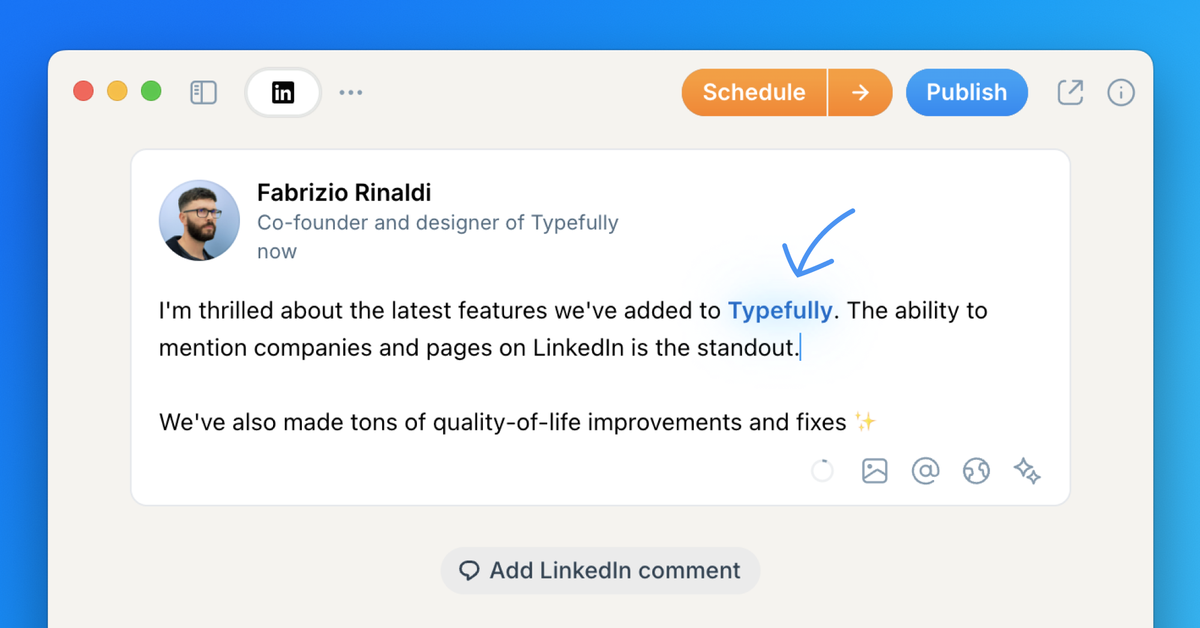
You can now mention companies and pages in your LinkedIn posts directly from Typefully.
This helps you increase your content's visibility and engagement by notifying the mentioned organizations and appearing in their notifications.
Company mentions are available to all users on our paid plans. We're also exploring the addition of user mentions, which isn't currently supported by LinkedIn's APIs.
Learn more about publishing to LinkedIn with Typefully in our help article.
Mar 28, 2025
Mixed Media Support for X Posts
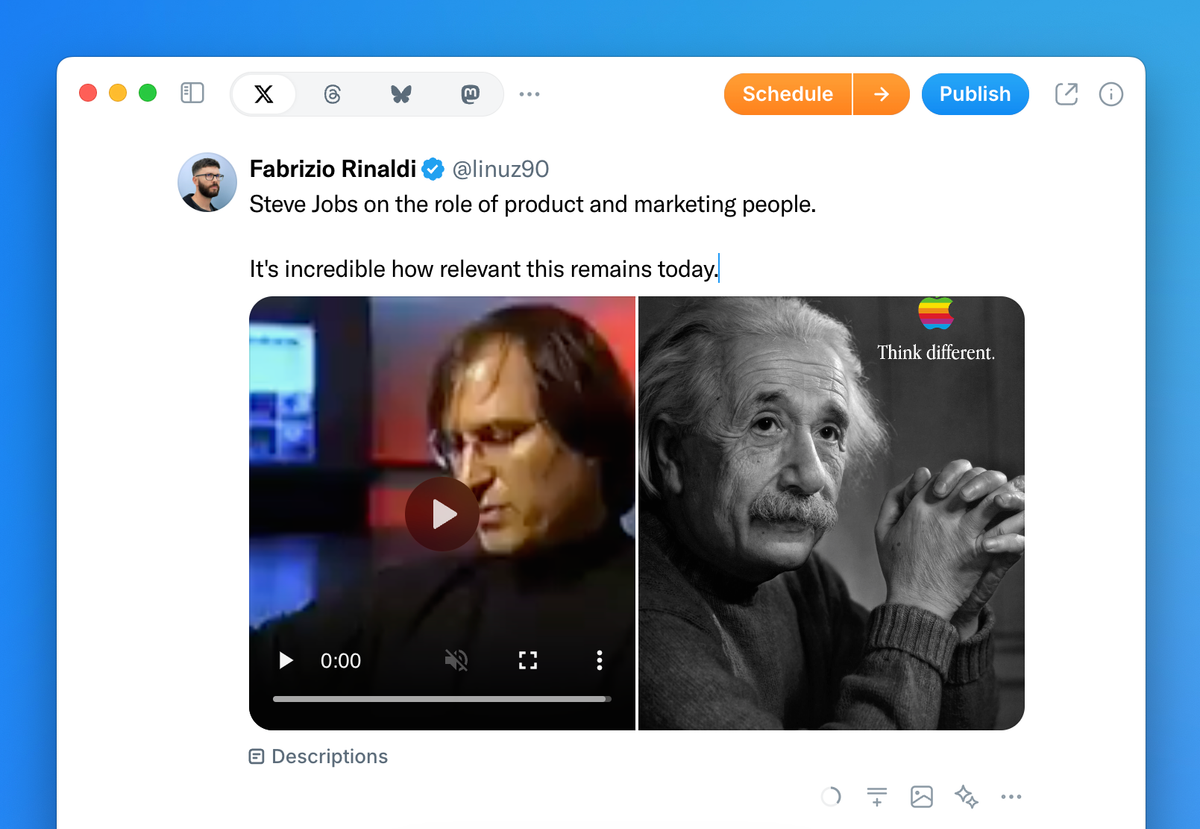
Mixed media types are now supported as attachments to any 𝕏 post you create and schedule with Typefully.
You can add up to 4 attachments per post, combining videos, pictures, and GIFs.
Using mixed media in 𝕏 posts enhances timeline aesthetics and drives higher engagement.
Mar 20, 2025
Auto-Numbering Is Back
Automatic numbering of thread posts is back, and now available on all platforms!
When writing multiple posts in the same thread, you can choose a numbering style and apply it to your threads effortlessly.
This feature is available on all our paid plans.
Mar 7, 2025
Better Realistic Preview for 𝕏 Long Form posts
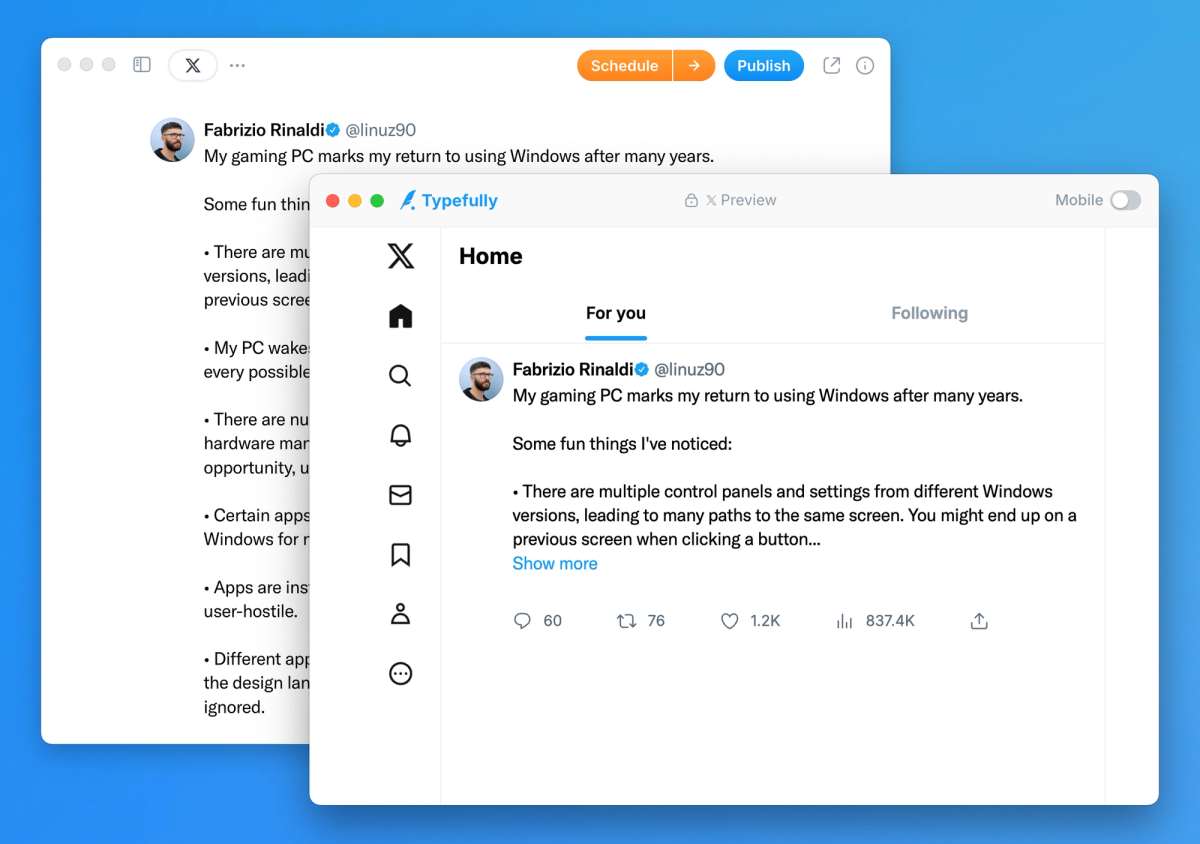
When previewing 𝕏 Long Form posts with our "Realistic Preview", you will now see the "Show more" cutoff as it appears natively on 𝕏.
This enhanced preview gives you a better understanding of how your long-form post will appear in people's timelines.
To view a realistic preview, click "Preview" in our Publish or Schedule modals after selecting "Publish" or "Schedule" in the top right corner.
PS: see here how to publish long-form posts if you're an 𝕏 Premium user.
Feb 28, 2025
Publish to X Communities
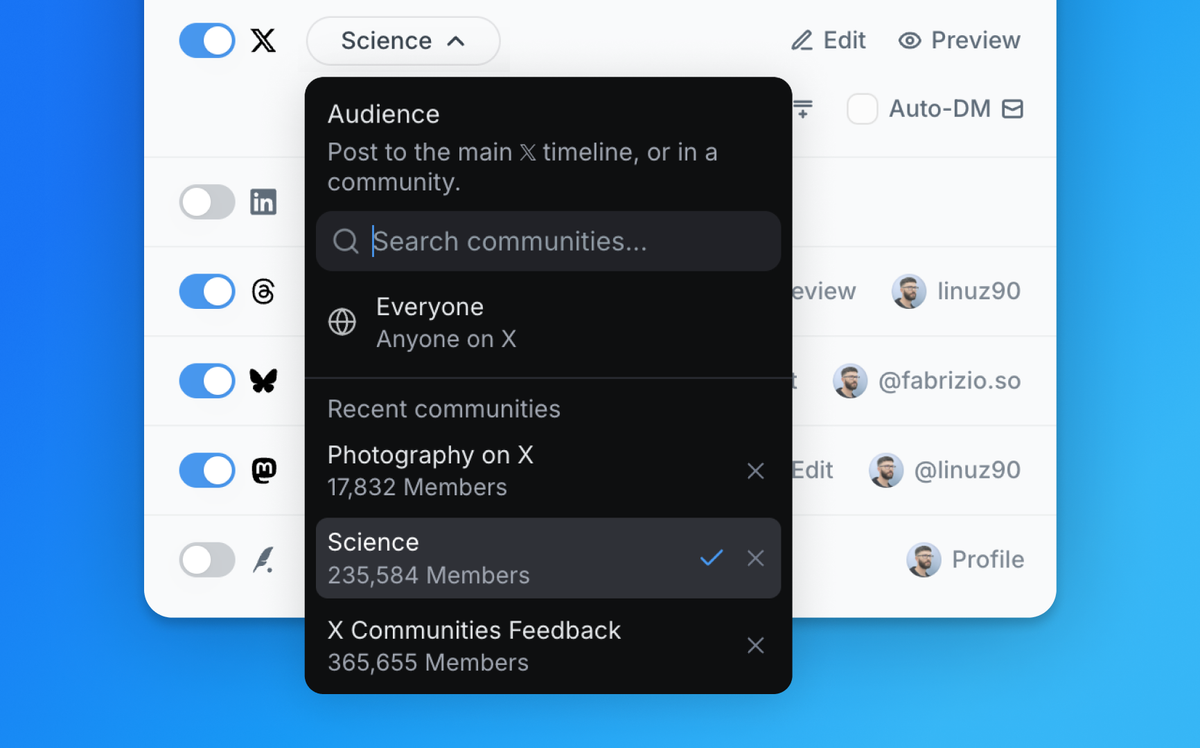
When scheduling or publishing a post on X from Typefully, paid users can now choose the audience for their content.
The default setting "Everyone (Anyone on X)" allows posts to appear normally in timelines, and you can easily search for any X Community.
Please note that posts in communities remain visible to everyone on X — learn more about it here.
Feb 5, 2025
Natural Posting Times
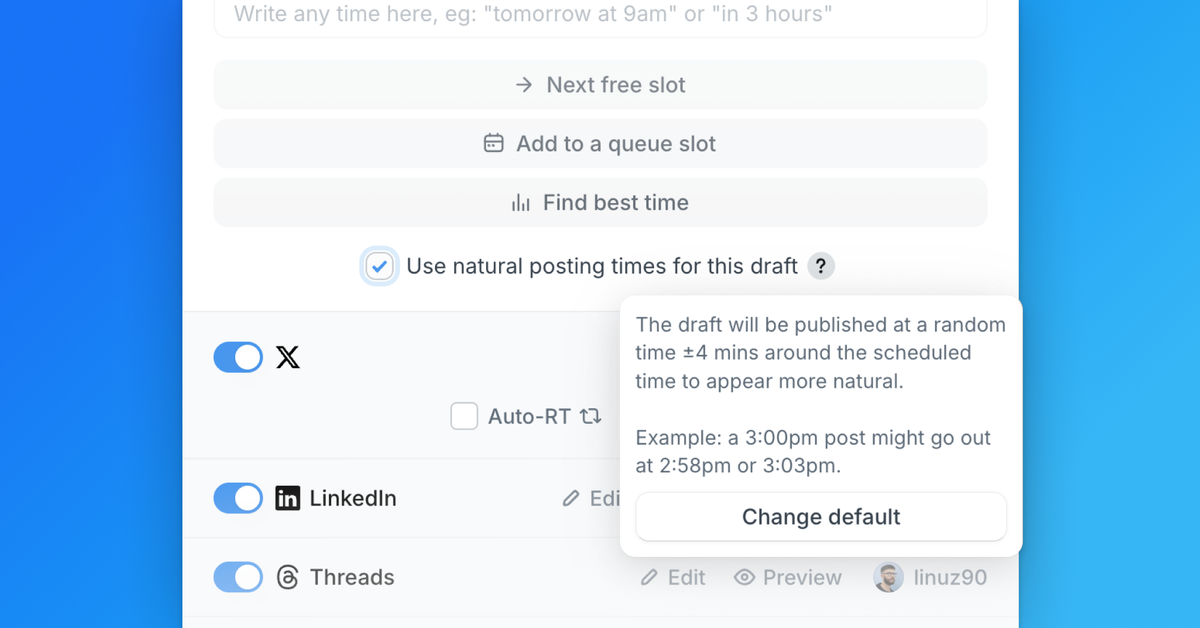
You can now schedule your posts at more natural times, making them appear organic rather than automated.
When scheduling a draft, simply select "Use natural posting times for this draft". Your post will then be published within ±4 minutes of your scheduled time.
For example, a post scheduled for 3:00 pm might be published at 2:58 pm or 3:03 pm with this setting enabled.
Jan 23, 2025
Publish a LinkedIn Comment with Your Post
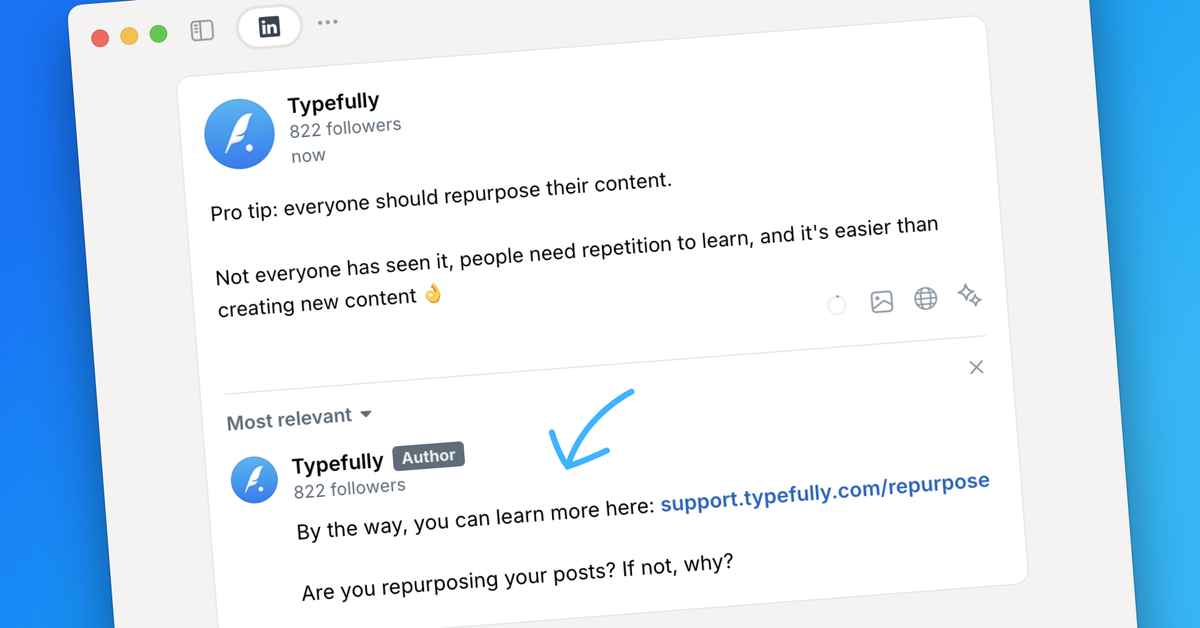
You can now boost engagement by adding a comment to your LinkedIn post, right from Typefully.
Simply click “Add LinkedIn comment” under your draft, and your comment will go live automatically when the post is published.
This feature will help you drive engagement by kickstarting the conversation, but it's also important if you want to include a link in your post: in fact, moving links to the first comment reduces the risk of being downranked by LinkedIn's algorithm.
Our editor provides a realistic preview for your comment, ensuring it appears exactly as intended when published.
Jan 22, 2025
Custom instructions for Typefully AI
You can now write longer instructions to customize Typefully AI prompts. This way, you can make sure they improve and rewrite your content exactly the way you want.
To add detailed instructions, access the improved AI settings by clicking on the ⚙️ icon in our AI Command Bar.