Apr 5
API Improvements for AI and Agents
If you use Typefully with AI agents like Claude, ChatGPT, Notion, OpenClaw, or your own custom integrations, this is a big one.
Your agents can now analyze post performance, manage your content calendar, tag companies on LinkedIn, create quote posts, and more.
Everything below works across our API, MCP server, and Agent Skill, so it's available wherever you use AI.
Post Analytics via API
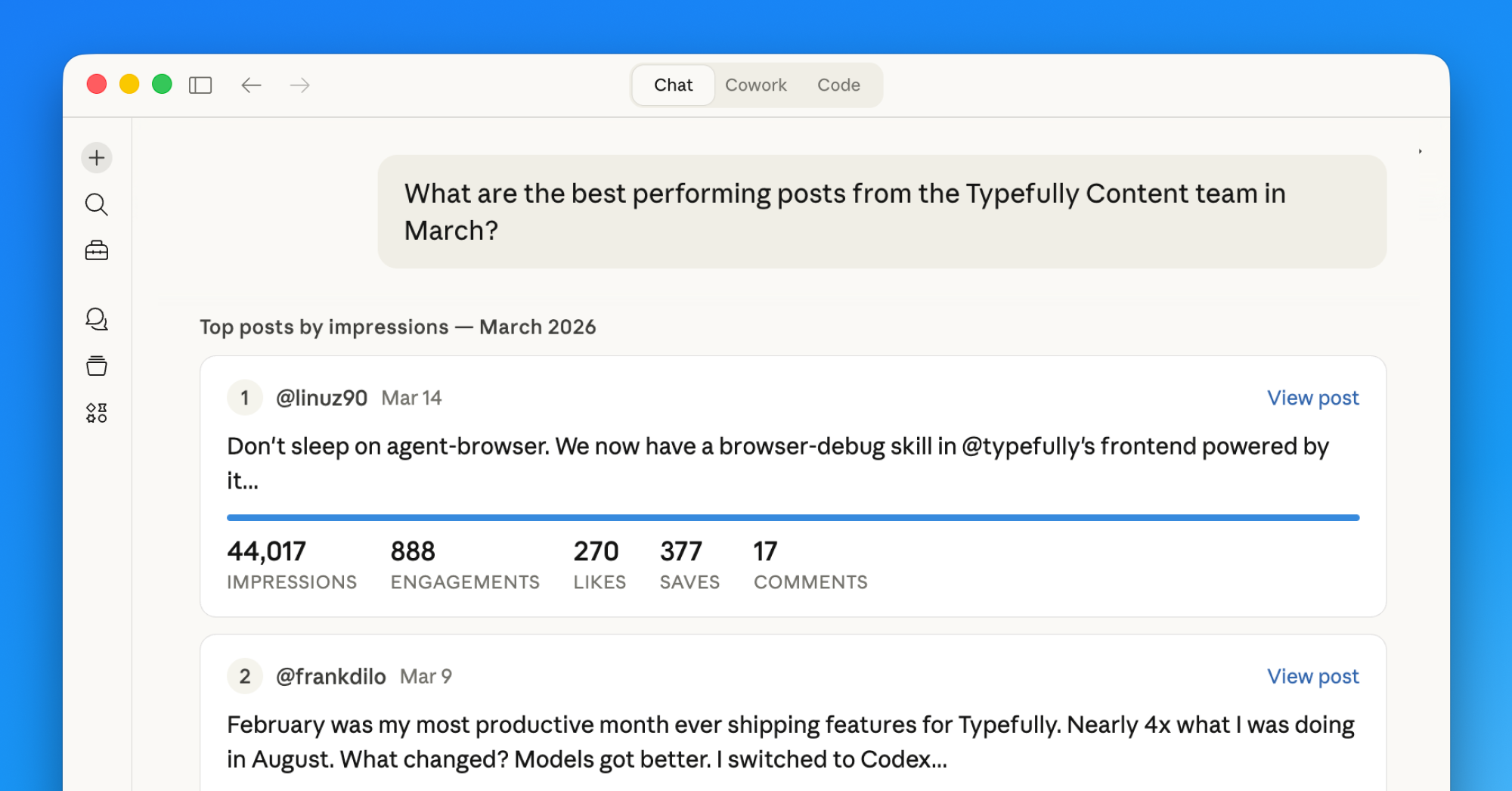
The most requested API feature is here. You can now pull performance data for your X posts published through Typefully.
This means your agents can answer questions like "what were my top performing posts this month?" with real data. Create, schedule, and analyze — all from the same agent workflow.
Queue Management Endpoints
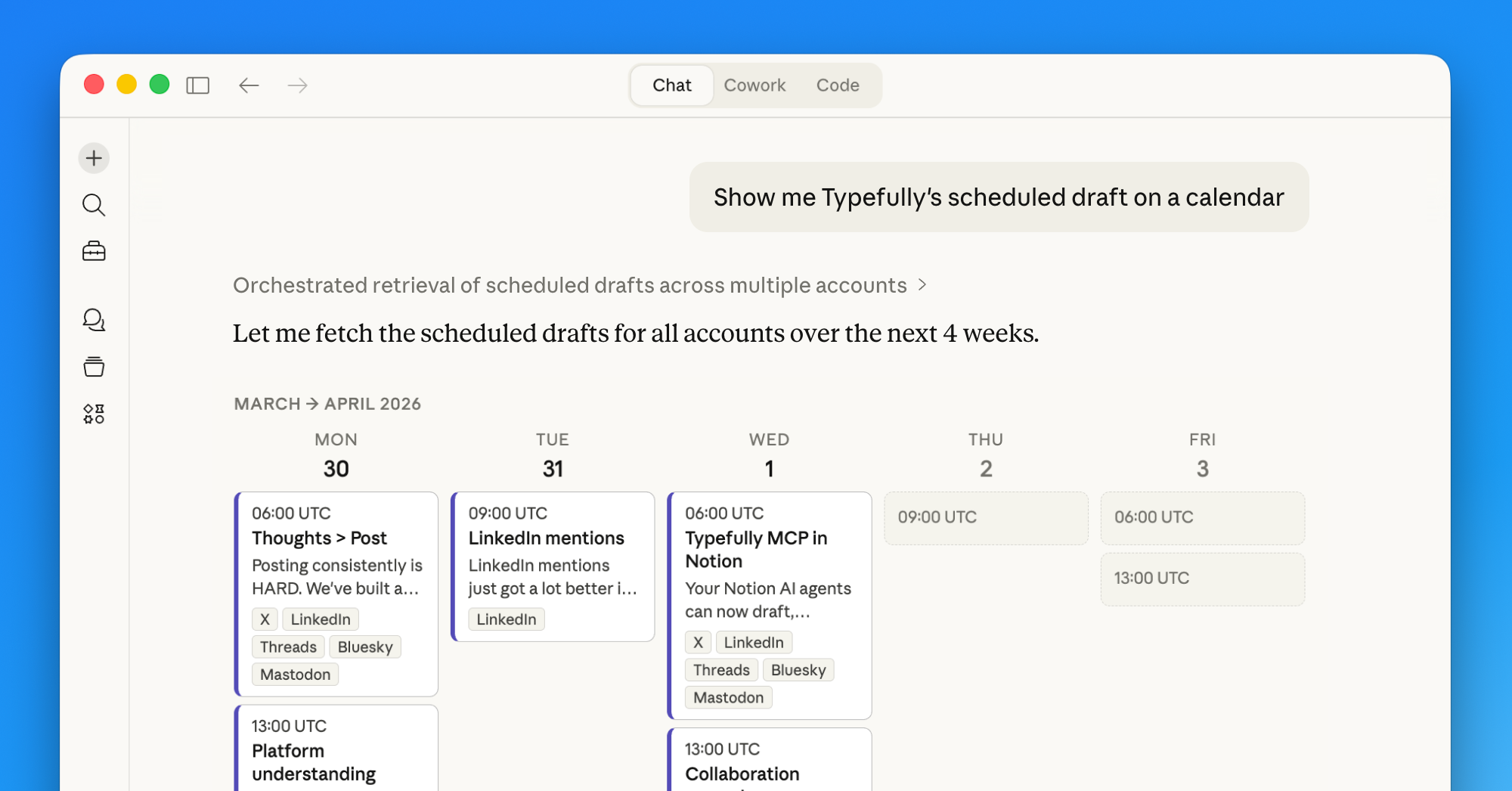
You can now manage your content calendar end-to-end via API:
- GET
/v2/social-sets/{id}/queue— inspect upcoming scheduled content - GET
/v2/social-sets/{id}/queue/schedule— read your posting schedule - PUT
/v2/social-sets/{id}/queue/schedule— update your posting schedule
This lets agents go beyond creating individual posts. They can schedule to your next free slot, swap posts around, and adjust your queue rules.
LinkedIn Company Mentions
You can now resolve LinkedIn org URLs and include company mentions in draft text programmatically:
- GET
/v2/social-sets/{id}/linkedin/organizations/resolve - Use
@[Company](urn:li:organization:ID)syntax in post text
Full LinkedIn tagging workflows from API clients and agents.
Quote Posts on X
You can now create quote-post-style tweets via API, MCP, and Agent Skill using quote_post_url. This is equivalent to the "Convert to quote" action in the Typefully UI.
Improved Media Uploads
We've improved media upload documentation and instructions for MCP, CLI, and agent workflows, including exact presigned PUT behavior. This reduces common upload failures like SignatureDoesNotMatch.
Better MCP Support in Notion
We've also improved the experience for adding Typefully's MCP server inside Notion agents, making setup smoother for Notion-based workflows.
Get started
There are three ways to connect Typefully to your AI agents:
- MCP Server — works with Claude, ChatGPT, Cursor, Windsurf, Notion, and any MCP-compatible client. Setup guide →
- In-app integrations — go to Settings → Integrations in Typefully to connect directly
- Agent Skill — for coding agents and custom setups:
npx skills add typefully/agent-skills(GitHub →)
For direct API access, check out our API docs.
Mar 26
Mention Teammates and Slack Notifications
Drafting social posts is now the easy part, the hard part is reviews, approvals, and polish. So we're improving Typefully to make collaboration even better and smoother.
Here's what's new:
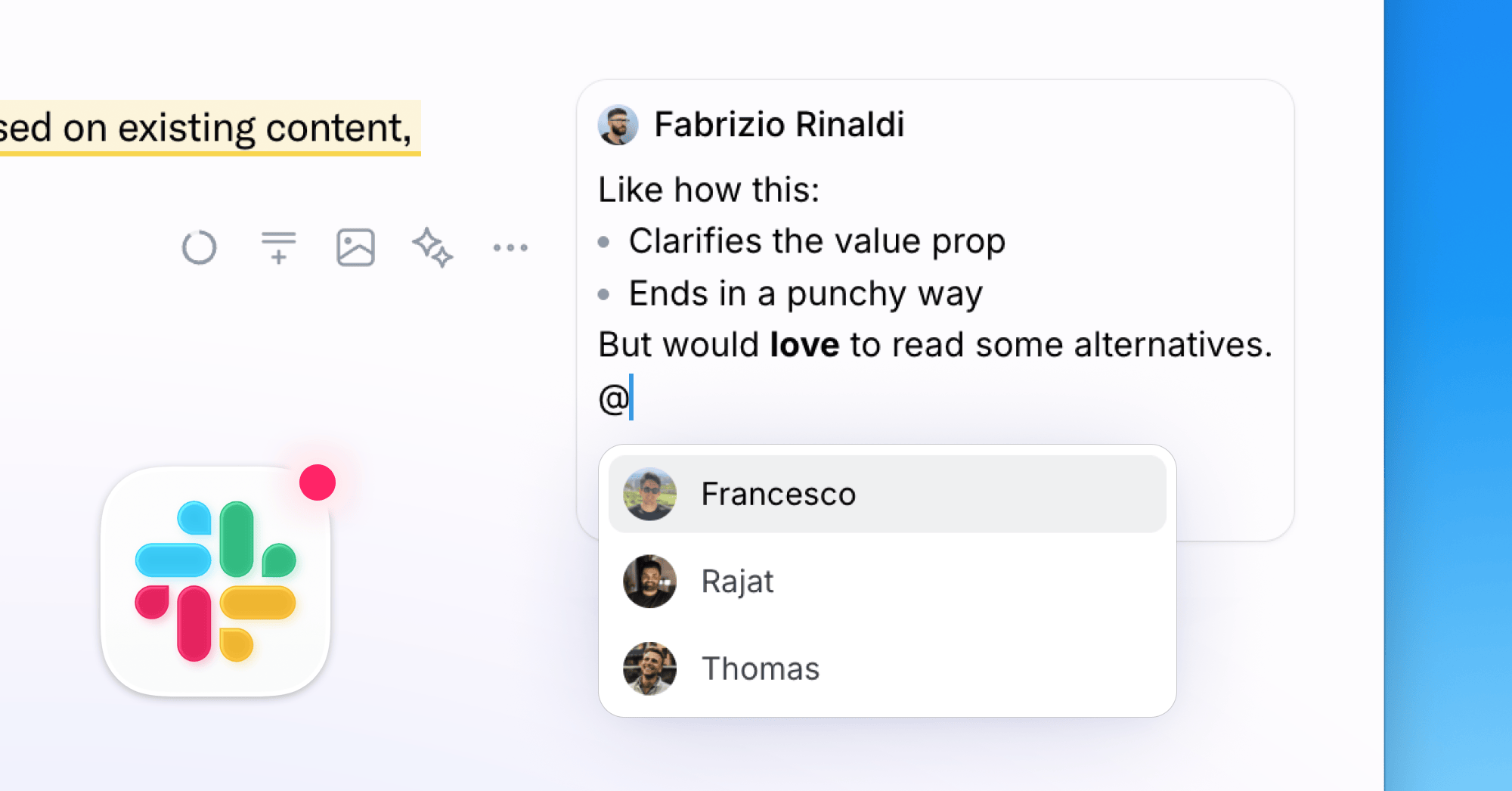
💬 @mentions in comments
Bring the right person into any conversation. Type @ in a comment to mention a teammate directly.
🔔 Slack notifications
Get notified in Slack when someone comments on a draft, or when a post goes live so your team can jump in and engage.
Better UI and mobile experience
Comments are more polished and faster, and now open in a native-feeling swipeable drawer on mobile.
✍️ Formatting in comments
Bold, italic, lists, and blockquotes now work in comments. Use markdown shortcuts or keyboard shortcuts like you'd expect.
If your team ships social content together, these updates make the whole workflow faster and smoother.
Mar 10
Improved LinkedIn mentions for companies and people
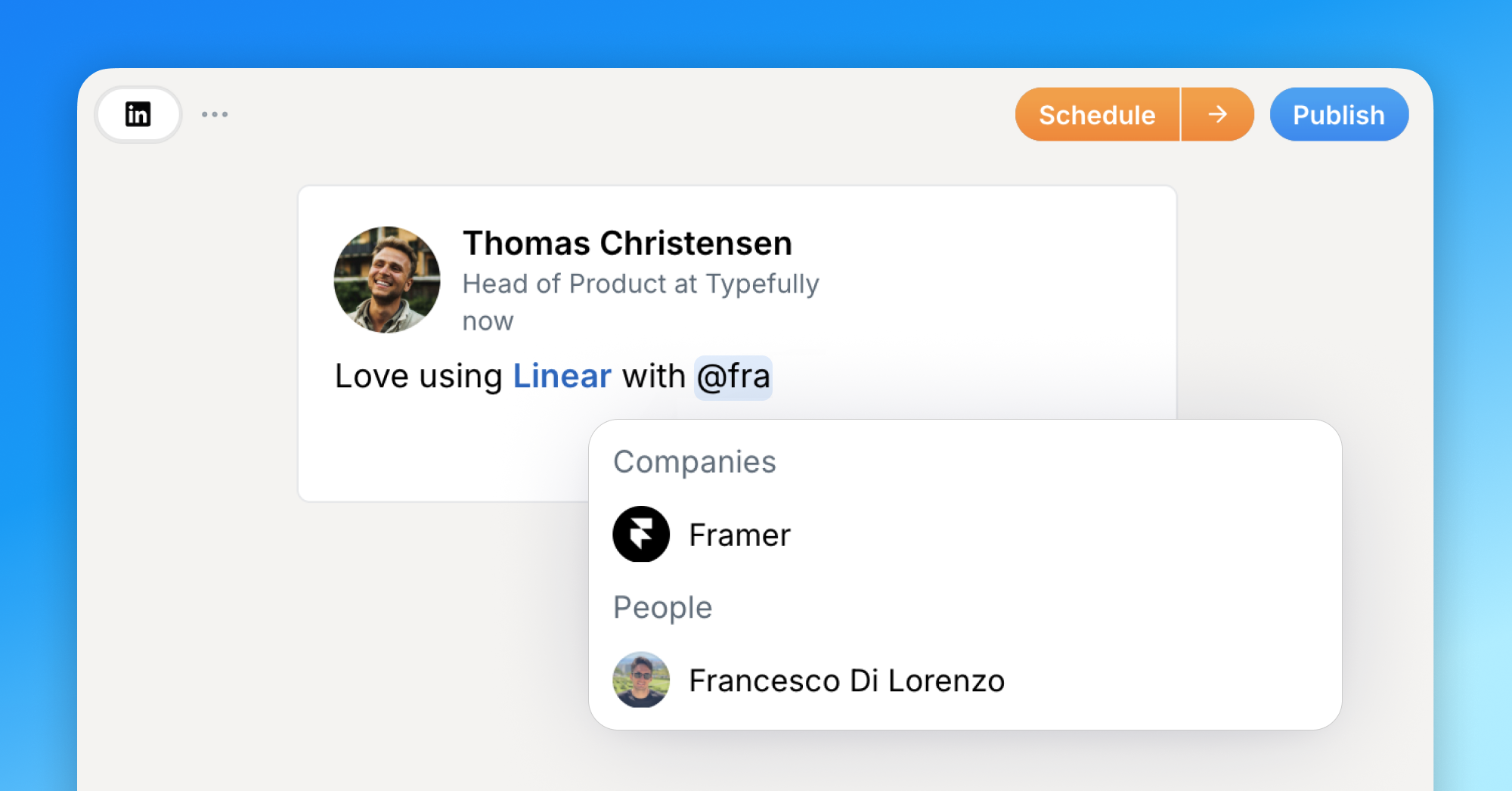
We have made mentioning on LinkedIn much faster and more reliable.
Company mentions now have a better flow: Typefully remembers companies you mentioned before, makes them easy to search, and keeps building a directory so you can find more results without having to look them up manually.
We also shipped an initial version of personal mentions, so you can mention LinkedIn people that you have access to in Typefully. We are actively working with LinkedIn to expand support for personal mentions, and we will share updates as this improves.
Learn more in our docs.
Feb 23
Writing Assistant
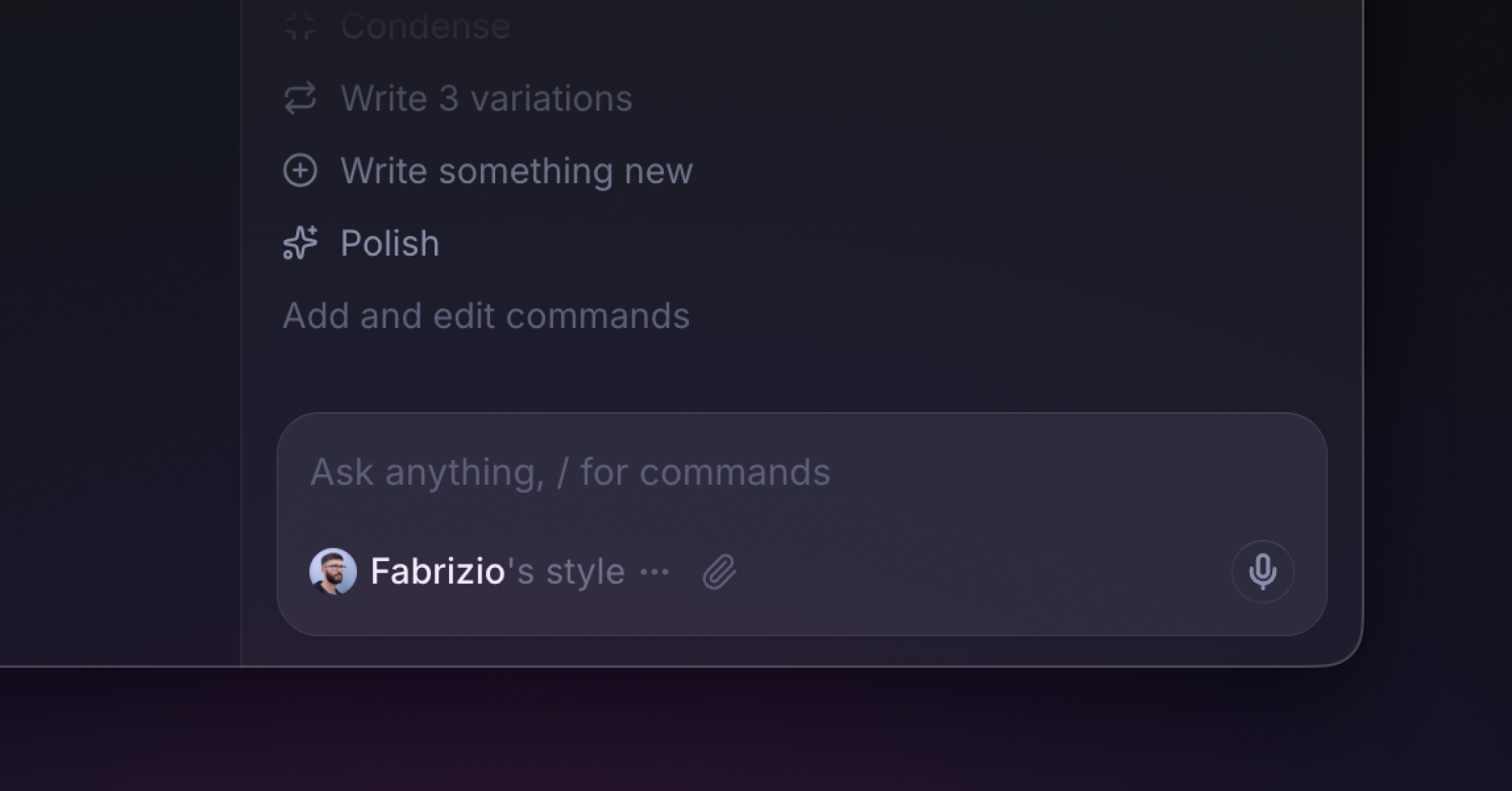
We've spent months building a Writing Assistant in Typefully that learns from your past posts so every suggestion sounds like you.
It’s like having an editor by your side, 24/7, who helps you write better posts for X and LinkedIn, catching what you miss, tightening what's loose, and keeping every word sounding like you.
What it does:
- Learns your voice from your existing posts. It studies your tone, vocabulary, and structure so suggestions feel natural, not generic.
- Turns messy thoughts into drafts. Voice memos, scattered notes, half-formed ideas, the assistant shapes them into posts that sound like you.
- Flags weak hooks and suggests stronger angles. It pushes back when something won't land, instead of blindly following instructions.
- Adapts between X and LinkedIn. Converting content between platforms? The Assistant adjusts structure and tone automatically.
- Remembers your preferences. Set a rule once (no em-dashes, always lead with a hook) and it sticks across every conversation.
- Edits directly in your draft. No copy-pasting between windows, the Assistant makes changes right where you're writing.
What it doesn't do:
No auto-posting. No mass-reply automation. No one-click content generation.
We built this to help you write better, not to produce AI slop. You can read more about our AI Philosophy here.
You can get your Writing Assistant now if you’re on the Creator plan or above, or by starting a free trial.
You’ll find the Assistant in the top right corner of the Typefully editor.
Feb 13
Reorder Media in Drafts
You can now drag and drop to reorder media in your posts, making it easy to get the perfect sequence without deleting and re-uploading.
Previously, if you wanted to change the order of multiple images or videos in a post, you had to delete them and re-upload in the right order. The same applied to threads, moving an image from one post to another meant deleting and re-uploading.
Now you can simply drag media elements to rearrange them within a post or move them between tweets in a thread. No more tedious workarounds.
This feature is available now for all users.
Feb 10
New Typefully Raycast Extension
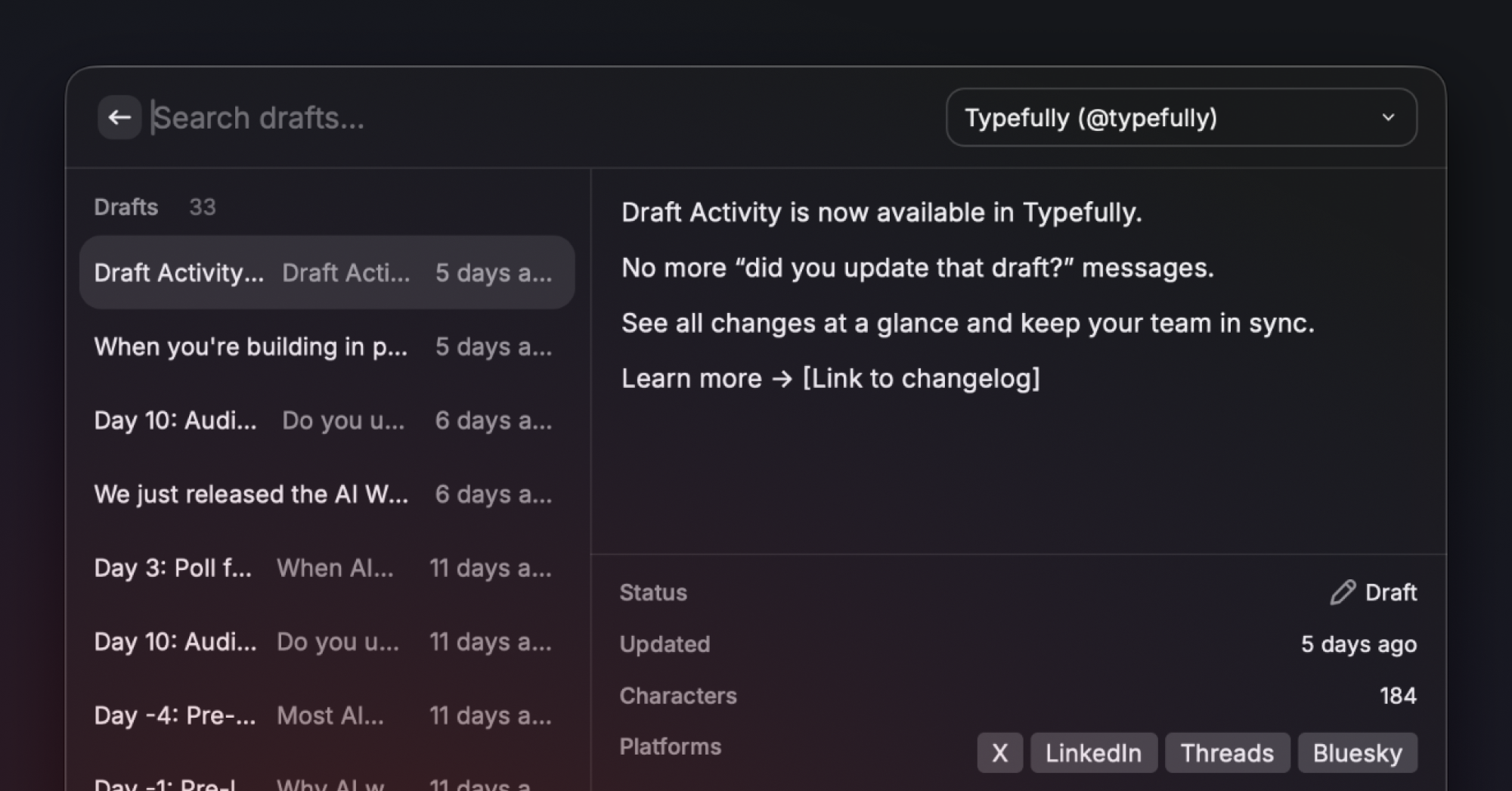
We've completely rebuilt our Raycast extension to bring the full Typefully experience to your favorite command launcher.
Raycast is a popular launcher and productivity tool for macOS (and also for Windows, in beta). It lets you quickly access apps, files, and commands through a keyboard-driven interface, with support for extensions and AI features.
Our new Raycast extension supports X, LinkedIn, Threads, Bluesky, and Mastodon, with thread creation, scheduling, team social sets, and it's even compatible with Raycast AI.
What's new:
- 5 platforms, one command. Create drafts for all your connected platforms simultaneously. The extension auto-detects which platforms are enabled for each social set.
- Threads from plain text. Type --- to split content into threaded posts. Works across all platforms that support threads.
- Full draft lifecycle. View, search, and manage drafts, scheduled posts, and published content without opening a browser.
- AI-powered drafting. Four AI tools for Raycast AI Chat let you create, list, schedule, and browse drafts conversationally. Tell Raycast AI "draft a post about our new feature and schedule it for tomorrow" and it just works.
- Smart defaults. The extension remembers your preferred social set and platform selections, so repeat posting is near-instant.
- Team support. Works with both personal and team social sets, grouped clearly in the UI.
Go from idea to scheduled post in seconds, without context switching. Capture ideas wherever you're working, and edit in Typefully later.
The new Raycast extension is available here in the Raycast Store.