Feb 8, 2022
New writing experience and video support
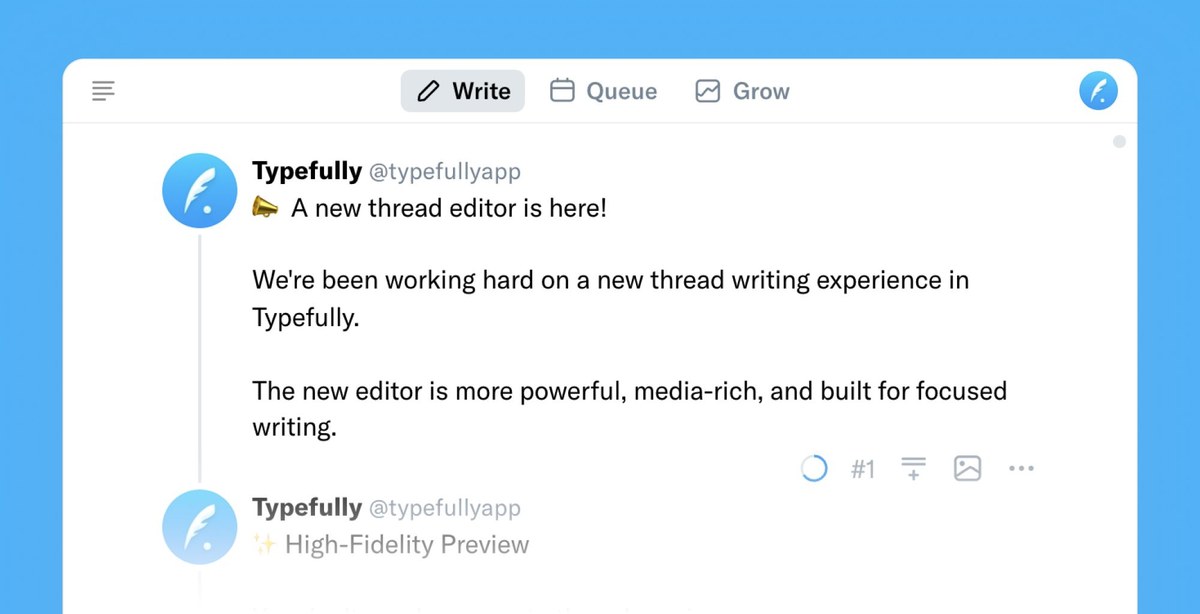
We're been working hard on a new thread writing experience in Typefully.
The new editor is more powerful, media-rich, and built for focused writing.
High-Fidelity Preview
You don't need a separate thread preview anymore.
Just switch to High-Fidelity to see how your thread will look like on Twitter, and keep writing.
Focus Mode
The revamped Focus Mode will help you focus on the writing, without any distraction.
It's our favorite way of writing long threads.
More keyboard shortcuts
There's so much more your can do without touching your mouse now.
Check out the new shortcuts list here: https://help.typefully.com/shortcuts
Video Support
We're excited to finally bring videos in Typefully. Just drag any video inside the editor to add it to your tweets or threads.
---
This update prepares Typefully for big features and improvements we have in our roadmap.
Dec 14, 2021
Auto-retweet and auto-plug your threads
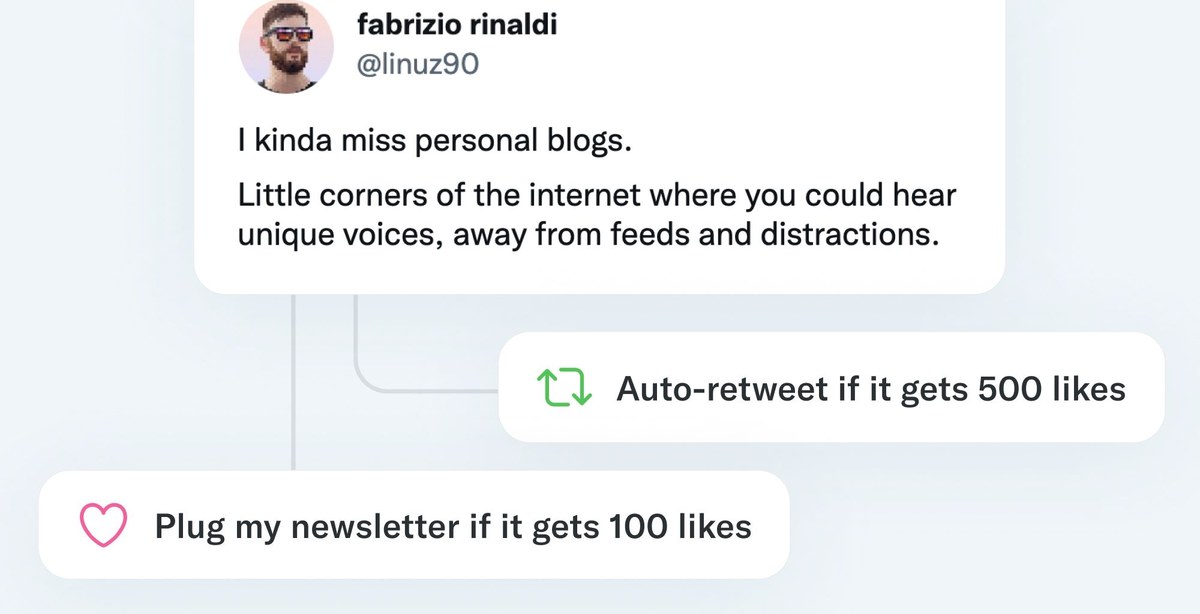
We've launched 2 new features that will help you get more engagements from your tweets and threads: auto retweets and auto plugs.
Auto Retweet
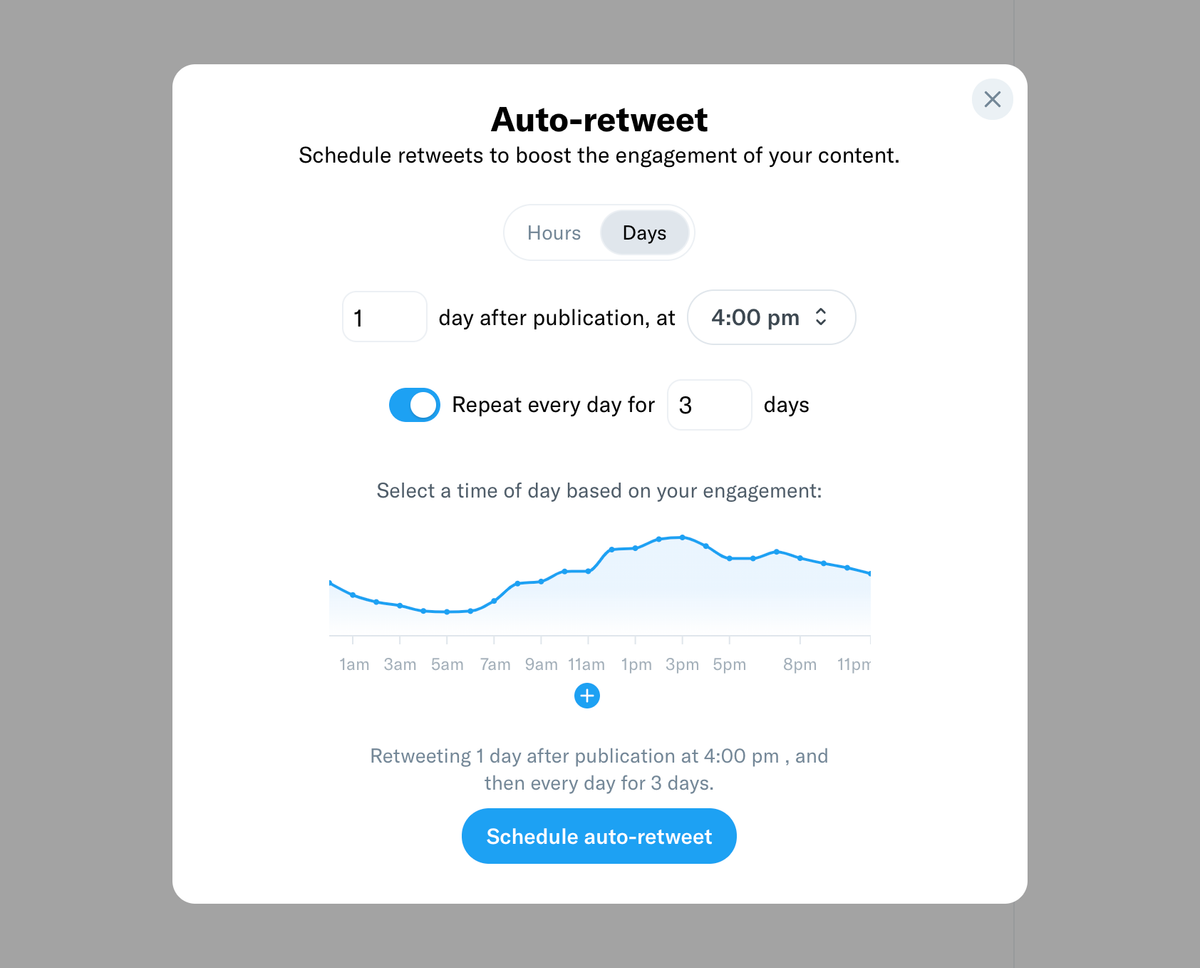
You can now schedule retweets for your new threads based on the engagements they get. This is very useful if you want to make sure your threads are seen among different timezones, and to boost their engagement over time.
Auto Plug
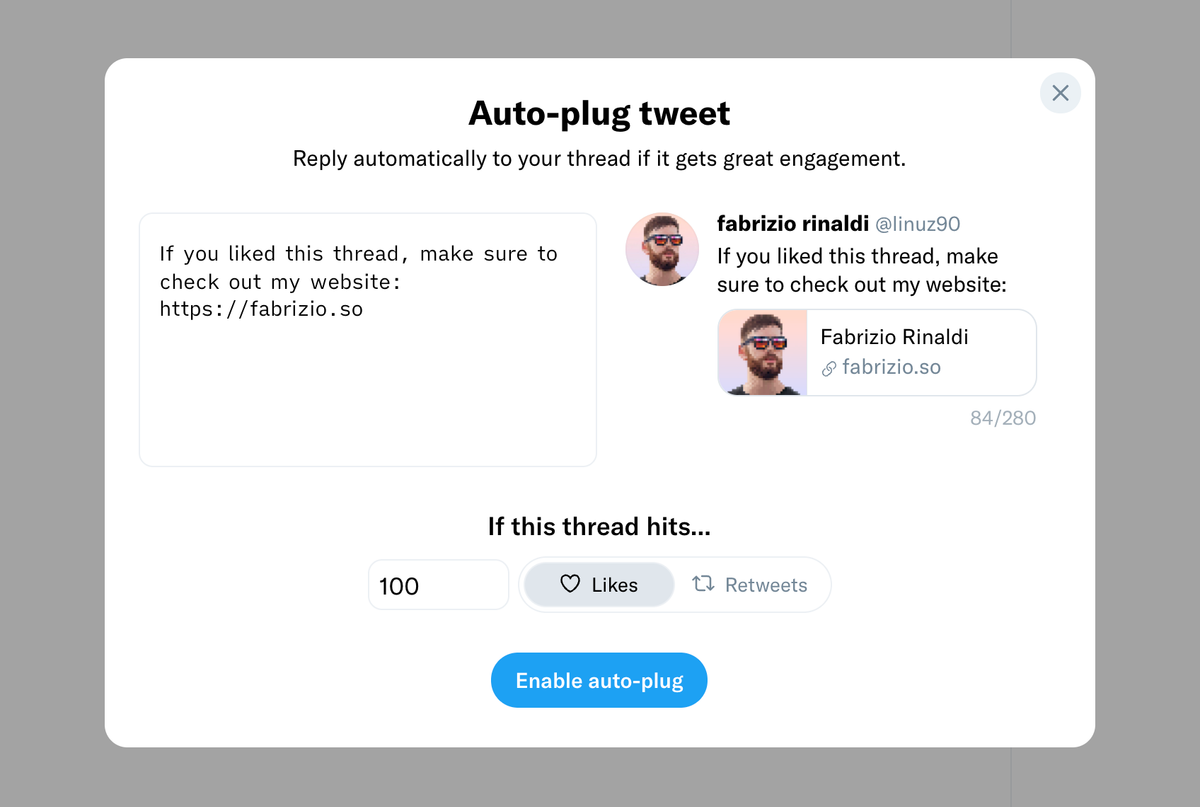
It's very hard to tell which threads will go viral, and it only makes sense to plug your website or newsletter in the best-performing ones.
We've made it easy to do so by letting you set up "auto plugs" that will be attached to your threads only if they reach certain thresholds.
More improvements
We've improved the scheduling interface to be more intuitive and useful. You can quickly select the next free slot in the queue, or pick the best time based on your analytics.
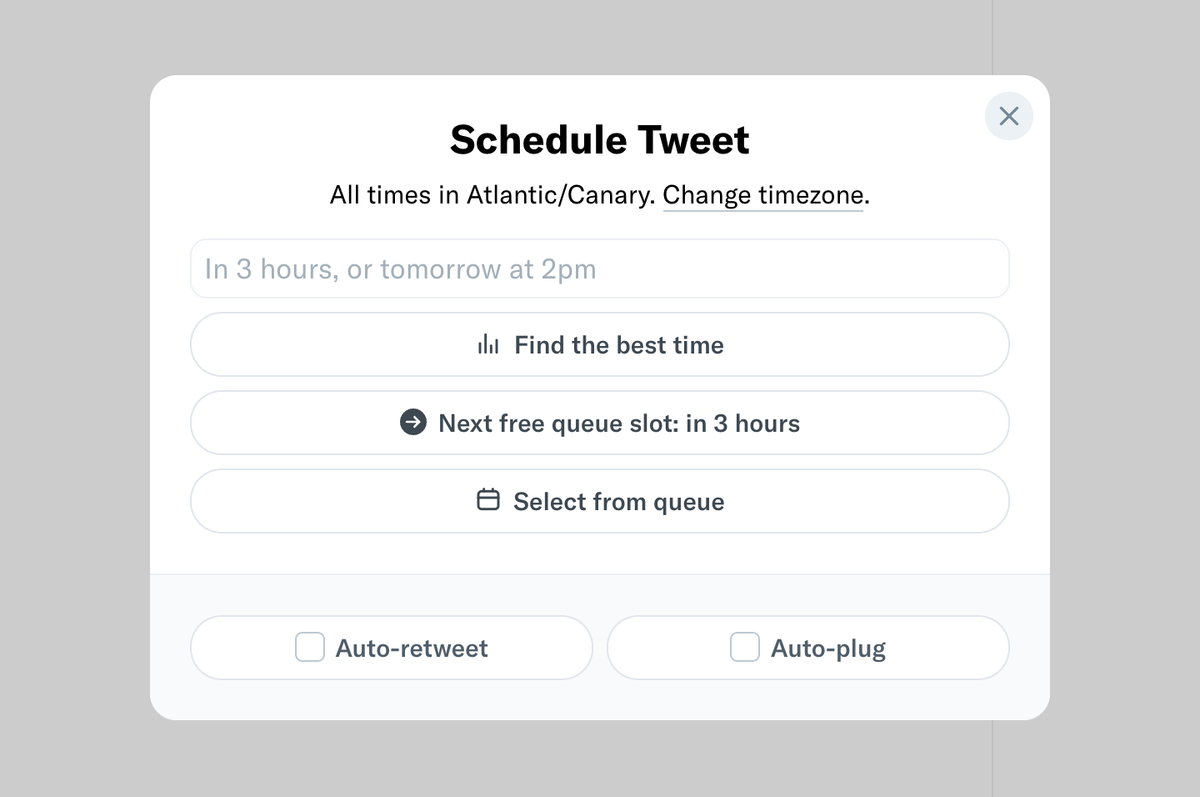
You will also notice some improvements in the recently added threads sharing functionality.
Nov 29, 2021
Multi-account support is here
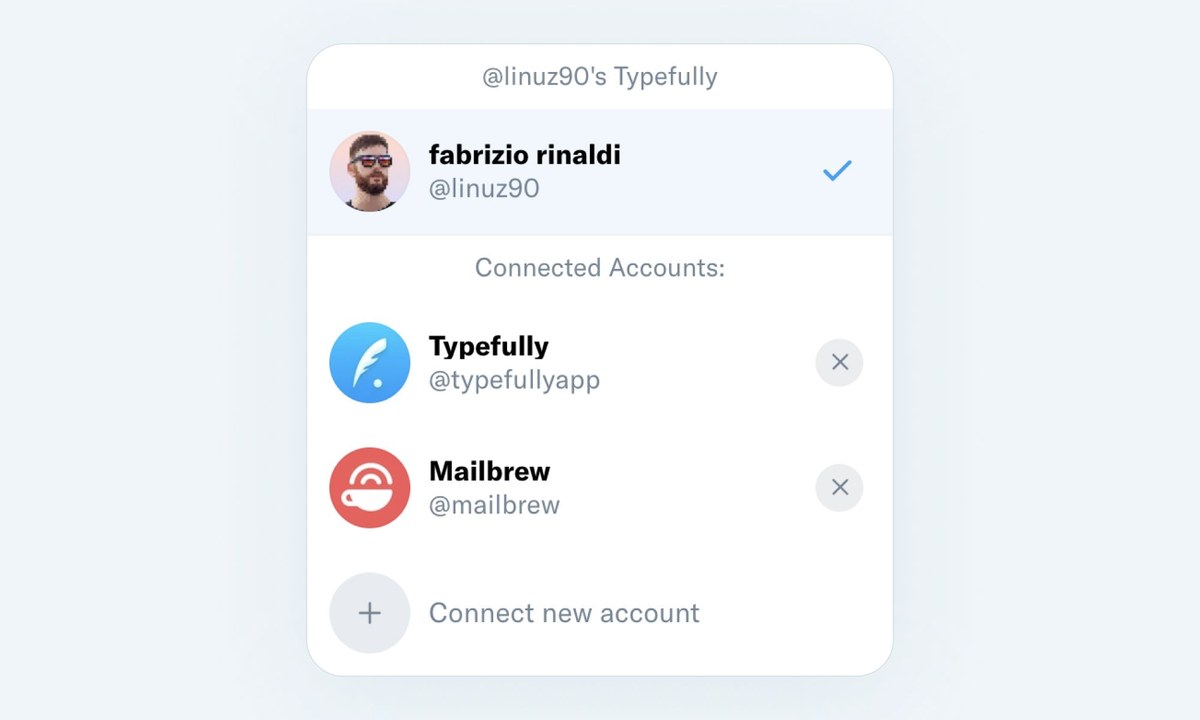
You can now add and manage multiple Twitter accounts in your Typefully account.
Write threads, schedule, and publish on all your Twitter accounts, seamlessly.
Just click on your avatar in the top right corner of the app to add your other Twitter accounts.
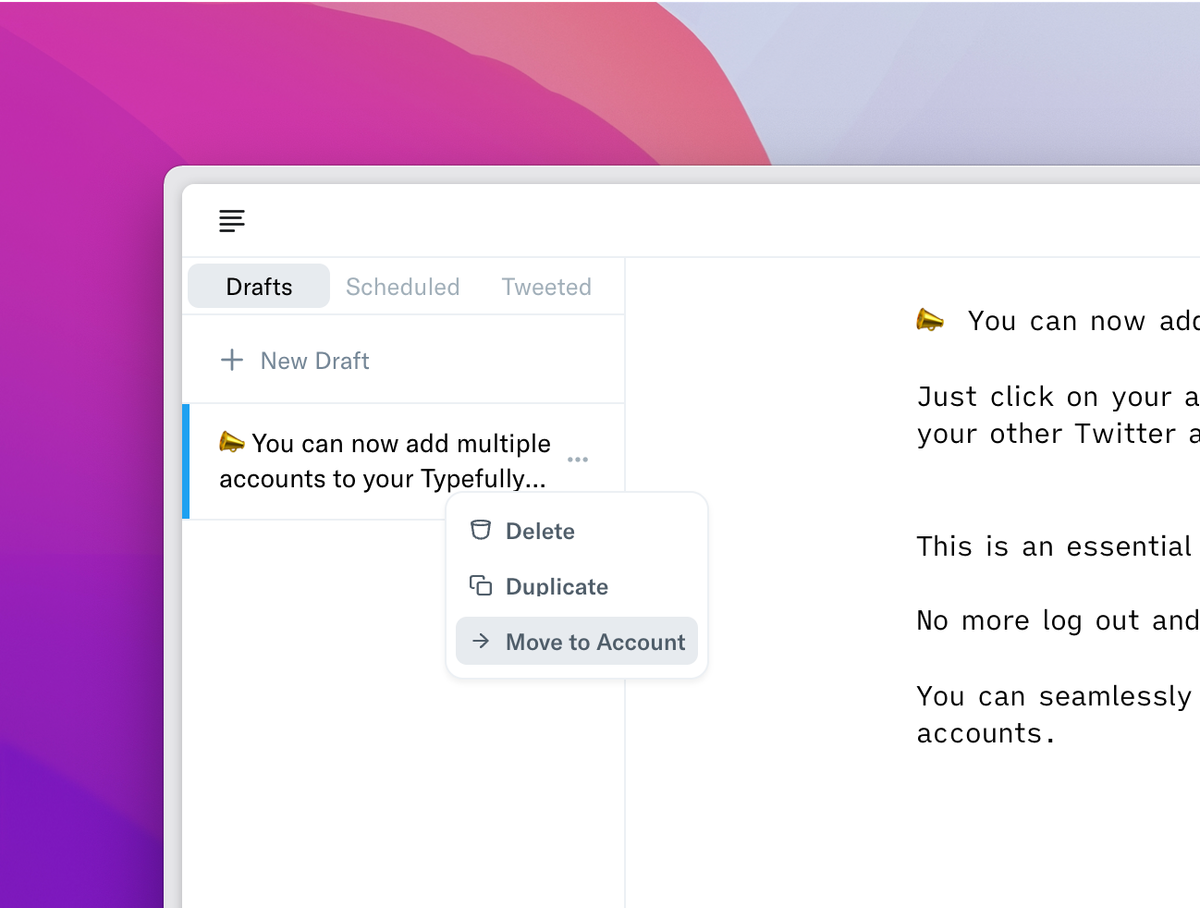
You can also easily move drafts between accounts.
Nov 23, 2021
Share & Unroll your Threads
We have exciting news for creators using Typefully.
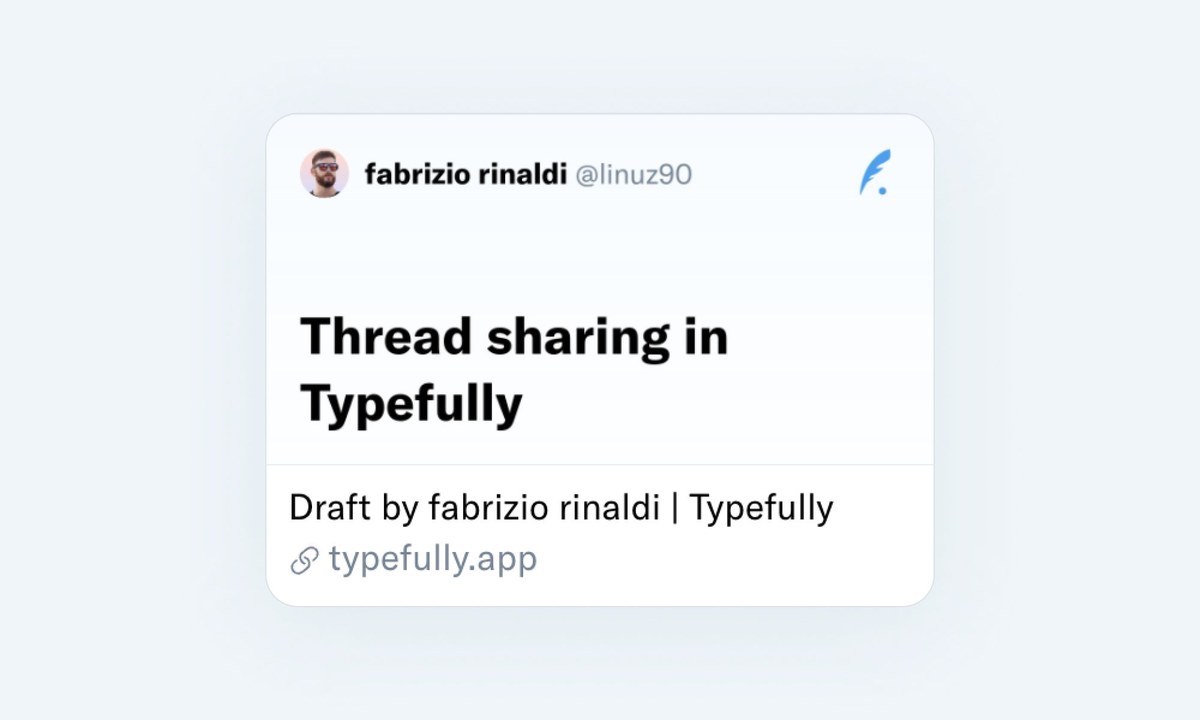
- You can now share your Typefully drafts with anyone to get feedback before publishing.
- Attach the same link to your thread and it will show a beautiful "unrolled" version when it's published.
Check out this thread to see a live example. The first tweet links to the unrolled version.
Here's how it works:

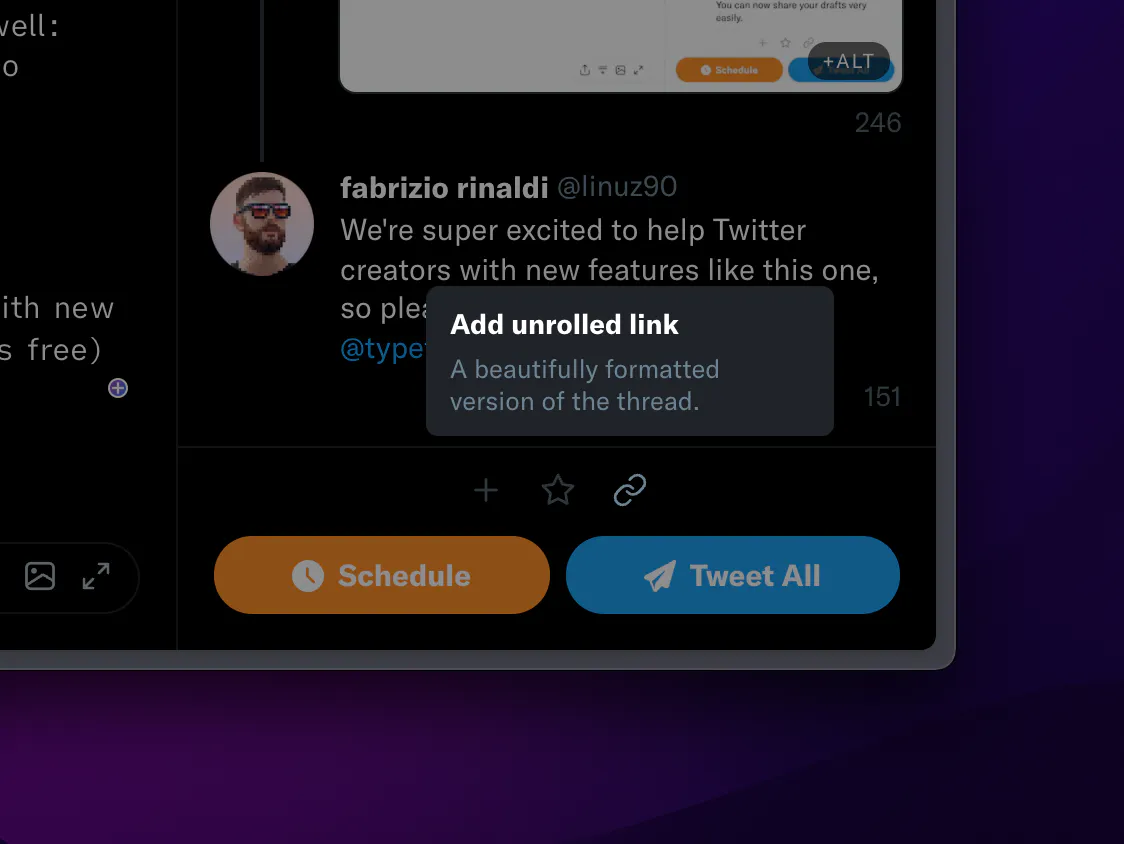
We've also made it easy to add the unrolled link to your thread in one click:
Nov 10, 2021
What's the best time to tweet?
Here's a question for the ages: what's the best time to tweet? Every website and service gives a different answer, and we've been thinking about this a lot.
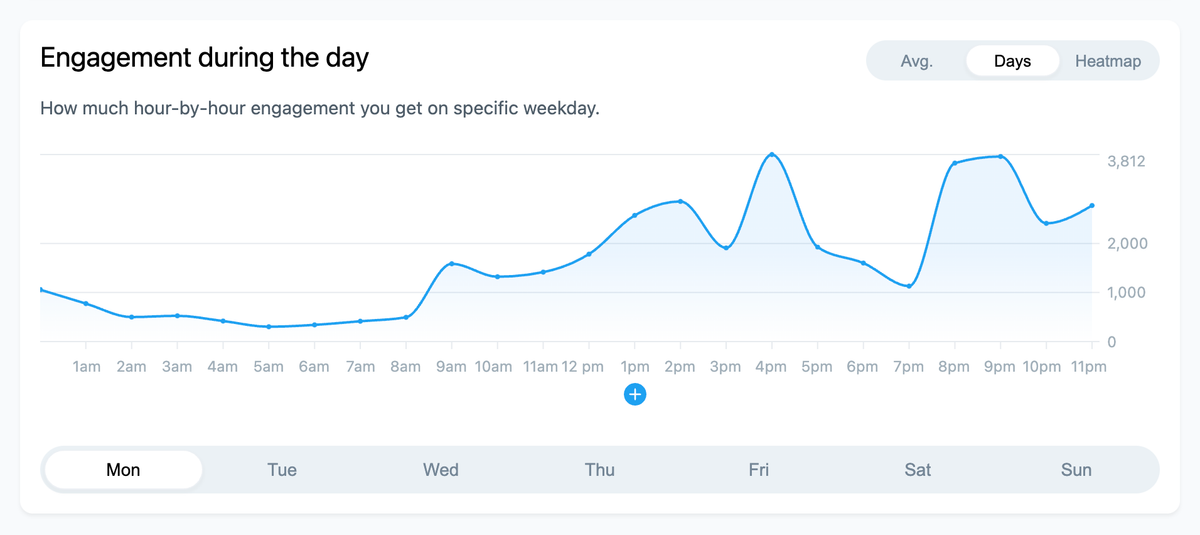
We're excited to introduce a new Typefully feature to discover when you get the most engagements, which is a great proxy of when it's a good time to tweet.
It's just a first step, and we're going to improve this a lot, so feedback is welcome (you can DM us or drop an email.
Open your Typefully Grow tab and you'll find the new charts. We even show a little "+" button on each daily chart to quickly add a suggested slot to your tweeting schedule.
Oct 12, 2021
ALT descriptions for your images

To make your images accessible to more people, including those who are blind or low-vision, you can now add a special image description called alt text.
Good image descriptions are concise and descriptive, helping people understand what’s happening in an image.
We're very excited to finally bring this accessibility feature to all Typefully users. Just click on the new +ALT button in the thread preview to write and add your descriptions.
Sep 30, 2021
Typefully gets faster ⚡️

Before working on our packed roadmap of features, we've taken some time to make both the Write and Grow tabs much faster.
The editor is now super snappy, even when writing long threads with tons of tweets, and the Grow tab charts are now equally fast, with shorter loading times.
Enjoy a faster Typefully, and get ready for new features and improvements that are coming soon.
Aug 11, 2021
Improvements and fixes
Improvements
- Improved tweet scheduling reliability.
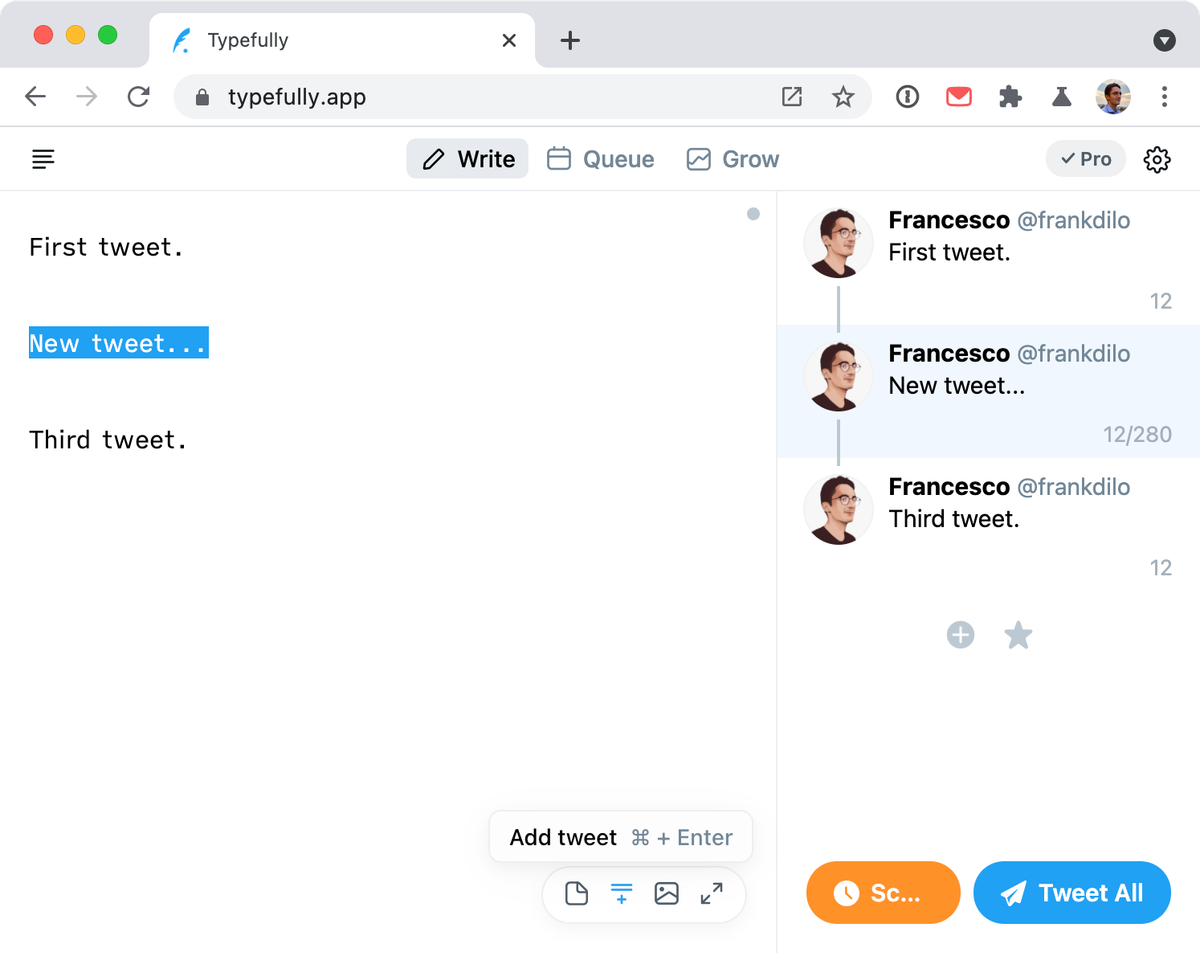
- The "new tweet" shortcut (CMD+Enter) now inserts a new tweet below the current one, not at the end of the thread.
- When logging in, you no longer need to authorize Typefully via the Twitter permissions screen each time.
Fixes
- Fixed issue when uploading images via drag & drop and copy-paste.
- Fix Tweets Queue time inconsistencies when the set timezone differs from the browser timezone.
- Image-only tweets and threads are now correctly published.
Jul 5, 2021
Share your Twitter stats with anyone
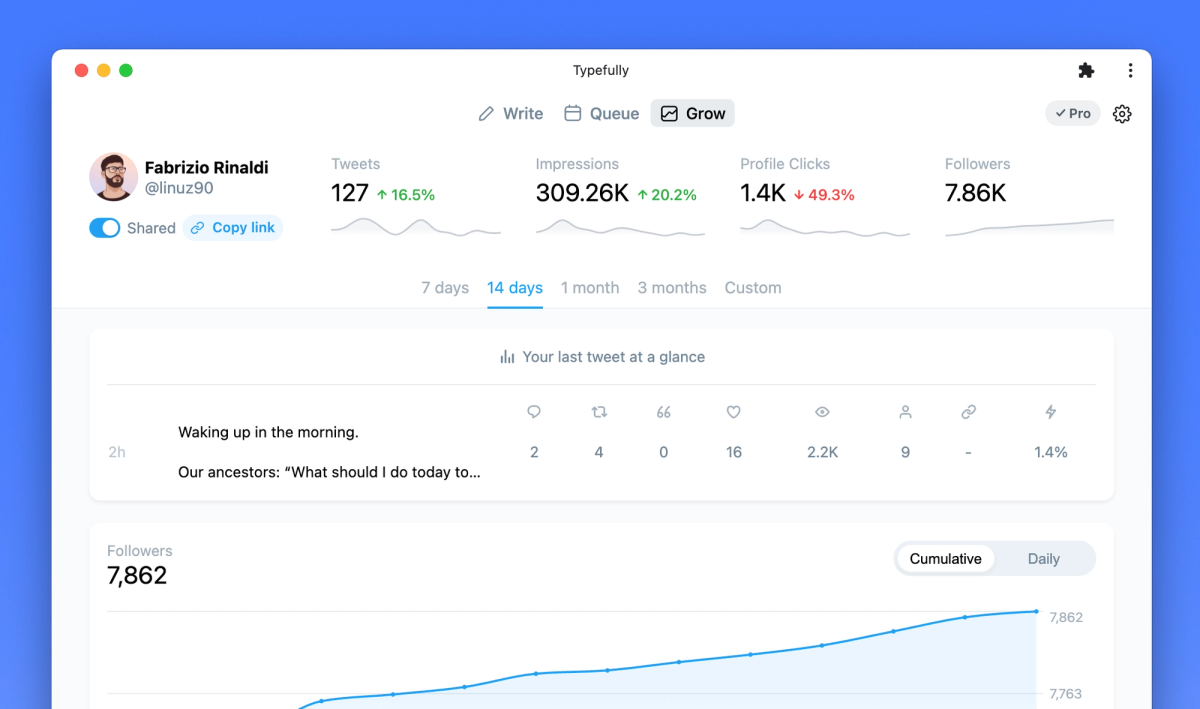
You can now share your Typefully metrics dashboard with anyone.
Simply visit your Grow tab and click on "Share this page" below your avatar.
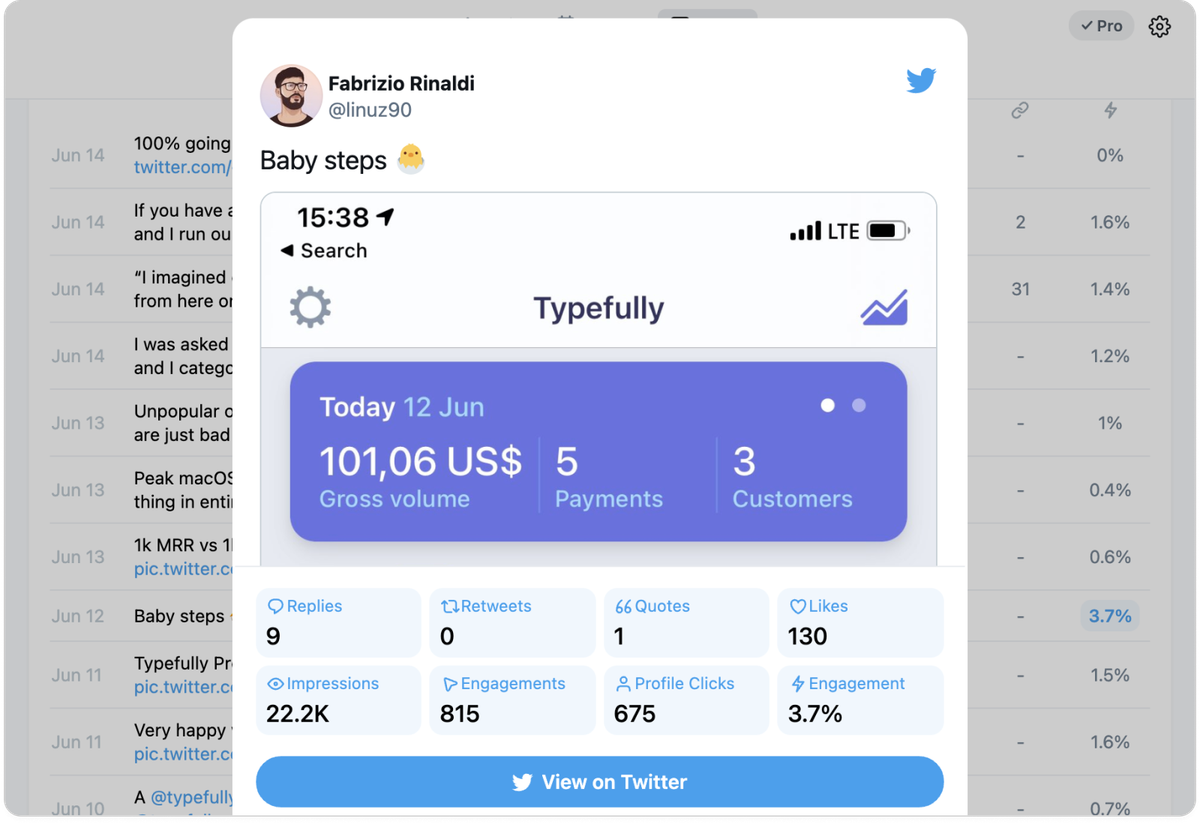
You'll get a public link to showcase your metrics anywhere. Like this one from Fabrizio.
Jun 24, 2021
New Typefully "Grow" Tab
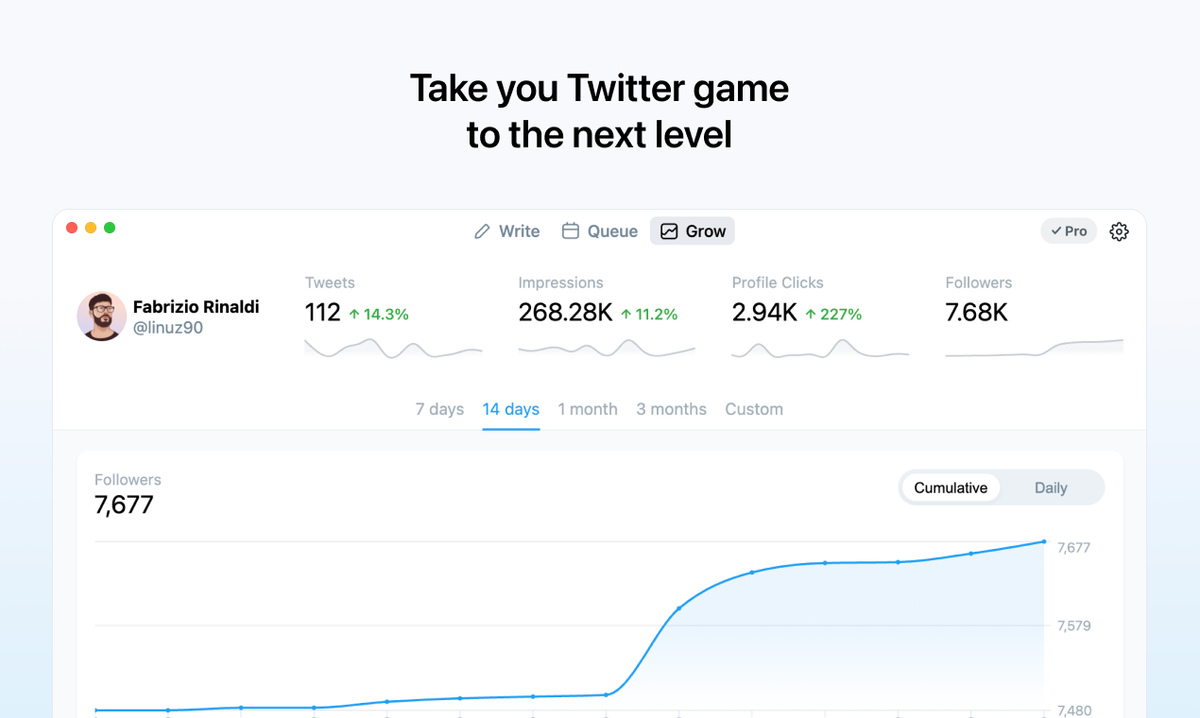
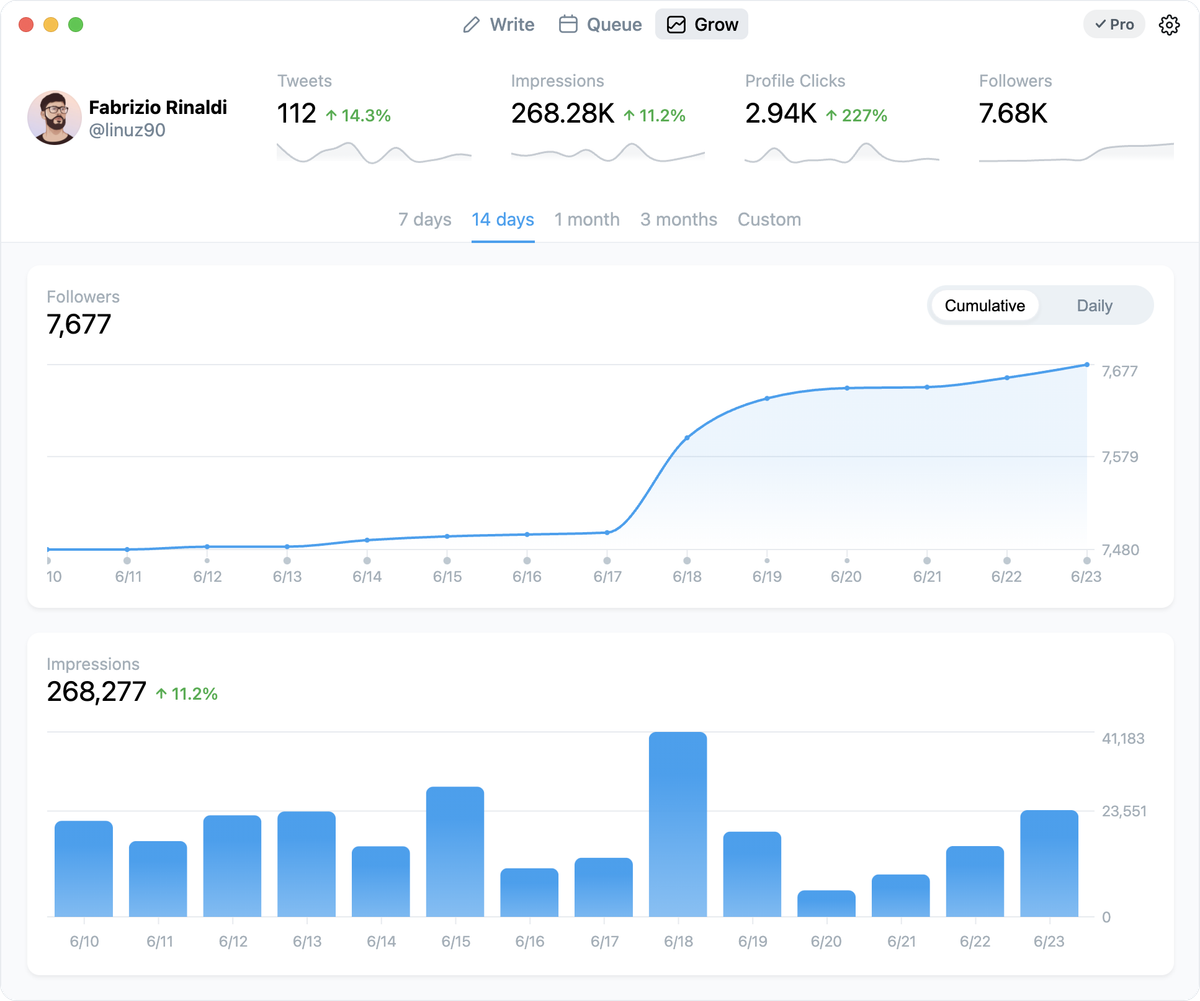
A new tab to grow on Twitter
We've introduced a new Grow tab to help you understand your account's performance. It's part of the Typefully Pro subscription.
We didn't just stop at obvious metrics, but really decided to understand what's the best way to grow on Twitter, and create the best tool to help you accomplish that.
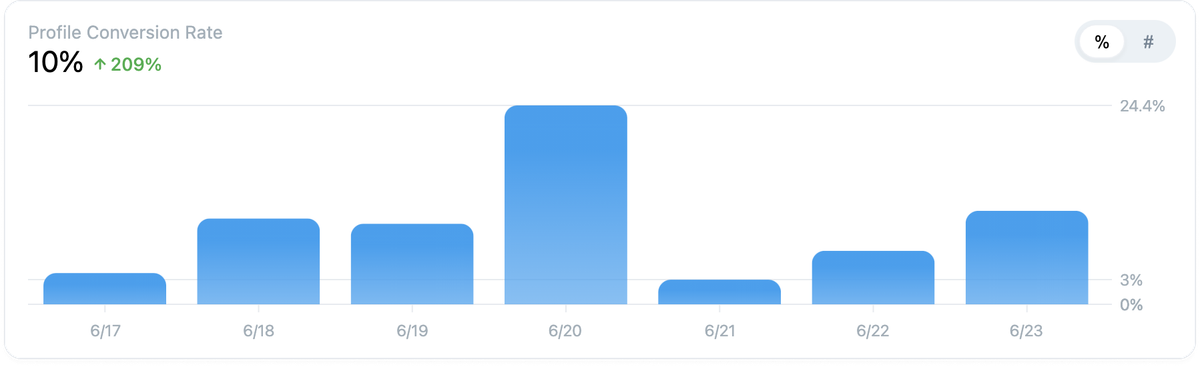
You'll find for example a unique Profile Conversion Rate chart we've created. We constantly check how many new people are following you and compare it to the number of profile clicks that your tweets are getting and create this synthetic metric to help you understand how well your profile is doing.
We'll also always show you how your last tweet or thread is doing, and you'll be able to check the same metrics for all your tweets, even those not published with Typefully.
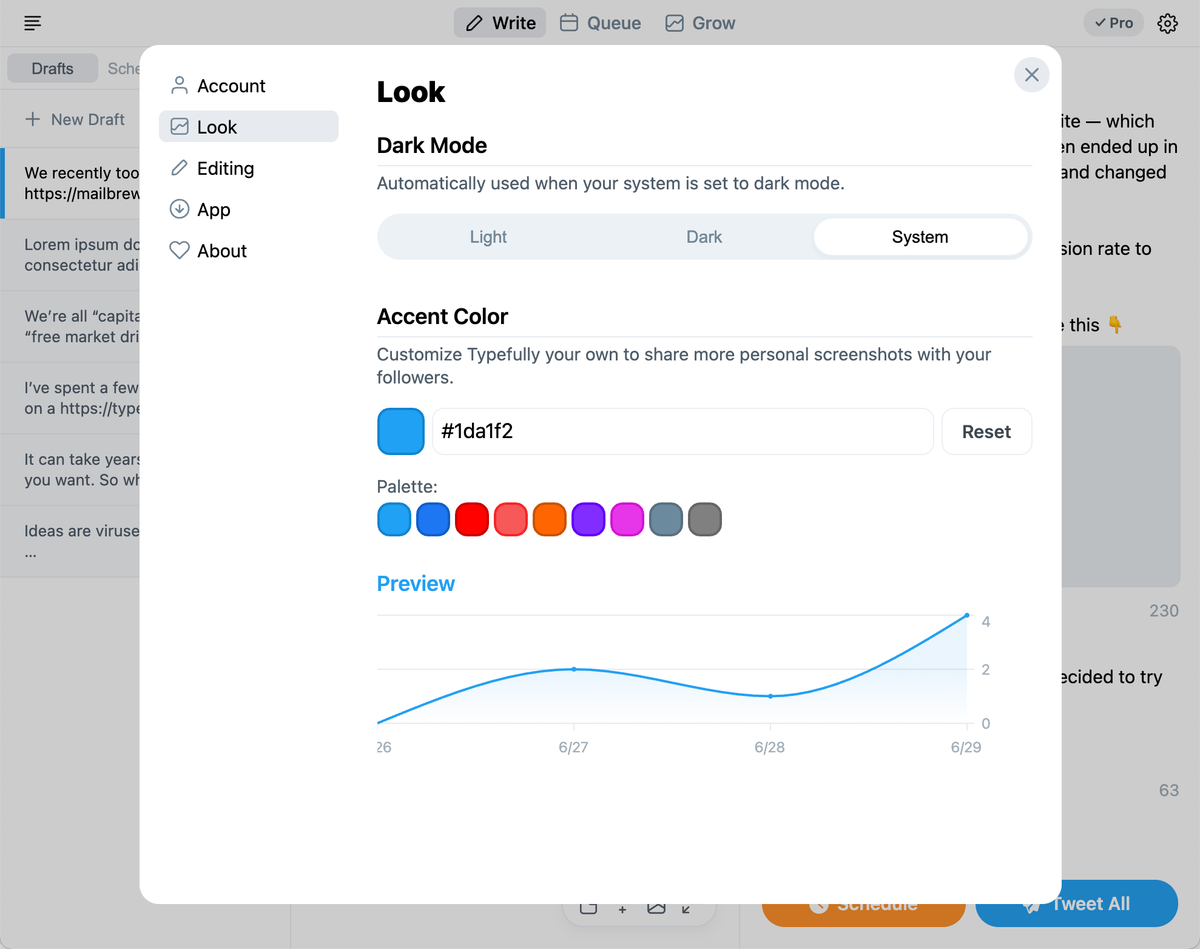
Change your Typefully accent color
To help you share beatiful screenshots of the new Growth charts with your audience, we've added a new setting to change the whole app accent color to fit your brand.
More improvements to the Editor and UI
We also revamped the Editor interface a lot, and we've continued working on it to make your writing experience flawless. You'll find a better toolbar and general refinements to the experience.
Jun 8, 2021
Typefully 2021.2 - Advanced queue 📆
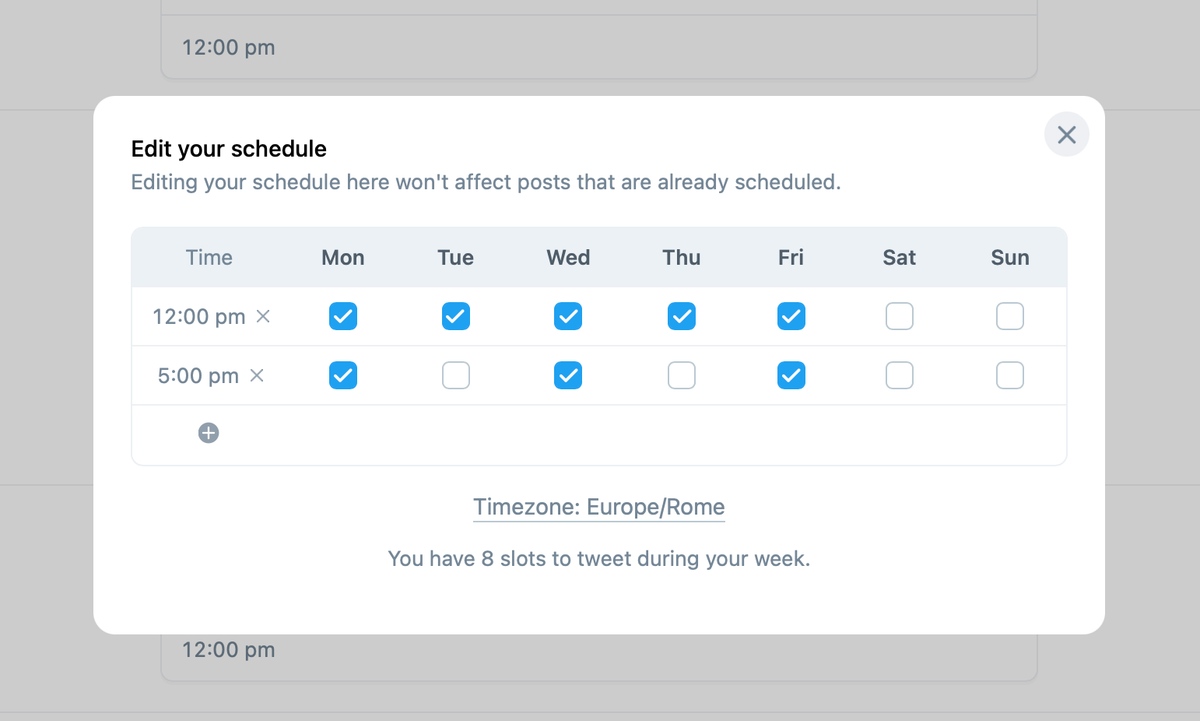
This update is the first step in making Typefully a more advanced tool for content creators on Twitter, and it also introduces the very first Typefully Pro feature.
Advanced tweets queue 📆
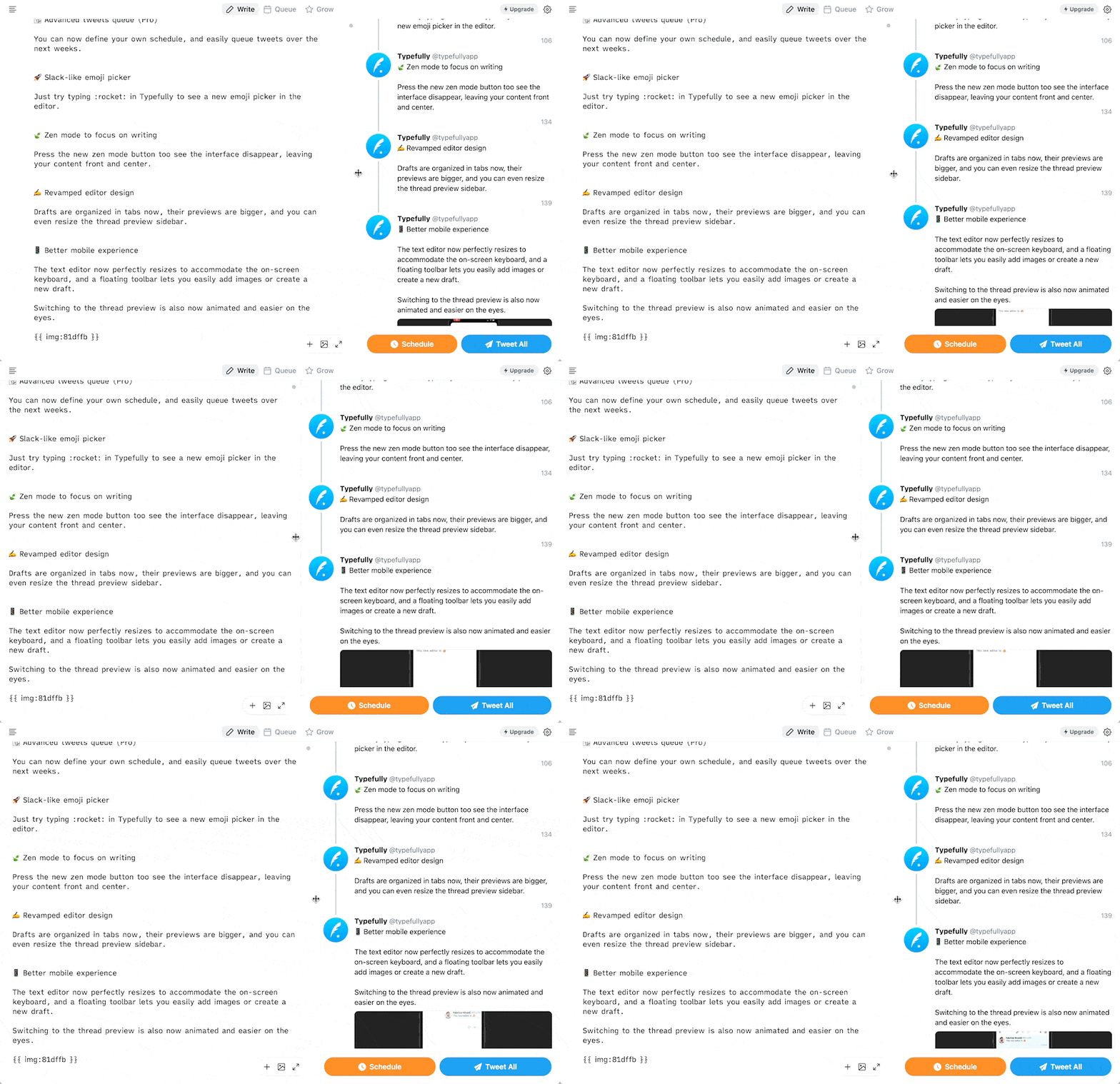
You can now define your own schedule, and easily queue tweets over the next weeks.
Basic scheduling is still free, but this advanced queue is reserved for Pro users (you can upgrade today).

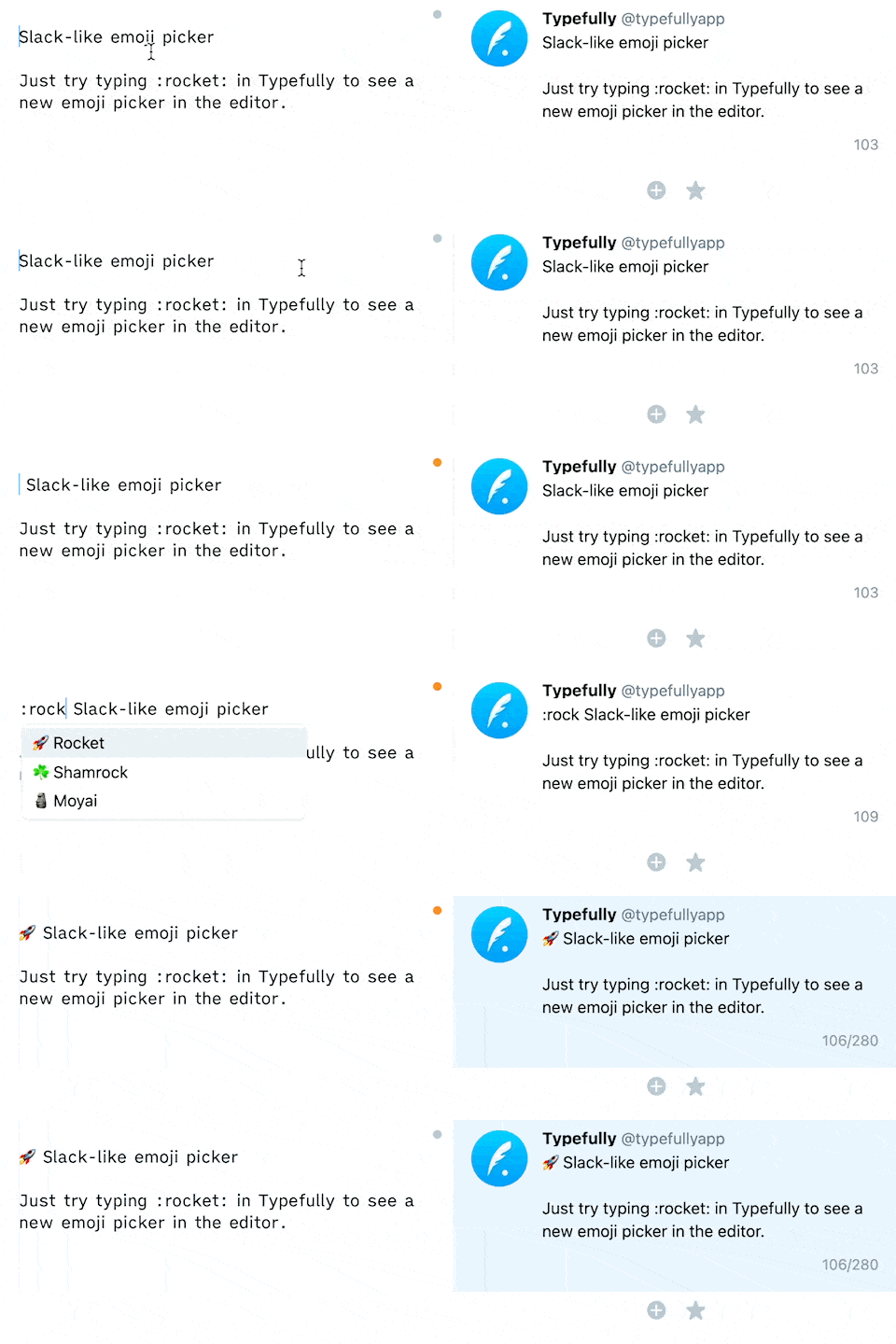
Slack-like emoji picker 🚀
Just try typing :rocket: in Typefully to see a new emoji picker in the editor.
Zen mode to focus on writing 🍃
Press the new zen mode button too see the interface disappear, leaving your content front and center.
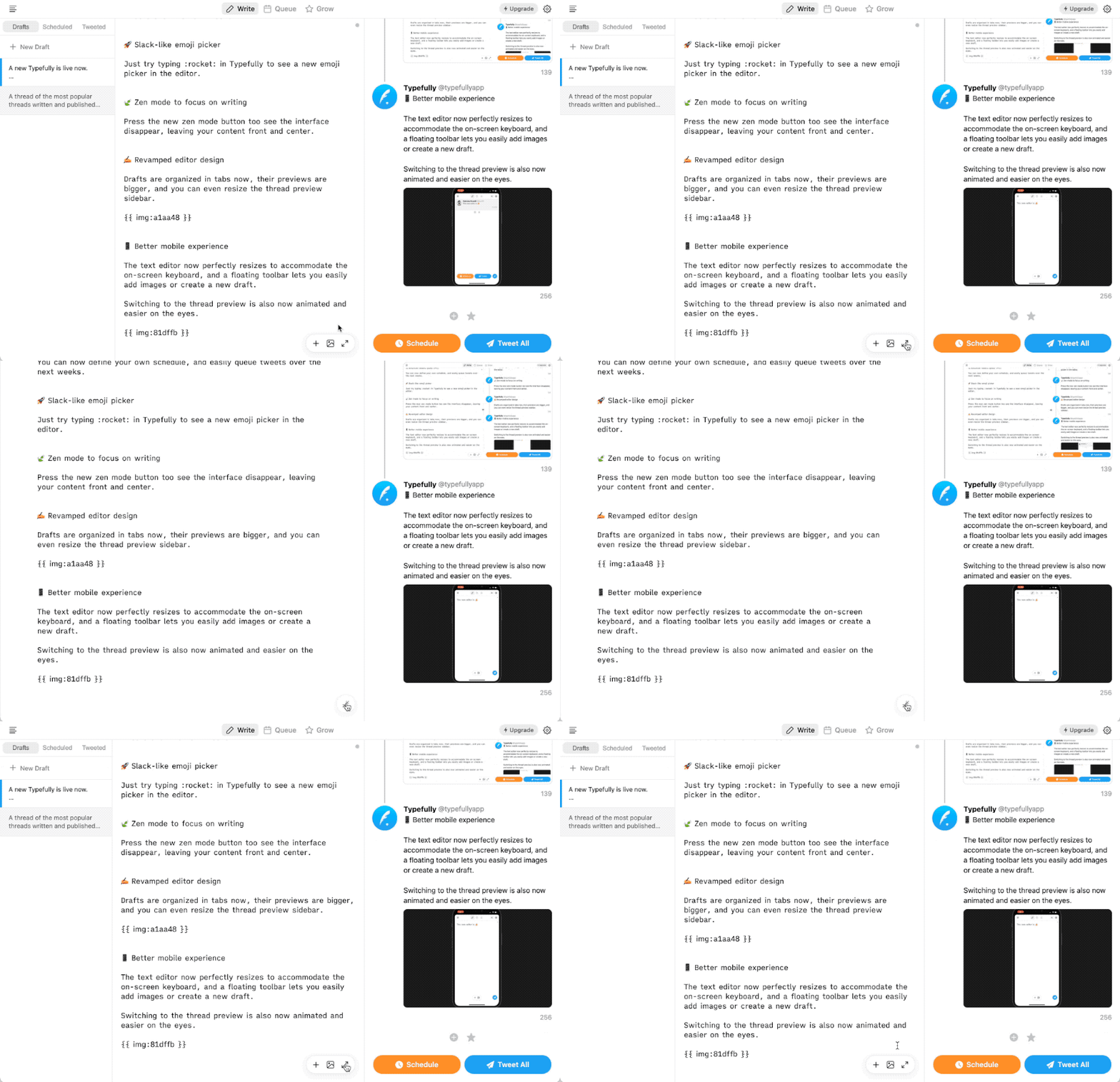
Revamped editor design ✍️
Drafts are organized in tabs now, their previews are bigger, and you can even resize the thread preview sidebar.
Better mobile experience 📱
The text editor now perfectly resizes to accommodate the on-screen keyboard, and a floating toolbar lets you easily add images or create a new draft.
Switching to the thread preview is also now animated and easier on the eyes.

Feb 2, 2021
Typefully 2021.1 - Images ✨
New
- 🌆 Images support. This was the most request feature and it's finally here. Just drag and drop an image in the editor and it will be uploaded. You can also easily copy-paste images between threads.
- 💬 Links to other tweets now correctly show as quoted tweets.
- 👤 User suggestions now appear when you type a @user handle.
Improvements
- You can quickly copy a link to a published thread right from the sidebar. Great to quote your past tweets in new threads.
- We now should your timezone in the tweet scheduling modal.
- We now correctly escape HTML in the thread preview. Thanks Lorenzo for the report.
- Link previews in the thread are now more accurate.