🙏 Thanks for all the feedback on tables so far! It's been great to see all the use cases people have dreamed up for tables already.
The latest web update includes a number of quality-of-life improvements. (👇 Thread)
1. It's now possible to insert a new row mid-table by pressing Enter in front of the first word in the leftmost cell of the row;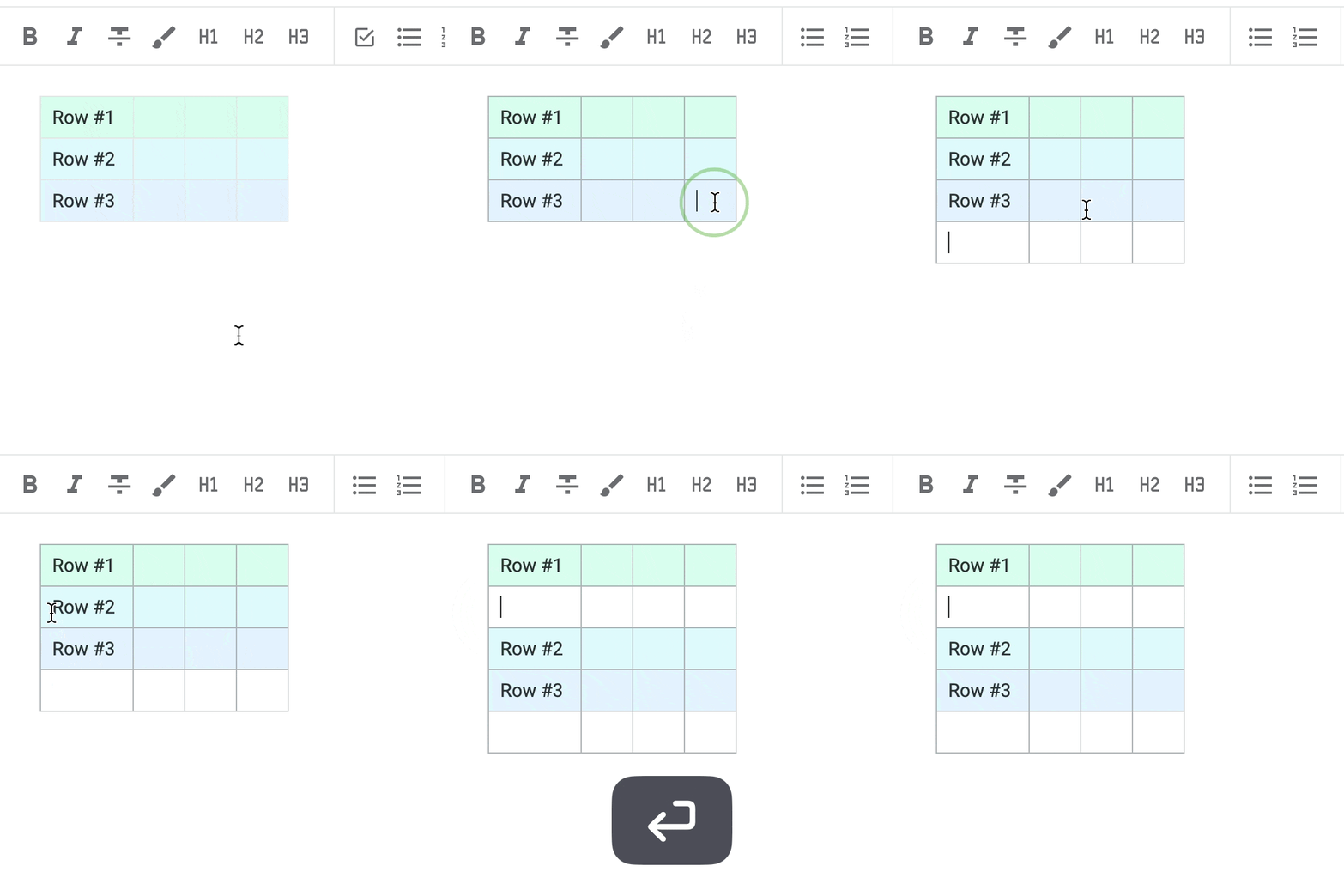
2. Pressing Cmd-Arrow (macOS) or Ctrl-Arrow (PC) now moves to the start or end of a row, if you press it from the edge of a cell (so for example, pressing Cmd-Right twice would move to right edge of row);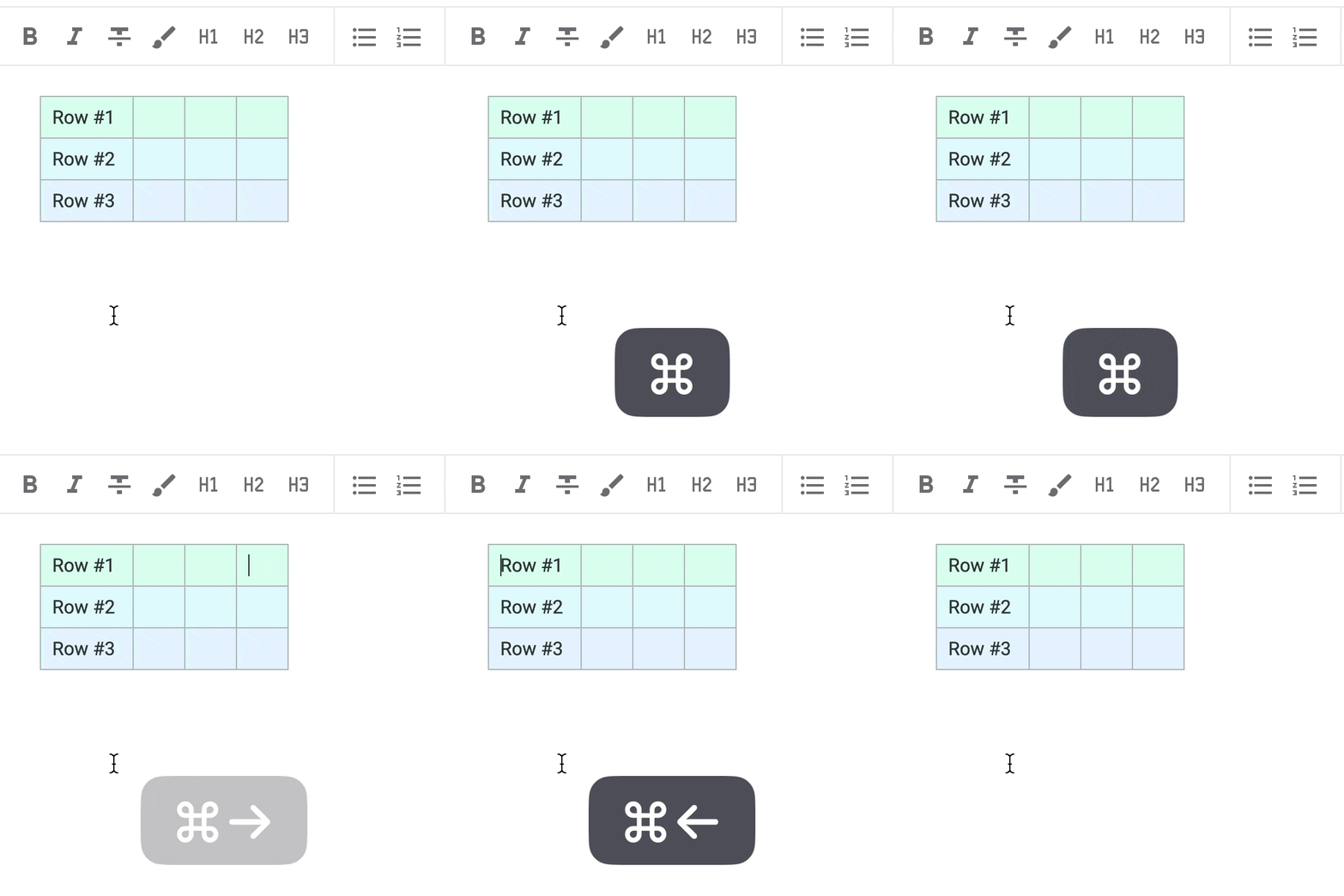
3. If shift is held with the hotkey from point number 2 above ☝️, the cells between current cell and edge of row are selected;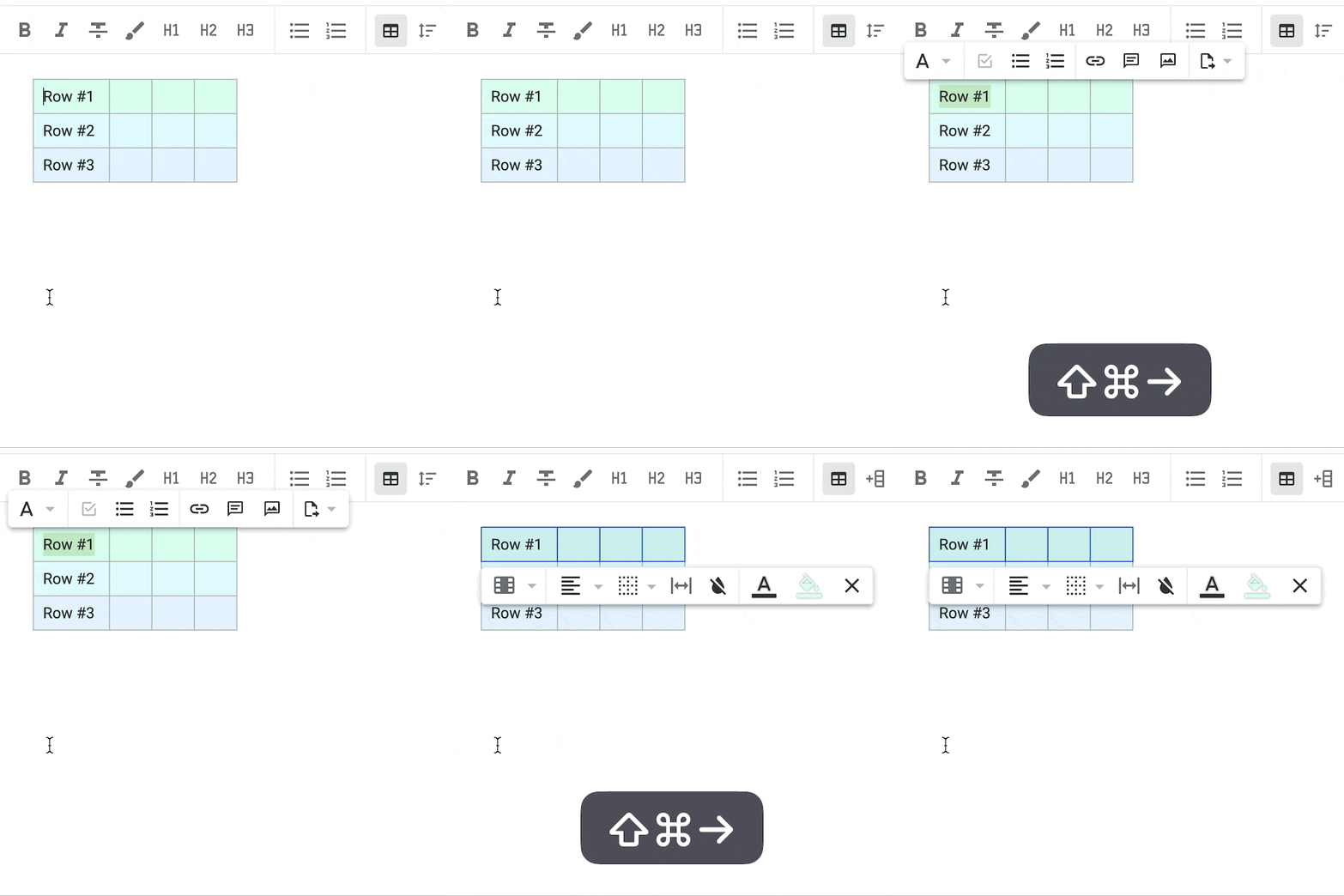
4. Moving between cells now does a better job of maintaining cursor position; when cursor position is ambiguous, we place cursor at end of cell instead of front, since most editing starts at the end of a cell.
5. Fixes:
- Image alignment is now maintained in public notes;
- Pasting custom hex colors works even if a "#" precedes the color value;
- Better handling of moving around cells with code blocks;
- Color selection box doesn't pop outside of visible note window.
The updated list of Table manipulation hotkeys over in the Help Center: amplenote.com/help/tables#Table_manipulation_using_the_keyboard

Amplenote
@amplenote
Extensible notes+todo+calendar GSD app. Capture everything, act on the best stuff. Live a life less urgent, more important. Discord discord.gg/nAj4wp4sJm