Anthony Trollope counselled writers to "let their work be to them as is his common work to the common labourer." Here, for my tribe of ink-stained wretches, is a thread about tools for our toils. I'm a writer--I've published four books… vikramchandra.com/
… three works of fiction, one non-fiction. One of my novels, Sacred Games, was adapted into a Netflix series, to which I was attached as an executive producer. I've done some work on feature films. vikramchandra.com/publications/sacred-games-the-netflix-series
I teach creative writing at the University of California, Berkeley. english.berkeley.edu/users/22
I'm the co-founder of a software company, Granthika, that makes a word processor that also manages the elements of the universe you're writing about (people, objects, locations, events, timelines).
Friends, colleagues, and students are forever asking me about what tools I use to write. So I thought I'd write up something and publish it before Twitter burns to the ground and/or I flee. Apologies--turned into a bit of a mega-mega-thread. #WritingCommunity
I'll be talking about (with recommendations):
- Word processing (Self-plug: Granthika)
- Making notes, managing web clips, storing photographs (Evernote)
- Making and managing handwritten notes (Samsung Notes)
- Managing and annotating PDFs (Zotero)
- Searching your PDFs and pretty much everything else on your computer, including email (X1 Search)
- Recording interviews and transcribing them (apps on your phone, aliceapp.ai)
- Taking photographs (your phone)
- File backup (CrashPlan)
- Digitizing books and documents (paper cutter, Fujitsu fi-7160 scanner)
- Optical character recognition to make your PDFs annotation-ready and searchable (Abbyy)
- OCR for South Asian scripts (IndSenz)
- Keyboards for wrist-health and efficient typing (Freestyle RGB Split Mechanical Gaming Keyboard)
- Chairs for back-health and general well being (Steelcase Leap Chair V.2)
And also: an engineer who built a working fountain-pen prototype in the 10th century CE; and Dr. Bhimrao Ramji Ambedkar, great man and fountain-pen aficionado.
So, on to the tools...
I've never been satisfied with conventional word processors. When I used them, I spent way too much time searching for my character notes, worrying about timeline contradictions, and so forth. World-building is hard enough, you don't want to struggle with data management.
So we--my co-founder Boris Iordanov, myself, and our team--built a writing environment that addresses these problems. wired.com/story/code-obsessed-novelist-builds-writing-bot-the-plot-thickens/
To make notes and manage web pages I've clipped, I've used @evernote since 2008. evernote.com/
Evernote has a really powerful and easy-to-use web clipper which will integrate with your browser. Here's my first clip, from @peterbromberg's blog.
And you can type notes, record audio, take pictures directly in the app, etc.
Evernote also provides the ability to make sketchs and handwritten notes, but unfortunately this functionality has been neglected and nerfed over the years. Evernote really sucks at this.
I like making handwritten notes in some contexts--if I'm not carrying my laptop, if typing would be distracting for the people I'm talking or listening to, etc. I use Android devices (phone, tablet), so I use Samsung Notes, which is a joy to use. samsung.com/global/galaxy/apps/samsung-notes/
Exporting notes from Samsung Notes to Evernote is a bit of a chore, but it's doable.
There are alternatives. On Android, I've tested Squid, OneNote, Nebo, and Noteshelf (which integrates with Evernote, sort of).
I'm not a user of Apple devices, but Nebo is cross-platform and is worth trying out. Nebo will OCR your handwriting and turn it into digitized text, and its recognition engine is very good. nebo.app/
So, once you've made notes, you need to be able to search for and easily find the information you've stored. Evernote's search syntax is pretty powerful and lets you do complex searches (AND, OR, etc.). help.evernote.com/hc/en-us/articles/208313828-Use-advanced-search-syntax
It's a pretty rich query language. If you're interested, take a look here. help.evernote.com/hc/en-us/articles/208313828-Use-advanced-search-syntax
So, I save web pages and do my note-taking in Evernote. I've tried all the new kids on the block--Notion, Roam, etc.--and I keep coming back to Evernote, and not just because I've got a vast amount of data stored in the app (19,532 notes as of this morning).
The other apps felt too fiddly, and I spent way too much time playing with table structures and so on. Evernote lets me store information quickly and find it years later.
George R. R. Martin observed that there are two types of fiction writers, architects and gardeners.
@anthilemoon builds on this typology to describe various kinds of note-takers. I'm definitely a librarian--I'm a collector of resources, and I prize fast retrieval. Figure out what type of note-taker you are and use the right tool. nesslabs.com/how-to-choose-the-right-note-taking-app
Sidebar: Evernote has been through a rough patch in recent years because of an ancient codebase and a lack of direction. They've rebuilt the app from the ground up (damn!)…
...and I very much like where they're headed under @iansmall's leadership. Kudos! protocol.com/evernote-reboot-ian-small
They've recently added tasks and task management. I'm not quite ready to give up @todoist yet, but I like what Evernote is doing.
Next: I use @zotero heavily. Wonderful open-source, free app that stores and manages every PDF I've read over the last decade. Its word processor plugins let you cite sources effortlessly, and it'll build bibliographies for you. zotero.org/
Zotero's browser plug-ins are built to interact seamlessly with many, many online databases. Here's a thread by @MushtaqBilalPhD about adding files to your Zotero library with a couple of clicks. twitter.com/MushtaqBilalPhD/status/1566339019625140227?t=YVz9Xf-Oyh_X_1V6gUNVlA&s=09
With the Zotero desktop and mobile apps, you can read and annotate your documents. Take a look at this other thread by @MushtaqBilalPhD about notes and annotations in Zotero. twitter.com/MushtaqBilalPhD/status/1564522758696013824?s=20&t=nvGfP5PMHbgCLvTr3Sh7-w
I couldn't have written Geek Sublime, which is heavily source-dependent, without Zotero. vikramchandra.com/publications/mirrored-mind-geek-sublime
Zotero offers cheap cloud storage, with syncing between devices. This allows me to add documents to Zotero on my laptop and read and annotate them on my tablet. zotero.org/storage
They recently released an iOS app. There's no official Android app yet, so I use Zoo for Zotero. play.google.com/store/apps/details?id=com.mickstarify.zooforzotero&hl=en_US&gl=US
Sidebar: Zotero urgently needs easy access to its API so it can interact with the outside world as directed by non-coders, mere mortals. I don't have enough web API chops to build a Zotero integration with @make_hq or @zapier. Volunteers? I'll buy coffees and/or beers.
And, this is a tool I use every day: X1 Search. You point X1 at your files on your local drives or on the cloud, your emails and attachments (wherever they are), your calendars and contacts, and it indexes them all. x1.com/products/x1-search/
And then X1 will find stuff for you, fast! X1's search syntax is pretty damn powerful, and it saves me many hours every month. help.x1.com/hc/en-us/articles/216097543-Advanced-Search-Commands
I especially like that "medi NEAR/5 insur" will find "medical insurance" and "meditation can help overcome insurmountable obstacles." Proximity search ("within 5 words of") combined with partial word search gives you search superpowers.
Unfortunately, X1 is Windows-only. My buddy @fvogelstein is a MacOS guy, but he keeps one Windows machine around just so he can use X1.
Pro-tip: Make sure that X1's indexed folders include the locations where Zotero stores its data. Then you can use X1 to search all your Zotero files. Zotero's desktop app has a visual query builder for advanced searching, but that seems clumsy in comparison to X1 searches.
I often interview people when I'm researching. In the old days, I used to carry a little tape recorder. Now you can use an app on your phone. Some of these apps will auto-transcribe your audio as well (but for a limited set of languages).
I've used Alice and it worked really well. aliceapp.ai/
I now use my phone for picture-taking when I'm out in the field (so to speak), instead of a compact camera. But I've been thinking of going back to a camera--taking pictures without a good viewfinder and a hardware shutter button sucks.
I'm not the only one complaining about this, so there are people building phone grips like this one. But I really want something with a traditional viewfinder so I can shoot comfortably in harsh sunlight. Build one for Samsung phones, and I will buy! shop.fjorden.co/
I have vast amounts of gathered information, hence the obsession with tools and information technology in general. My writing process seems to depend on absorbing facts and stories and tales and images and extracting connections that then grow into the stories I tell.
And even when I'm writing fiction--which is most of the time--I like to get the details more or less right. Fact-checking before publication is a lot easier when you can find your facts.
So, these are useful tools for all this knowledge work you're doing. But for a good writing life, you need to think about some other issues. First: BACK UP YOUR DATA! And repeat after me: DROPBOX AND GOOGLE DRIVE ARE NOT BACKUP. prodigyteks.com/dropbox-not-same-backup/
At some point, disaster is going to strike (hard drive crash, someone steals your laptop). You'll need to be able to get your work files and all your family photographs and your journal back.
A good backup program will also back up versions of your files. So if you need to look at that version of your manuscript from two years ago in which you remember writing three perfect sentences, a backup program like this will let you incarnate it in the present.
I use @CrashPlanSMB to back up my files to the cloud and to local drives. I have versions of all my files dating back to 2009. Being able to retrieve previous manuscript verisons and restore deleted documents has been a life-saver. crashplan.com/en-us/small-business/
But there are other good backup programs. Choose one! Get one like @CrashPlanSMB that lets you back up locally and to the cloud. Restoring from a local drive is a lot faster than from remote storage. nytimes.com/wirecutter/reviews/best-online-backup-service/
I confess: I pretty much can't read paper books any more. Much easier to annotate digital books, and they're easier to transport. If I can't find an e-book version of something I want to read, I resort to drastic measures. I buy a paper copy...
...and then use my paper cutter. It'll take off the spine of a 500-page book easily. It's a no-name Chinese piece of gear I bought on eBay a few years ago. If you prefer, a local FedEx or copy store will do the spine-cutting for you.
Then, you need to scan the pages. I use a Fujitsu fi-7160. It'll scan in those 500 pages in minutes, even when set to scan at high resolution. fujitsu.com/us/products/computing/peripheral/scanners/business/fi7160/index.html
Next step: optical character recognition. The best OCR software, in my opinion, is @abbyy. It's quite accurate on English and European languages, but has no support for South Asian languages. Too many ligatures. abbyy.com/
I can get Abbyy to work somewhat well on Romanized Sanskrit with IAST or Kolkata diacritics by adding a downloaded dictionary of Romanized Sanskrit. I keep hoping some generous person will release Abbyy recognition files for South Asian scripts. columbia.edu/~ph2046/RnD/Hackett/SktComp.html
OCR programs for some South Asian scripts can be bought here from IndSenz. I've used the Hindi and Sanskrit ones, and the recognition is top-notch. indsenz.com/int/index.php
But Abbyy has a lot of excellent document-processing features I depend on (it corrects image skew, straightens text lines, corrects contrast, etc.). The IndSenz apps seem much less polished and capable, unfortunately.
So, finally, you have PDFs you can import into Zotero, read and annotate, and so on. Apologies to those of you who are horrified by my book-destruction.
Some more hardware: good keyboards are vitally important. A lot of current laptop keyboards are bad, bad, bad. Your keyboard is your first point of contact with what you are creating. Good tactile feedback from a keyboard improves typing accuracy, speeds you up.
I started writing my first novel using IBM's legendarily bad Chiclet keyboard, and I still shudder when I remember those days. It's renowned for contributing to poor sales of the PCjr. A keyboard that killed a computer! goodgearguide.com.au/slideshow/214894/10-worst-pc-keyboards-all-time/
The best laptop keyboards I've used were on ThinkPads when the machines were being made by IBM. There was a dip in quality after Lenovo started making ThinkPads, but I've liked recent ThinkPad keyboards.
I don't know anything about Mac keyboards, except the nausea I feel whenever I provide tech support to my kids on their MacBook Airs. But please, whatever OS you use, research keyboards and if you can, try them out before you buy.
Sidebar: can't talk about keyboards without a shoutout to this amazing ThinkPad butterfly keyboard. Someone bring it back, please. businessinsider.com/lenovo-thinkpad-701c-laptop-butterfly-keyboard-2017-10
When I'm working with my laptop attached to a dock and large monitors, I use a Freestyle RGB Split Mechanical Gaming Keyboard. You can separate the modules as far you want, and tilt each side vertically to the most comfortable angle. Great for your wrists.
Keyboard nerds: I got Cherry MX Brown switches and added O-ring switch dampeners for a 0.4 mm travel reduction and sound dampening. Have loved this setup for the last four years.
And, you non-keyboard-nerd normals: if you think I'm weird, read this. newyorker.com/tech/annals-of-technology/the-obsessive-pleasures-of-mechanical-keyboard-tinkerers
I do remember my non-ergonomic Northgate Omnikey Ultra with great affection. I had to stop using it because my wrists started hurting and I am terrified by the faintest possibility of carpal tunnel syndrome. Had to look for something more ergonomic.
Omnikeys now sell for a lot of money--look in your basement if you remember using one, or you think your parents might have. Also, note that people mourn the death of their beloved Omnikeys. reddit.com/r/MechanicalKeyboards/comments/7r74hk/v_my_northgate_omnikey_is_finally_dead_every/
And, please, please, get a good chair. Like me, many of you spend the majority of your waking lives sitting down. And your back will pay the price. This is my Steelcase Leap Chair V.2.
Like the better keyboards, these chairs are bloody expensive. But surgery for carpal tunnel or back problems is a lot more expensive, and extremely painful besides.
I have an earlier model of the Leap chair that I bought in 2010 that is still going strong, and I have no doubt that that it'll still be alive and working ten years from now. I invested in a good chair after buying many big-store chairs that disintegrated in a year.
Look online for second-hand chairs from the better manufacturers, and you'll be able to buy one for a lot less than the listed prices. rework-furniture.com/brands/steelcase/
I realize that perhaps I spend way too much on all this stuff. Some months my credit card statements give me extreme stress.
But I figure all these things are finally worth it if they help me write more efficiently. I write slowly, slowly--have published only four books in a lifetime of writing, so anything that helps speed up the damn process even a little bit is great.
Use the tools that work for you. You can write a book using a notebook and a pencil, or--for that matter--a stylus on palm leaves. As you can see, I obsess about tools, and also think they influence the way we think and behave.
As @roybahat says, "First we make the tools, then the tools make us."
Besides, using a good tool is a joy in itself. The first fountain pen was built by an anonymous genius of an engineer in the 10th century CE, in response to a spec created by the fourth Fatimid Caliph, Abu Tamim Ma'ad al-Muizz li-Din Allah.
Who proclaimed, regally, "We wish to constuct a pen which can be used for writing without having recourse to an inkholder and whose ink will be contained inside it. Whenever a person wishes to write with it, he fills it with ink and thereby writes whatever he likes..."
"When he wishes to stop writing, and the ink has ceased flowing and the pen has become dry, the writer can then put it in his sleeve or anywhere he wishes and it will not stain it at all, nor will any drop of ink leak out of it..."
"The ink will only flow when he expressly desires it to do so and when there is an intention to write it."
The first iteration built by the unnamed engineer "released a little more ink than necessary." But after some debugging by the engineer, V.2 worked perfectly.
And the Caliph's official historian wrote, "[The engineer]
brought forward the pen and behold, it turned out to be a pen which can be turned upside down in the hand and tipped from side to side, and no trace of ink appears from it..."
"When a secretary takes up the pen and writes with it, he is able to write in the most elegant script that could possibly be desired; then, when he lifts the pen off the sheet of writing material, it holds in the ink..."
"I observed that it was a wonderful piece of work, the like of which I had never imagined I would ever see..."
"There became apparent to me in it a fine moral example, in that the pen does not release its contents except when specifically requested to do so and for some useful purpose which is part of the original reason for asking it to write..."
"This is the same sort of thing which certain of the masses of
people talk about in regard to the Pen: that it was the first
thing which God, He is exalted and magnified, created, then
saying to it "Write!" and it wrote."
Across the centuries, I say: Subhanallah!
And... Dr. Bhimrao Ramji Ambedkar was the architect of the Indian constitution, a revolutionary against the horrors of the caste system, and an all-round genius. He is often pictured with pens.
Finding out recently that Dr. Ambedkar was a fountain-pen nerd gave me an unreasonable amount of joy. U. R. Rao writes...
Dr. Ambedkar was partial to Parker, Sheaffer, and Waterman pens. Somewhere down the years, the pen Dr. Ambedkar wrote the first draft of the constitution with has been lost. It was probably a thick-nibbed Wilson Vacumatic, like these.
It's improbable that the constitution-drafting pen will be found, but one can hope.
Hope this long thread was of interest and of use. Happy writing! Or at least, less effortful and painless writing!
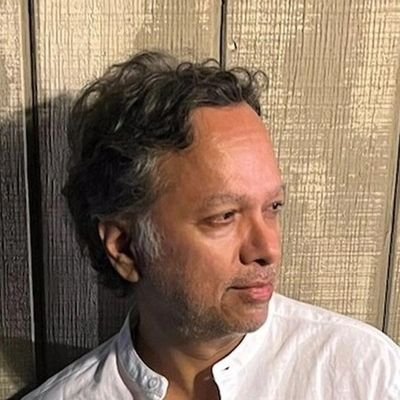
Vikram Chandra
@typingvanara_1
I make stories and software. Books: Geek Sublime, Sacred Games, Love and Longing in Bombay, Red Earth and Pouring Rain.