• • Welcome to the Python Café • •
• > Exploring `and`
What would you get if you went to a Python Café and asked the waiter for "tea and cake"?
You'll just get the cake…
Let's see why by understanding how `and` really works
<all code snippets have code in ALT text>
twitter.com/s_gruppetta_ct/status/1635249416490881024
Before getting to the example in the first tweet, let's start with another example
Let's assume you want all names longer than five letters which start with a 'C'…
You have two conditions following the `if` connected with an `and`
If both conditions are true, then the `if` block is executed…
…so far, so good. You probably knew that already
But what does `and` return?
No, it doesn't return `True` or `False` (in general)
Let's see what it does…
Let's use a dictionary this time and loop through `.items()` to get `name` and `age`
In the `for` loop, you're printing the result of:
`name and age`
As you can see, the output is not `True`, instead it's the age
Why?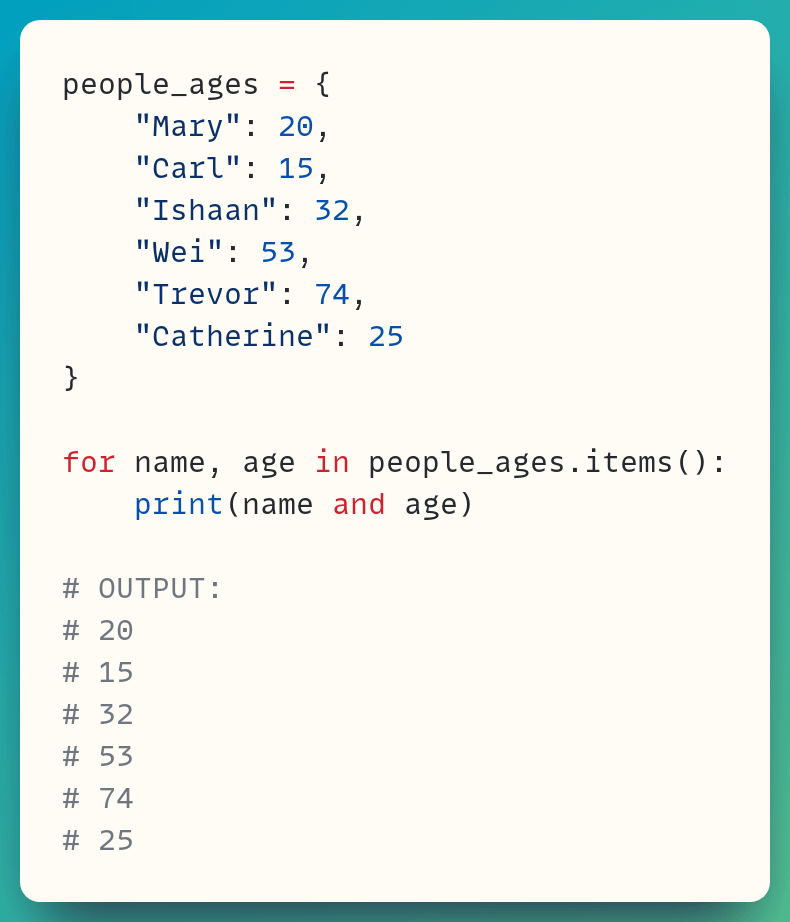
You expect `and` to return `True` if both what comes before it and after it are true
But we can rewrite that statement as:
"You expect `and` to return a truthy value if both what comes before it and after it are truthy"
Are you familiar with the rather peculiar words "truthy" and "falsy"?
An object is truthy if Python interprets it as being true. That's if `bool(item) = True`
You can guess what falsy means...
So, when you use `and`, the program:
– checks the first object and, if it's truthy, moves on to the second object
– checks the second object and, if it's truthy, it returns this second object
When both objects are truthy, `and` doesn't return `True` but it returns the second object, which is truthy!
Here's what happens if one of the keys is an empty string
The age is not printed out for the third item in this dictionary which has the empty string as a key
You can visualise this better by placing, let's say, an empty tuple as the "empty" key since you can see the empty tuple printed out, unlike the empty string!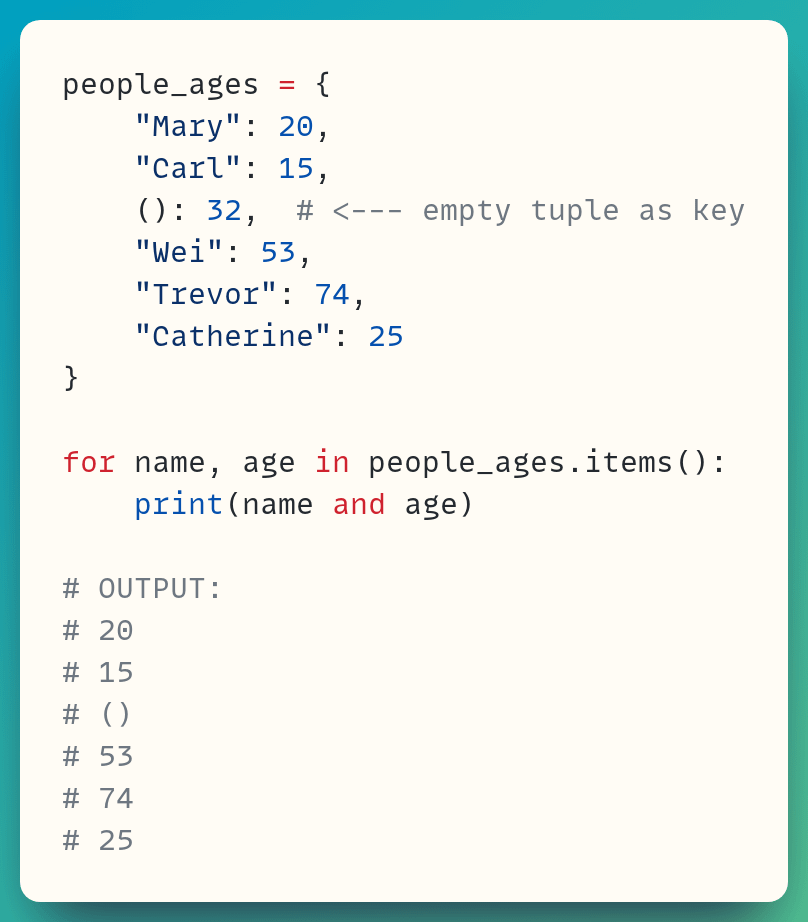
What's happening in this case when Python evaluates
`name and age`
`name` is an empty tuple in this case (or an empty string in the previous example)
Empty tuples and empty strings are falsy
<`bool(name) = False` when `name` is an empty sequence>
Therefore, the program doesn't need to go further as `and` needs both conditions to be truthy for it to give a truthy value
If the first item is falsy, there's no point in checking the second one
`and` gives you the first object back. It's not `False`, but it's falsy
Let's look at a few more examples
In the first one, 5 is truthy so you move to 10 which is also truthy. So, 10 is returned
In the second one, 0 is falsy so 0 is returned without checking the second object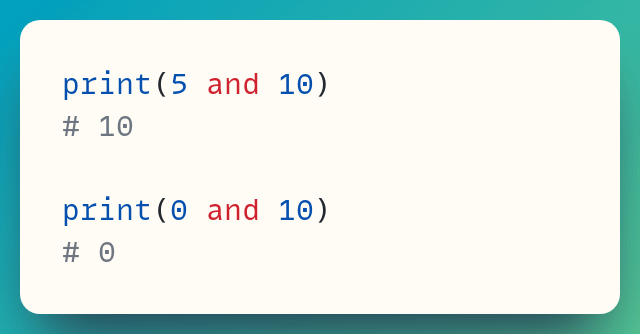
Numeric types are falsy for zero values and truthy for everything else
We've already seen how empty sequences are falsy while non-empty sequences are truthy
Here's an example with lists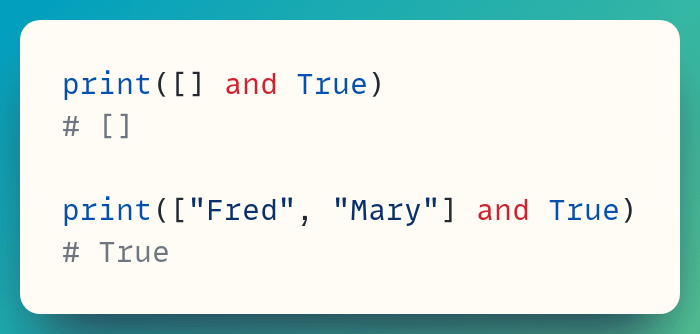
Now, let's go back to the Python Café
You ordered "tea and cake"
Here's one take of how that request could look like in Python
Both strings are non-empty and therefore truthy, so you get "cake"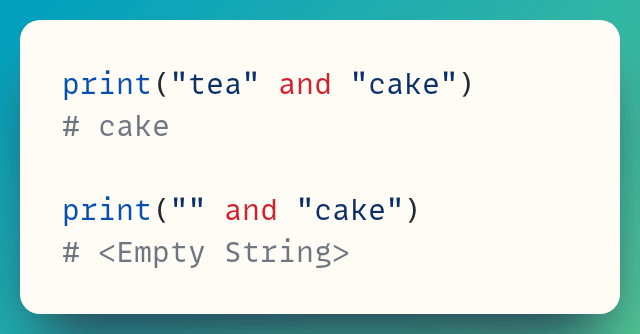
But, it's not likely that these will be simple strings, right?
More likely you'll have some custom class. Let's explore this situation with a dummy `Product` class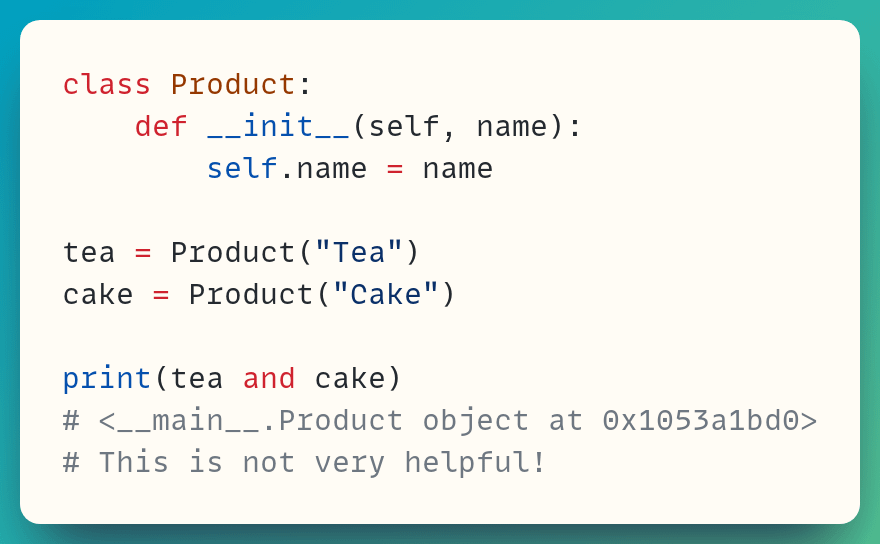
Right. That's not very helpful
Which of the objects was returned?
I'll go on a short detour. Let's define the `__repr__()` dunder method to give the object a string representation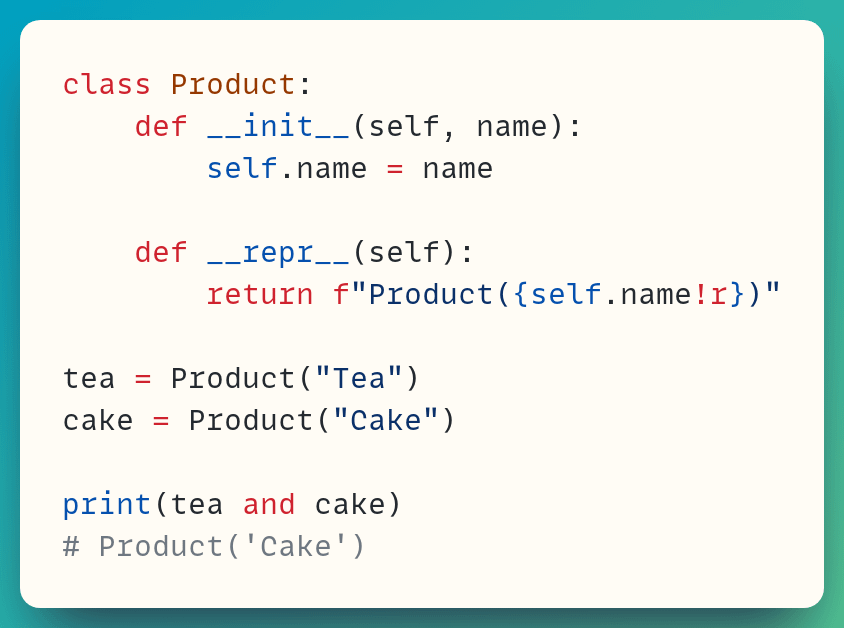
Now, the output shows us it's cake that's been returned
This is because an object of a custom class is truthy by default
Allow me an aside on this aside! Did you notice the !r in the f-string in the `__repr__()` method?
What would happen without it? Let's see...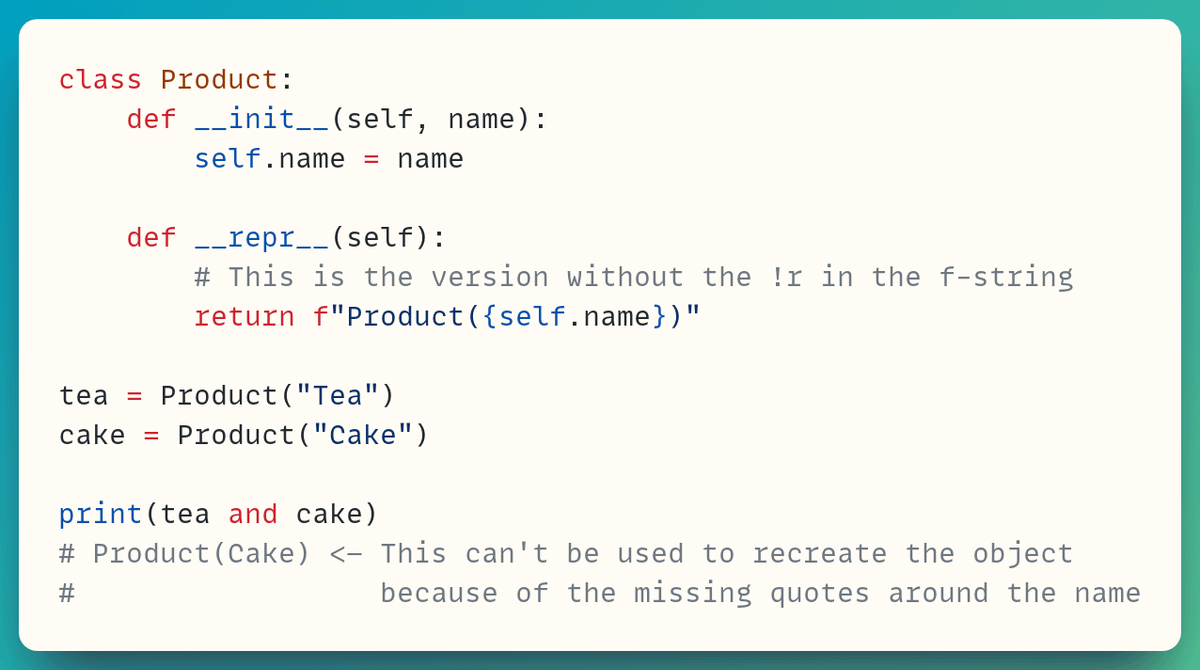
!r forces the f-string to use the `__repr__()` version of the string representation rather than `__str__()` (coming soon in this thread)
Here's the difference between these 2 representations for string objects
They're accessed through the built-ins `str()` and `repr()` here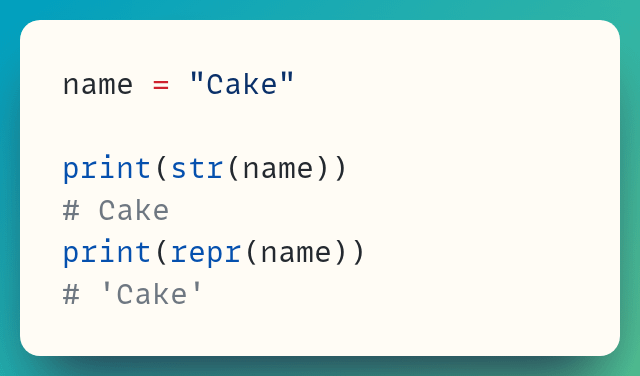
Let's add the `__str__()` special method to the `Product` class, too
`print()` uses the string returned by an object's `__str__()` method if this exists, as in this case
If there's no `__str__()`, then `__repr__()` is used instead, as in the previous example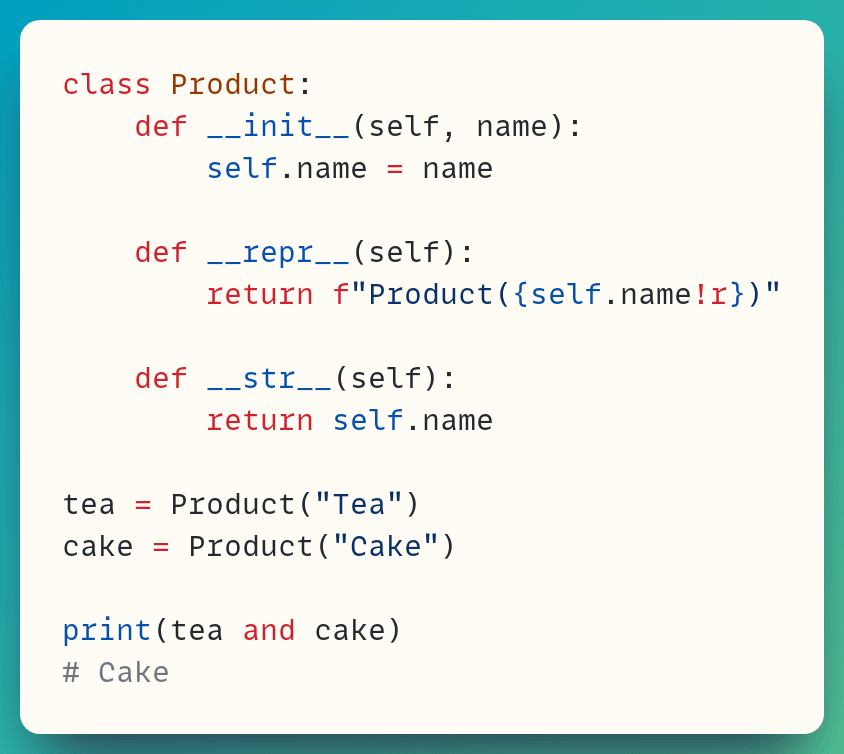
Anyway, I've gone off on a tangent talking about `__repr__()` and `__str__()` in part because I've been writing an article about this topic recently (coming to a web browser near you very soon)
So, will "tea and cake" always return "cake"?
Well, not necessarily...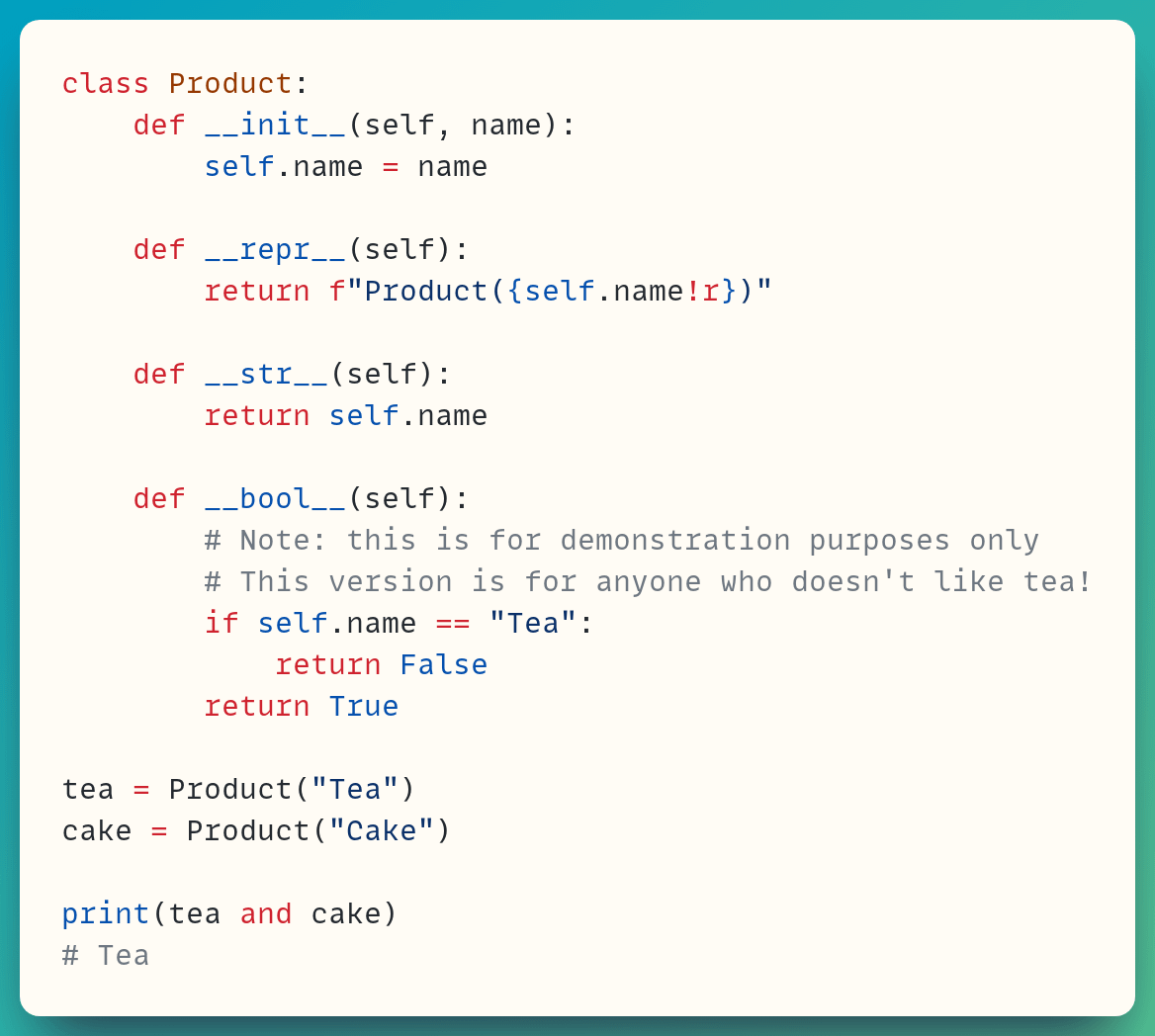
You've now made tea falsy!
But you should only do this if you really, really don't like tea!
So in summary, when in the Python Café:
• First order the tea
• Once you get your tea, order the cake!
[PS: I've not decided whether to make the Python Café an ongoing series or just a couple of one-offs…some more thinking on my side to see if there are enough "good" examples to sustain a series!]

Stephen Gruppetta
@s_gruppetta_ct
Constantly looking for innovative ways to talk and write about Python • Mentoring learners • Writing about Python • Writing about technical writing