Automated Notion Databases Schema Manager is here. My first public template that integrates low-code automation and notion.
The best part: the template is for managing notion workspace, and hence, useful for anyone and everyone!
Get template here: nerdymomocat.gumroad.com/l/notion_db_schema_manager
If my involvement in academic research has taught me anything, it is this. Any proposal needs 4 components:
1. The hook: why it is interesting
2. The need: why it is important
3. The gap: why it doesn't exist
4. Your solution: what you are going to do
Hook:
Notion is great as a "pseudo-dataset" entity instead of dumping json files or managed sql instances.
It is also better than spreadsheet for no-code consumers.
Unlike SQL where you use DESCRIBE; or unlike spreadsheets XML schema, notion databases get complicated fast.
Need:
Why do you need to know the schema of your databases anyway?
If you have 10+ datasets, with multiple relations and rollups, the number of properties get unmanageable fast!
Duplicated a template? It might have a relation to a database you end up deleting later.
Gap:
Notion puts themselves across as a no-code tool. And no code tools do not schema, I guess?
Untrue though. That is why people download schema managers for routine apps. That is why apps like Apple Health export exist, because the structure matters.
Solution:
Introducing Notion Databases Schema Manager.
Could you create a template and manually add all properties, their options, relations and rollups by hand? Yes you could.
Would you do that for 10+ databases or update it on a regular basis? Probably not.
Who is it for?
1. Organizers
Did you end up making 50+ databases with 1000 relations? Fret not.
* Create an instant overview of your databases and relations w/ comments
* Automated addition AND update, so no more manual insertion of each property & its characteristics/options.
2. Content/Template Creators
Do you create/sell multiple templates?
* Have an automated overview of your databases included in the template.
* You no longer need to take 30+ screenshots to describe your database structure. Just run this shortcut, and add comments to explain.
3. No-code/code builders using Notion API
Do you have automations running for a notion workspace that uses the API?
* All ids updated and accessible quickly
* Use the generated database as a json/spreadsheet input to your code to easily access it in the rest of your codebase
➡️What does it do?
Gets and updates all the information about the desired databases.
All you need to do is add the desired databases!
(Go from left to right, with no manual effort)
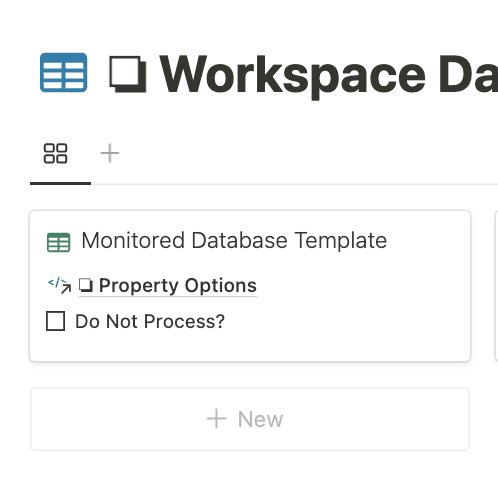

Adds all information about a particular property
For example, this is what the properties database in the management template looks like.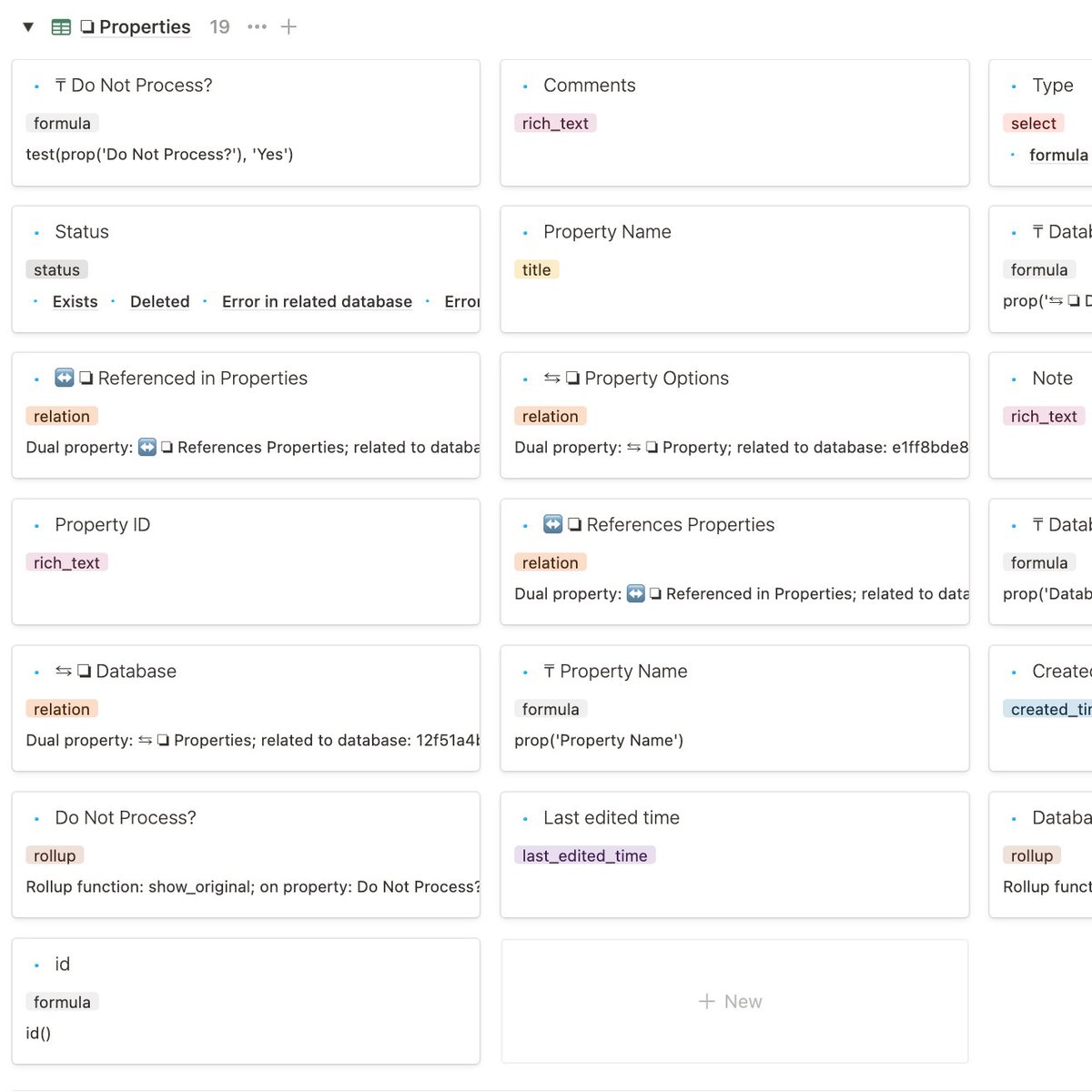
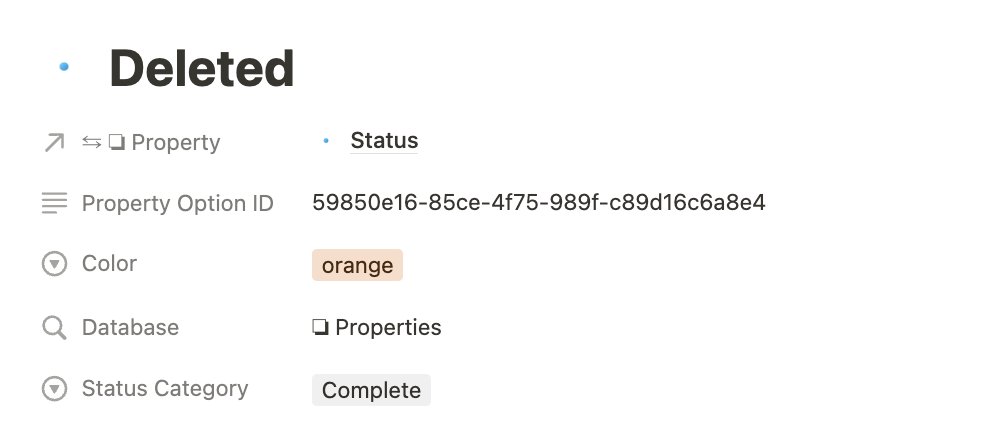
Adds all information about the particular property's options.
It does not only list the option though.
It adds the option id and the color, so the next time you change an option, all other information/explanation is retained.
For status, it adds the status category.
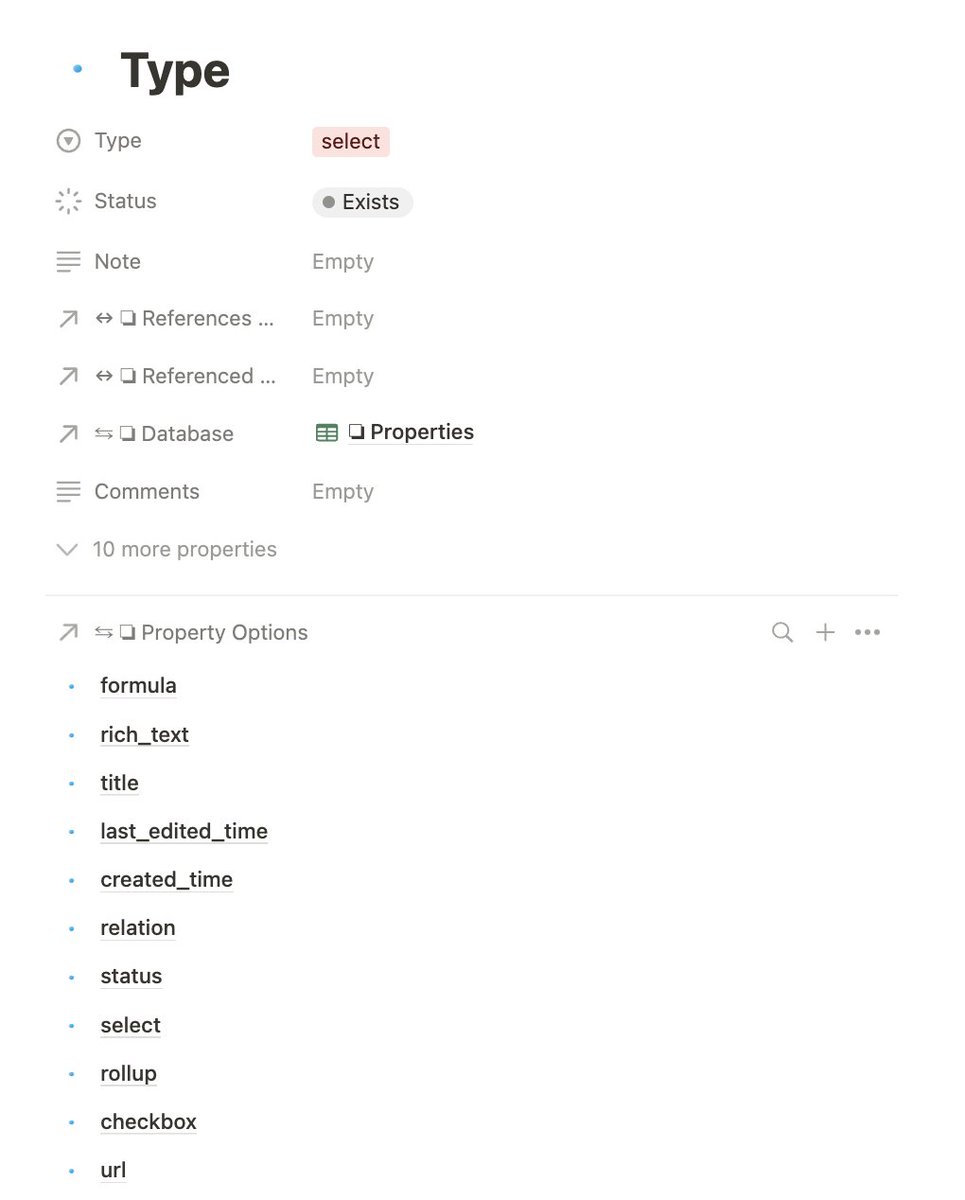
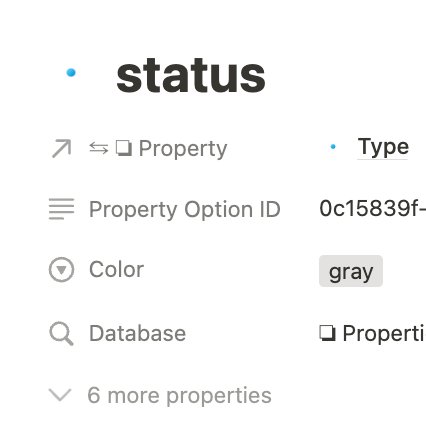
Back to properties.
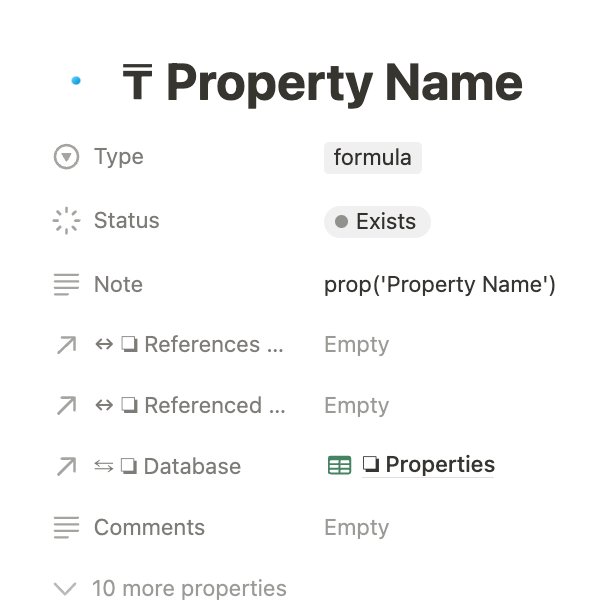
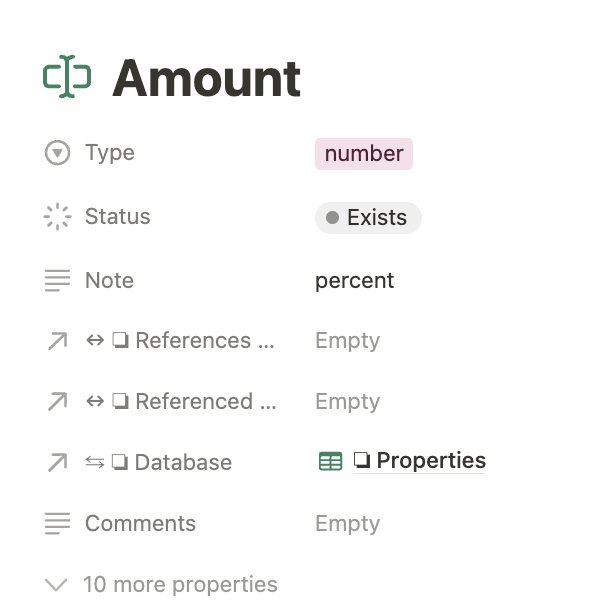
For any property, it not only adds property id, type and options, it also adds a note.
A note is added for formula, number, relation or rollup property that details what the property settings are.
Eg: it adds the formula expression and the number format.

Nerdy Momo Cat (she/her)
@nerdymomocat
Knowledge Management, Notion, Coding & Automations, Note Taking and Sketchnoting.