⚛️ Form handling in React
Form handling in React controls the behavior of form inputs on how you handle the data entered in your forms when a value is entered and submitted.
Let's deep dive into this concept by building our own form:
{a thread 🧵} ↓
To understand form handling in react, we will create a simple form page. At the end of this thread, you'll find a link to the page we will create which you can try yourself.
So without further ado, let's get started:
Open your terminal of choice and follow the commands below -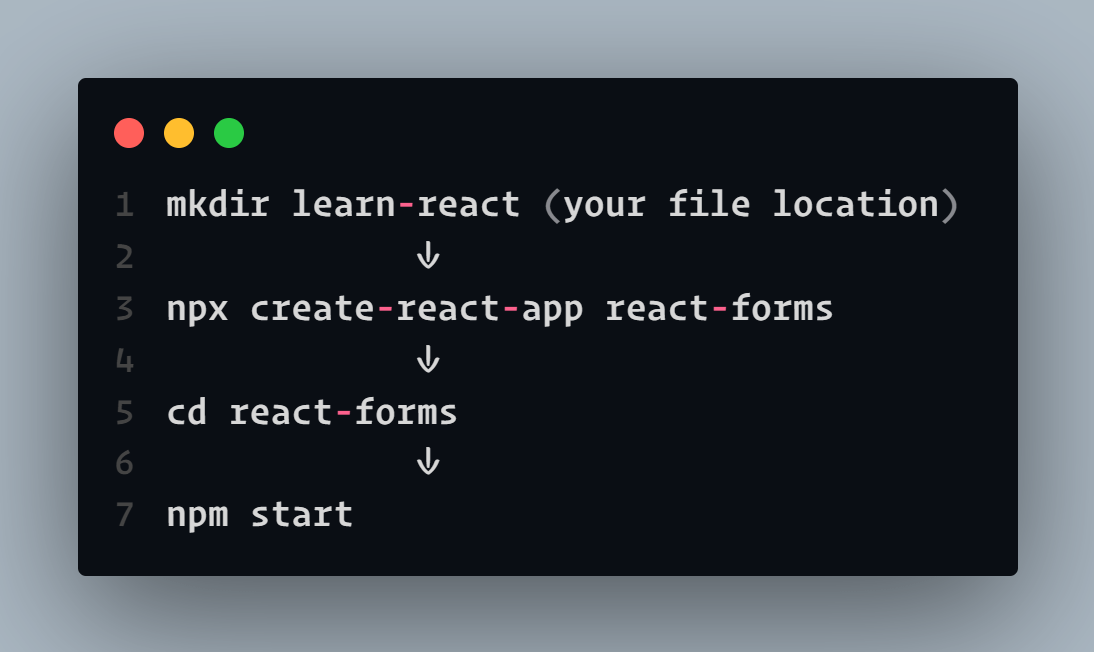
Now that we've created our react app, let's create two files namely -
Form.js - structure of form
form.css - styling
→ Now as this thread focuses on react only, we'll not waste our time in styling the form (provided below).
Firstly, let's make the basic structure of our form:
→ this is a simple form class component having a name input, email input, and a select option.
→ There's also a preview section that will show us a live preview of what we're entering.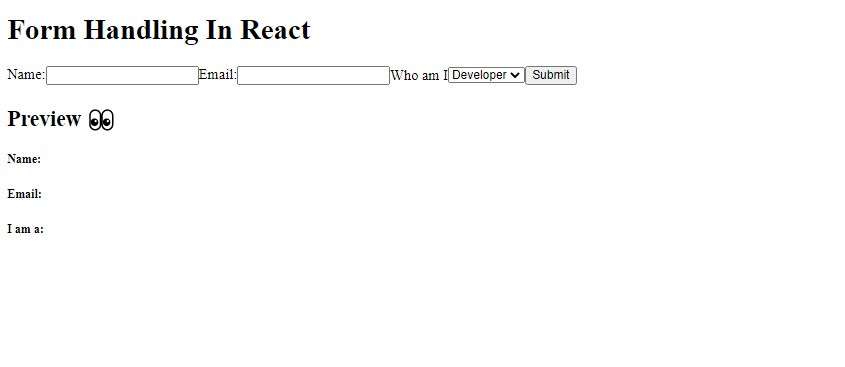
For now, our form looks kinda messy, so let's make it look a little nicer by CSS. So quickly go over the codesandbox link and copy the CSS from form.css into your local project.
(remember, this thread focuses on react only :) )
Link to CSS file: codesandbox.io/s/react-form-handling-ce377?file=/src/form.css
Our app looks fine now. Let's now learn about form handling in react: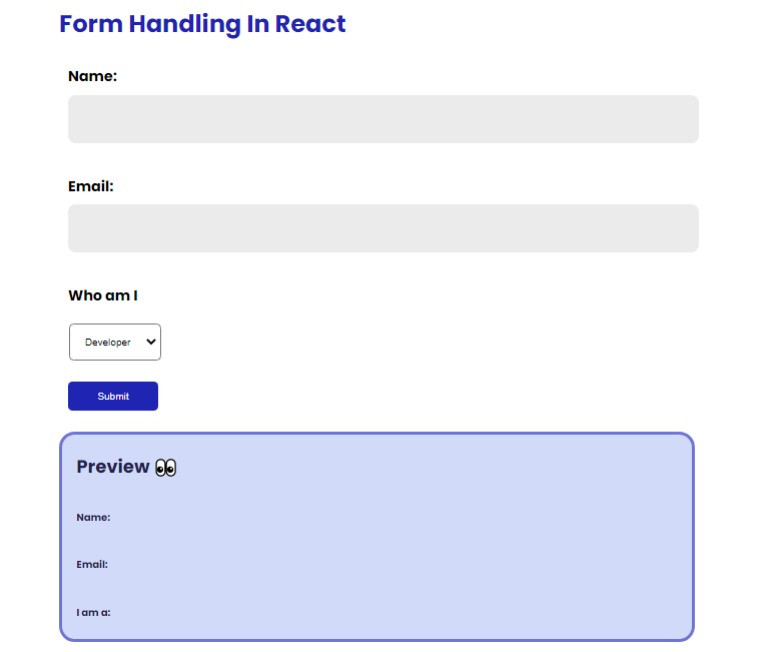
The form you just created has a submit button also which does nothing but reload the page and the data we entered just gets disappeared.
Here's when form handling in react comes into play.
Right now, it is a static, uncontrolled component.
To make it work, two steps are followed:
1. create a component *state* that will control the value of the input element
2. Handling the *onChange* event
We handle this data using react-controlled components.
Let's look at how a controlled component is and how it works:
Controlled Components: these are the form elements which will be handled by React when any value is entered / or their value is updated.
How to deal with the values that can change in the component?
- using state, setState
How to update the value?
- using onChange method
Look at this visual diagram to understand the workflow of controlled components in a better way -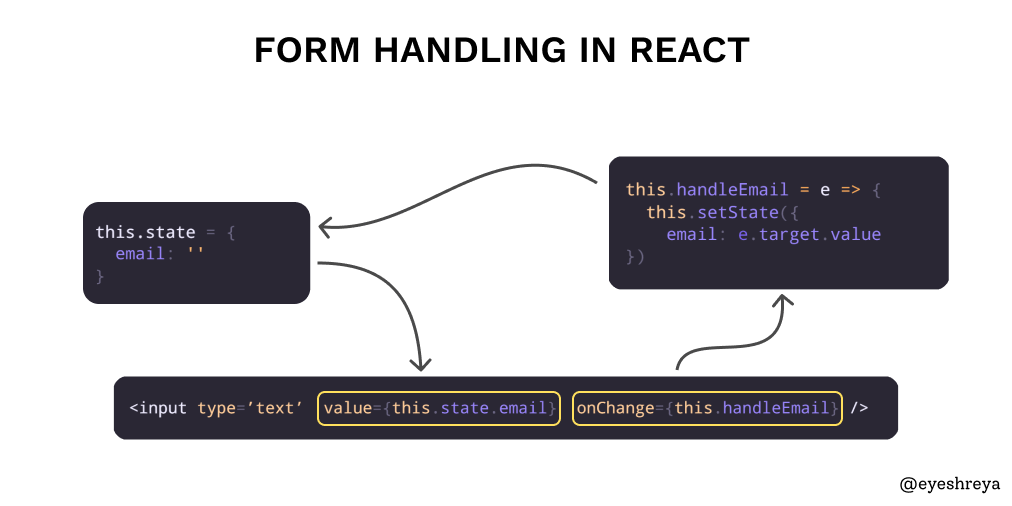
Now that you've understood the flow, let's implement it in our forms app:
- Start by creating a constructor inside your Form Component:
- Now let's take a look at our input elements. Right now it only accepts an input we type. That's it. It doesn't save it anywhere.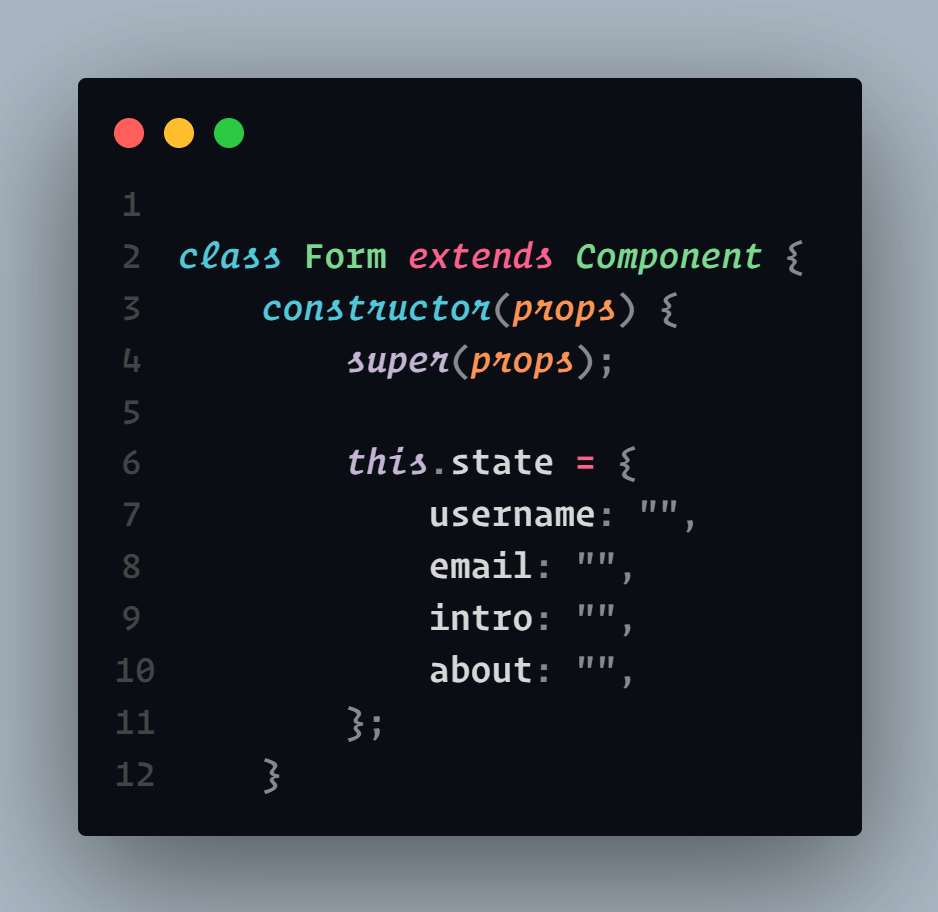
- To make this work, let's add `value` and `onChange` attributes in it:
value → will hold what we specified in the constructor method.
onChange → change and update it to the value that the user enters in the form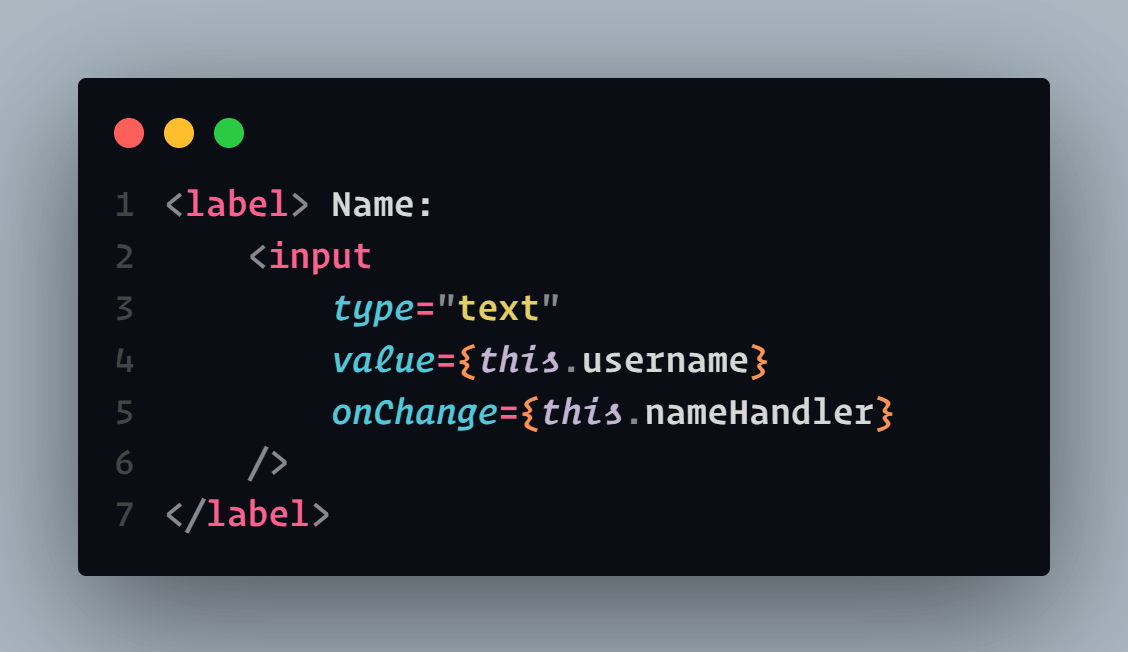
In a similar way, set `value` and `onChange` attributes for the other two inputs (email, select) also:
Now as you can see, we've set some handlers to our onChange attribute, let's define them as well.
(just after the constructor method)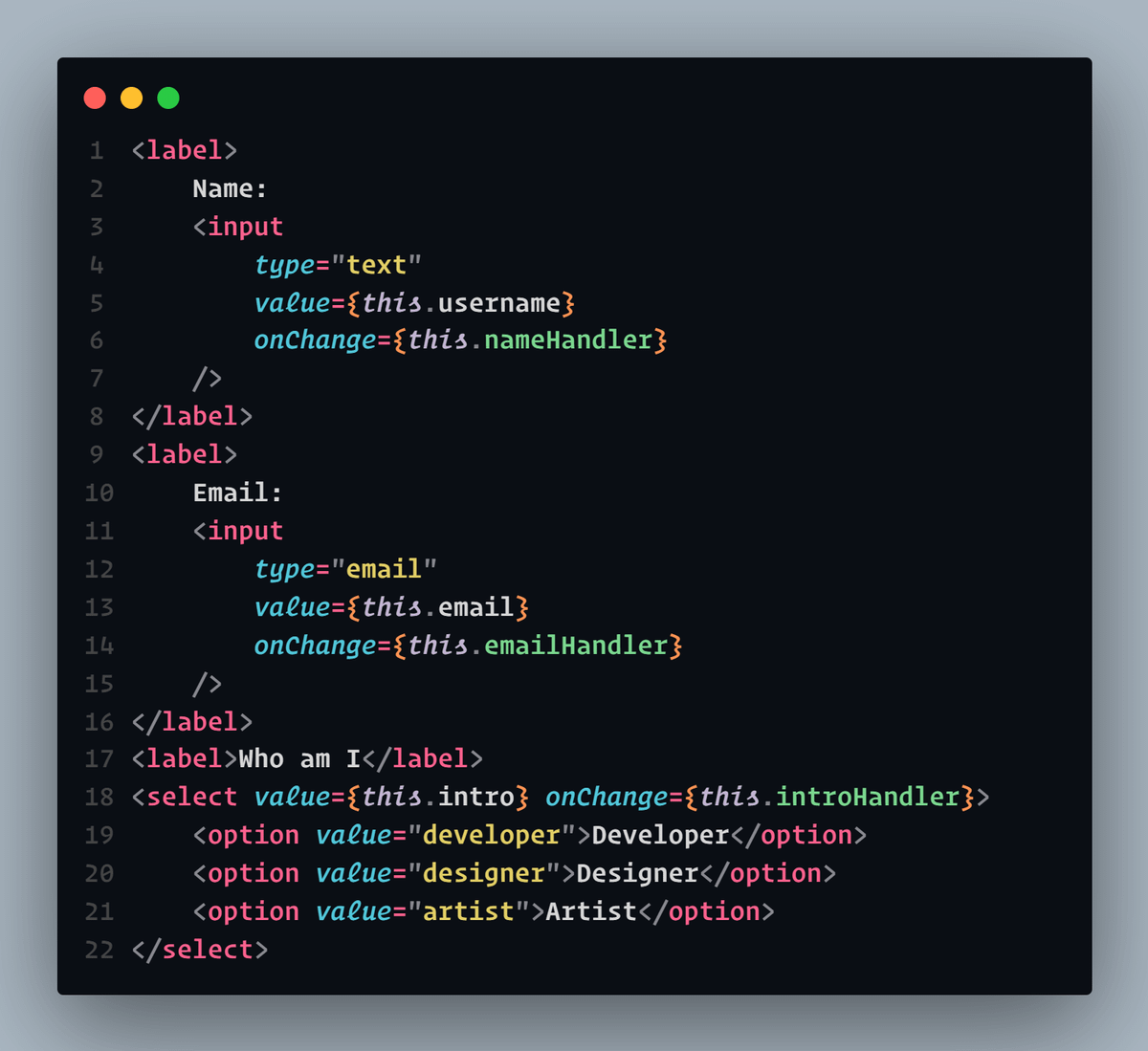
🤔 But, How will it work?
These handlers will have an event (e) that will get triggered every time you enter something. The event will then catch the value (just entered).
Now our handler will change the state and set the value as e.target.value.
Let's see how:

Shreya Purohit
@eyeshreya
📊 Data Analyst • SQL • Python • Tableau ✍️ I write to help you learn hard concepts of data in half the time ✉️ For technical writing