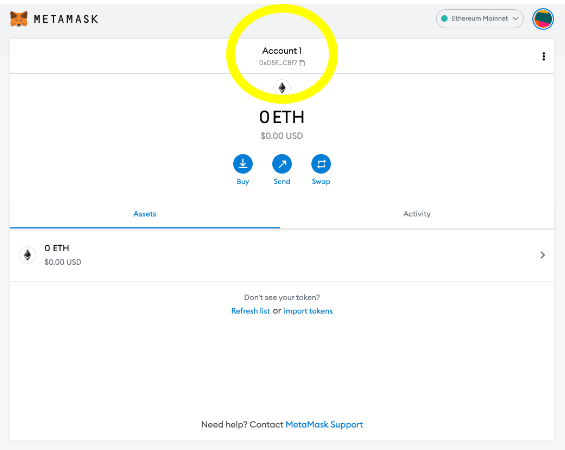
What is MetaMask and how to download it....
Thread Below 🧵
MetaMask is a plug-in based Ethereum wallet easily accessible via your browser.
You can have all your crypto currencies in it, can transact with it and store all your NFTs with the same address.
Your Ethereum wallet is your portal to Web3.
1. Go to metamask.io and click on “Download Now”
2. Link should direct you to your respective webstore and click “Add to Chrome”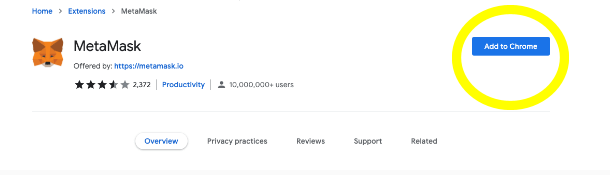
3. Once you add MetaMask to your browser it should open in a new window with a “Get Started Menu”
4. One you click “Get Started” it should direct you to the “New to MetaMask” window. Here select “Yes, let’s get set up!” to create your new wallet and seed phrase.
DO NOT SHARE AND KEEP THIS PHRASE IN A SAFE PLACE.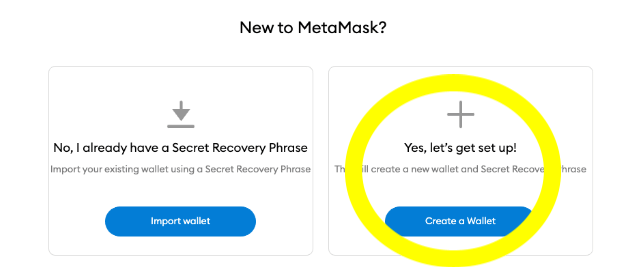
5. Create your password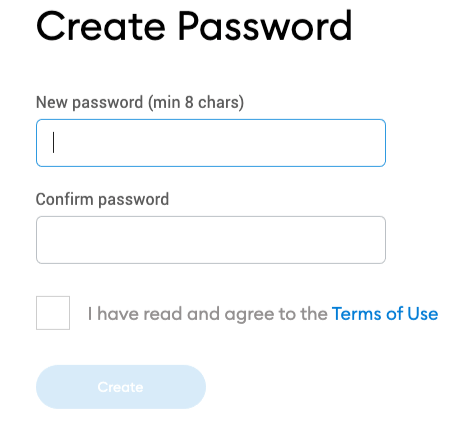
6. After you set your password the window will direct you to the ‘secure your wallet” window. I highly suggest you watch the entire video.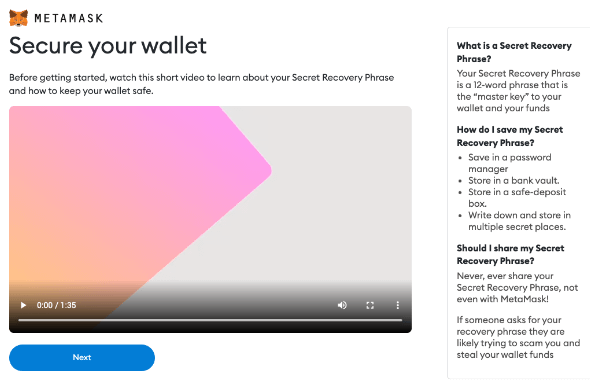
7. The next screen is going to show you your seed phrase. Click in the middle of the gray box to receive your seed phrase. The next screen is going to ask you to retype in your seed phrase so make sure to save it.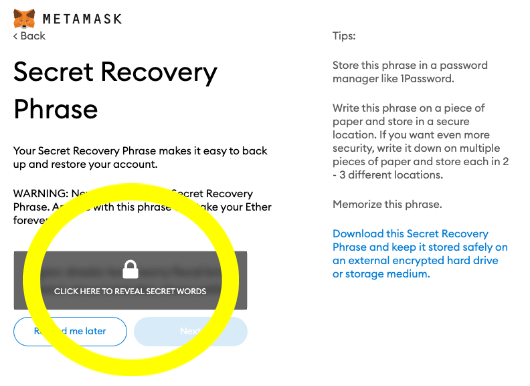
8. The “Confirm your secret recovery phrase” is where you will type in your seed phase. Select the words in the exact order of your phrase.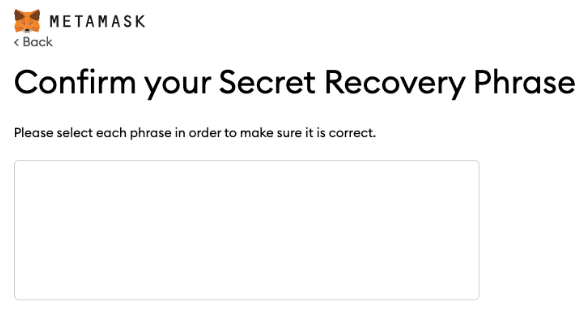
9. After you re enter your seed phrase you will get a congratulations window. Congratulations you’ve set up your MetaMask!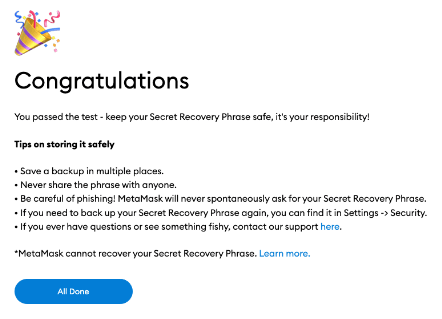
10. Click “Select” and it should take you to your MetaMask wallet in your web browser.