list-style Property in CSS 🚀
★ list-style-type
★ list-style-position
★ list-style-image
Thread 🧵
list-style Property
• It's the shorthand property that is used to set all list properties in one expression.
• The order of the values of this property is type, position, and image.
• If one of the values are missing, the default value for that property will be used.
list-style-type
• Used to change the default list type of marker to any other type, such as squares, circles, roman numerals, Latin letters, and many more.
• Example :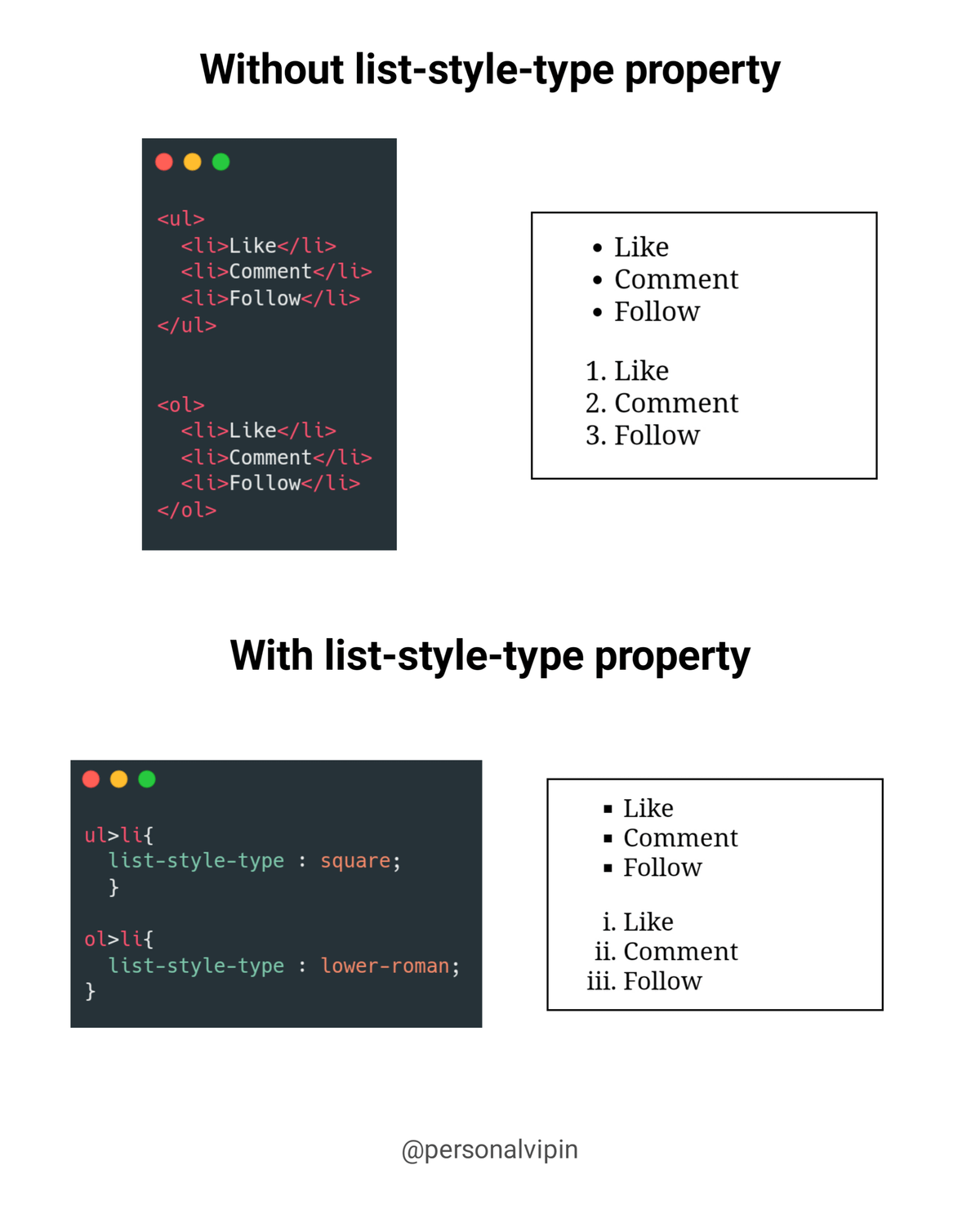
list-style-position
• It indicates whether a marker appears inside or outside of a box containing bullet points.
• It includes two values.
1. inside: It indicates that the list item will contain the bullet points. If the text in this extends to the second line, it will be wrapped inside the marker.
2. outside: It represents that the bullet points will be outside the list item. It is the default value.
Example :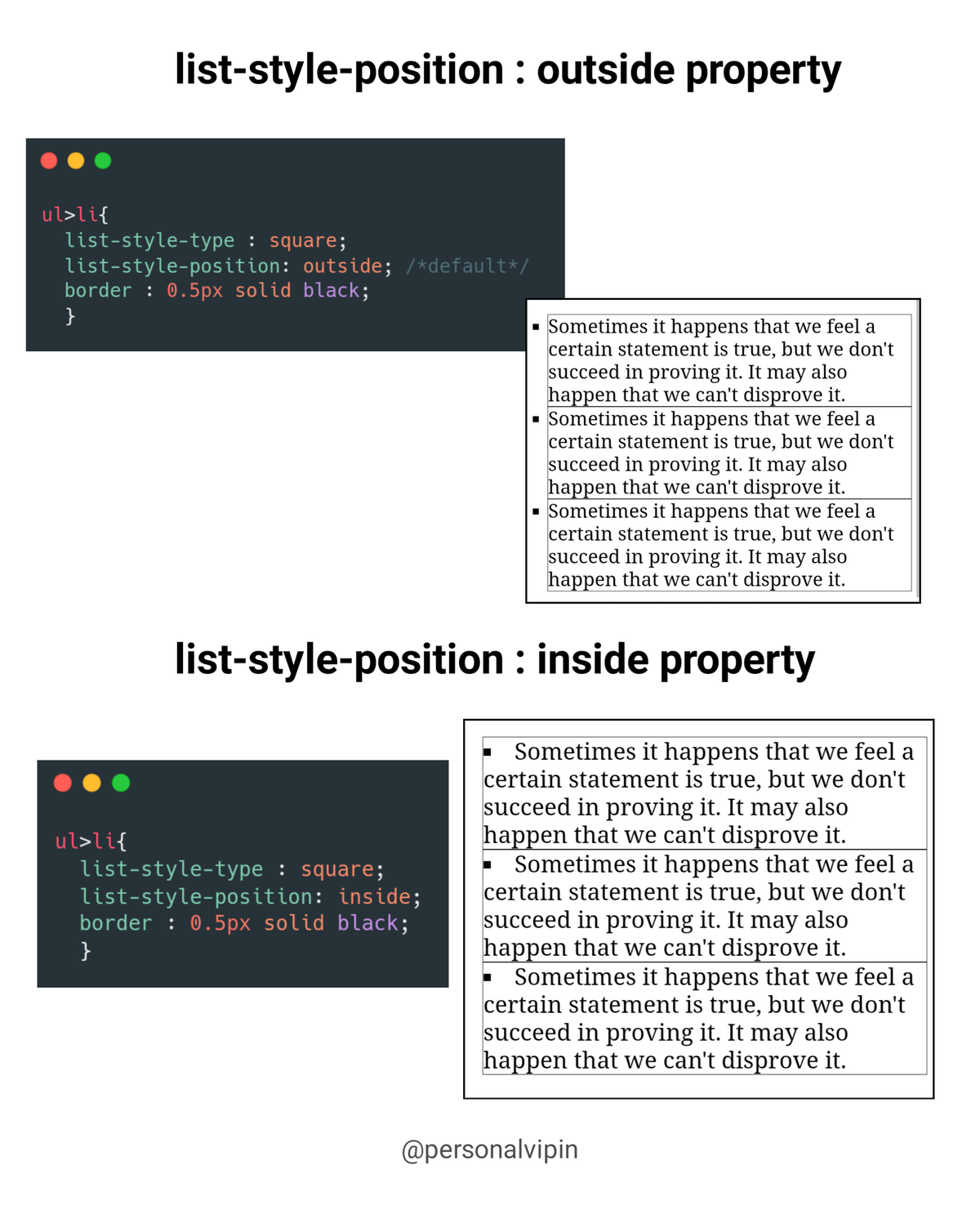
list-style-image
• It specifies an image as the marker. Using this property, we can set the image bullets.
• If it does not find the corresponding image, the default bullets will be used.
• Example :
list-style Property shortened
• list-style : type position image;
• Example :
End thread 🧵
If this thread helpful for you then
1. Do Retweet the FIRST TWEET.
2. Follow me and turn on the notifications: @personalvipin
Thankyou ❣️

Vipin
@SocialWithAI
HTML is 🔥 | CSS is ❣️ Hi 👋 I'm Vipin, I'm learning web2 and sharing my knowledge with you guys in easy ways.