🔷 About HTML Form Elements - 1
A Thread🧵 👇
📌 HTML Form Elements
→ The HTML <form> element can contain one or more of the following form elements.
1️⃣ The <input> Element
2️⃣ The <select> Element
3️⃣ The <label> Element
4️⃣ The <textarea> Element
5️⃣ The <button> Element
6️⃣ The <fieldset> Element
7️⃣ The <legend> Element
8️⃣ The <datalist> Element
9️⃣ The <output> Element
1️⃣0️⃣ The <optgroup> Element
1️⃣ The <input> Element
→ One of the most used form element is the <input> element.
→ The <input> element can be displayed in several ways, depending on the type attribute.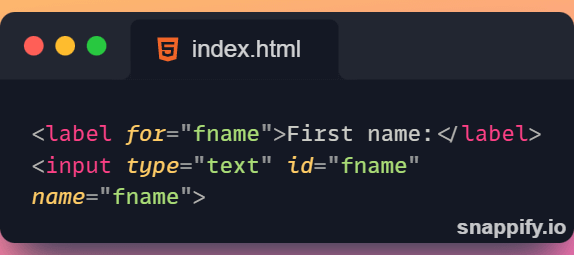
2️⃣ The <select> Element
→ The <select> element defines a drop-down list.
→ The <option> elements defines an option that can be selected.
→ By default, the first item in the drop-down list is selected.
→ To define a pre-selected option, add the selected attribute to the option.
→ Visible Values
• Use the size attribute to specify the number of visible values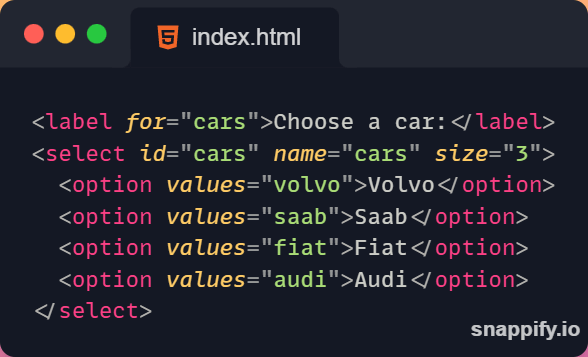
→ Allow multiple selections
• Use the multiple attribute to allow the user to select more than one value.
3️⃣ The <label> Element
→ The <label> element defines a label for several form elements.
→ The for attribute of the <label> tag should be equal to the id attribute of the input> element to bind them together.
→ The label> element is useful for screen-reader users.
→ Clicking on the <label> element, or within the <label> element, toggles radio button/checkbox.
Thanks for reading this thread ❤️
If you like it , make sure you:
🔷 Like the tweet
🔷 Retweet the first tweet ⚡
For more content , follow:
@MrunayU

Mrunay Uttarwar
@MrunayU
🌐 Front End Dev 💻 Transitioning into Web3 🚀 Content Creator 📝 Always learning and sharing my journey 💻 Let's connect and geek out!