First things first, Opines Notes Apps (or note fun here) is now officially rebranded to Nerdy Momo Cat.
Why? Because this username captures everything close to my heart: my cat, momos, coding, notes and machine learning.
Now the more important part. I am travelling for over 20 hours this week and my goal is to create a usable @NotionHQ template.
What does usable mean to me?
1. Functional and pretty
2. Automation Inclusive
3. Something I will personally use
4. Solves a problem
5. Monetizable
I am not a content creator, neither am I a Notion seller. So, what advantage do I bring?
1. Extensive knowledge of non-paid automations (similar to @aNotioneer)
2. Customizability
This will be my first #BuildInPublic journey which hopefully will result in a freemium template.
So, what do I plan to build?
Notion space manager.
Specifically, automatically populated database overview in any notion workspace.
This is the inspiration tweet.
Follow the thread to be notified of any progress 😀 twitter.com/jillmetcalfe/status/1616381464194551808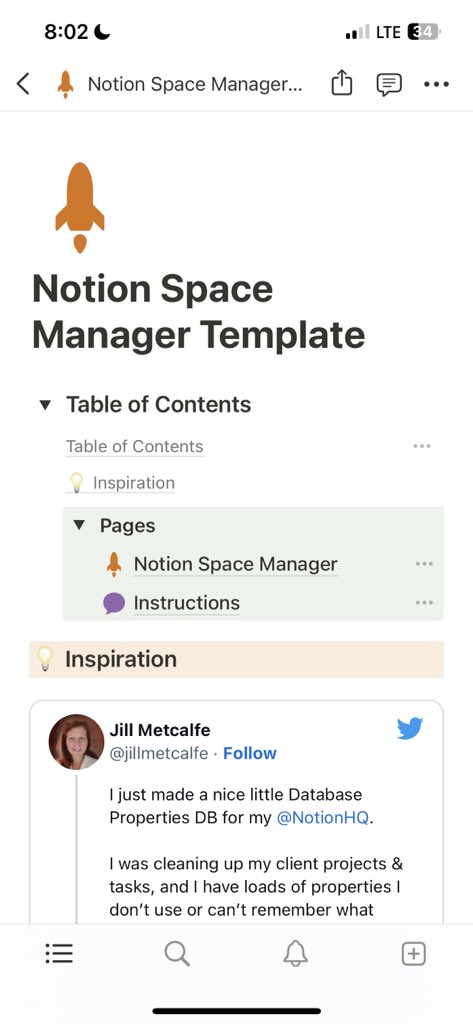
Who should be interested?
1. Did you create databases on an 'as-needed' basis & no longer have an idea of your structure?
2. Did you duplicate many templates this Jan & started using them all?
3. Are you a template creator manually adding details for all databases/properties?
Honest disclaimer: It is already 6 hours into travel time and I have some parts done/some parts of the template done.
Decision 1:
Do I make just a monetized version or freemium version (manual addition would be free vs automation would be paid)?
Decision 2:
Should I automate using shortcuts/hosted python code/both?
I am leaning towards using shortcuts at the moment.
Decision 3:
Should Property Names in the Manager Databases (not the already existing ones being structured) be customizable?
Gotta be honest, leaning towards no at the moment.
Okay, have the databases ready for the manager.
Does it help to have property types in a database instead of as a select option? 🤔
Honestly, I do not think so. I am going to change property type to select.
I want to make it as user-friendly as possible. And lemme tell you, I do not do user friendly. I do not even do 'future-me' friendly.
But, we are gonna try.
So, we make a helper database. The idea is simple, copy the link to templated databases and get db id for shortcut import.


Let's make database entry as easy as possible next.
All you need to do is mention the database you want the structure for. AND everything should be automated from there on.
For some fun, why don't we add our template databases to the workspace databases db for demo purposes.
What does the structure look like?
(In order: workspace databases, properties, property options)


Next step: defining automations.
The easiest way to fill information would be to delete all existing database and its properties/options information.
But then, if a template/automation worked this way, I would not use it.
Why? Because many people love adding comments to entries (this database does this, this property does this etc).
And making something I use is an important part of this.
So, the automation has 2 branches:
A. Fill
B. Update
A. FILL
1. Fill database title and database id
2. Add property name, type, id and note (formula expression, number format, related property, rollup function)
3. Add property options if property is of type select, multi_select, or status.
B. UPDATE
1. Fill database title and database id
For the following two, leave comments untouched.
2. If the combo of property id and database id already exists, update name, type, note.
3. If the combo of property id and option id already exists, update name & color.
Onto the shortcut setup.
The shortcut needs 2 things (technically 4).
1. Database IDs from when we setup the helper database
2. Notion internal integration API key
I absolutely love datajar for keys because I can take screenshots like these. But is it too much for a template? twitter.com/nerdy_momo_cat/status/1621136081923244035
Alright. This project started almost 12 hours ago and I have put in at the very least 6-7 hours of work uptil now.
Time for a break (not really, going to attend the meetings, I travelled for).
If somehow you see only this tweet in your feed, here is the context twitter.com/nerdy_momo_cat/status/1621132270034903040
And we are back on it. After meetings, real work and a terrible headache, I spent the past 3 hours making progress on the shortcut.
Remember, how I said, I won't put out anything that I won't use? Well, that is the bit that takes time, aka, edge cases.
Let's start with the first one: update an entry vs delete and re-add.
Pro: user-friendly
Cons: So many extra components in shortcuts. So MANY of them.
Eg: what if a property changes from select to text? Now it no longer has options and the relationship array needs resetting.
Second edge case: Relationships and Rollups
I am sure I am not the only one who sometimes "permanently deletes" a database without deleting related properties. And of course notion keeps those loose threads around.
So now we have property status other than exists and deleted.
Sidenote: Purely aesthetic thing that is bothering me. Because select options are created on fly at the moment, as they appear, the color property value color often mismatches the color.
Anyone interested in a Notion Stroop Test?
Okay, fixed that. My brain could not take the dissonance unfortunately.
Onwards, now that I have a working automation, there are 2 major edge cases left:
1. How to figure out which properties are deleted without using Last edited time as a crutch?
2. What should I do about deleted databases? What about properties associated with deleted databases?
Tackled a low-hanging fruit in the meantime. Cleanup loose threads.
Yes, the query is paginated but I do not expect people to be deleting so many properties/options that they end up with more than 100 hangings. And if they do, it would be cleaned up on shortcut's next run.
Something I forgot to mention before, how to handle shortcut's erratic maximum runtime?
The workspaces databases now have a Do Not Process property. Just leave the databases you really want the structure for unchecked.
Bonus, this speeded up my shortcut debugging time!
Cool, "coded" marking properties as deleted, as mentioned in the first point here.
I realized if someone deltes a database, they will probably quickly delete the row in workspace databases too which would cleanup properties and property options. twitter.com/nerdy_momo_cat/status/1621282648470454272
And the property options deletion is done!
Why only delete options for found properties? Because notion allows for restoration of a property along with its option, so I am keeping them around for any deleted property.
Yay! That is it for a completely automated shortcut.
Alright, tonight or tomorrow I am going to:
1. Polish up Interaction dashboards in Notion for various user types.
2. Complete the Notion interactions page.
3. Create and publish using gumroad account.
Automated structural overview of notion databases, coming soon 🎉 twitter.com/nerdy_momo_cat/status/1621132447881596934
Oops! I meant to say complete the Instructions and FAQ pages.
So, I started working on this again a few hours ago.
And the Instructions and FAQ pages are done!


And the interaction dashboards are done too!
Finished adding the navigation header
Created a gumroad account and setup the "selling points"


Now for pricing this template and automation.
I looked through 100s of gumroad notion templates and I think 20$ is a fair price for an automated template.
As a non-prolific notion template creator, general templates seem to go for 10$, complicated ones for 15$+.
Alright! Some final touches later we are done! 🥳
Go check out the template and shortcut (nerdymomocat.gumroad.com/l/notion_db_schema_manager).
It comes with detailed setup instructions on how to get this done!
And I would love to hear your suggestions/comments.
@jillmetcalfe Feel free to check it out and lemme know your thoughts :)
Also, I know you are probably not a student, but I sent a DM with a coupon code as a thanks for letting me know that other people may want to manage their abundance of notion databases too! ❤️

Nerdy Momo Cat (she/her)
@nerdymomocat
Knowledge Management, Notion, Coding & Automations, Note Taking and Sketchnoting.